Page 1 of 2

PostPosted: Mon Jul 21, 2008 12:49 am
by creator2003
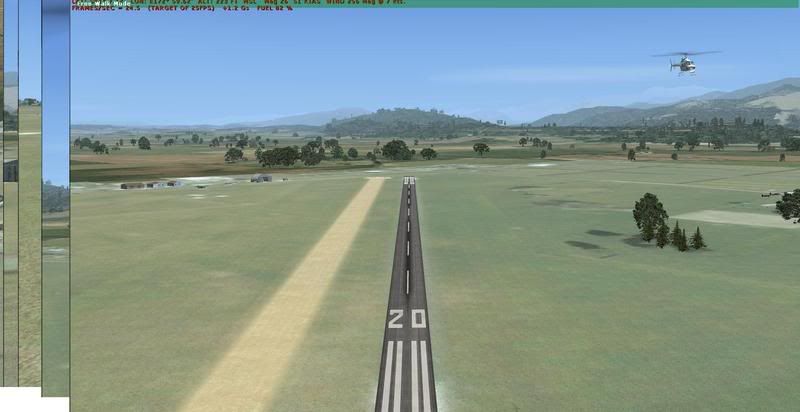
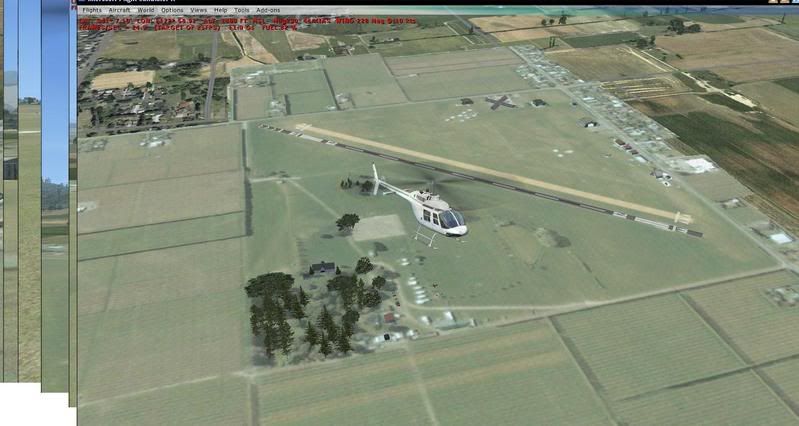
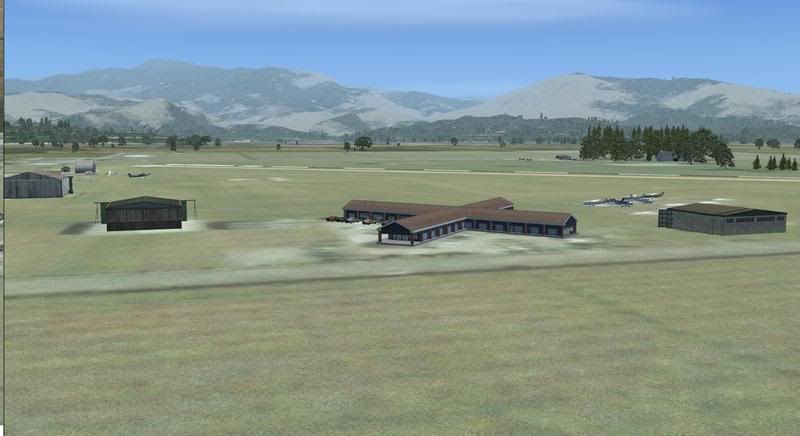
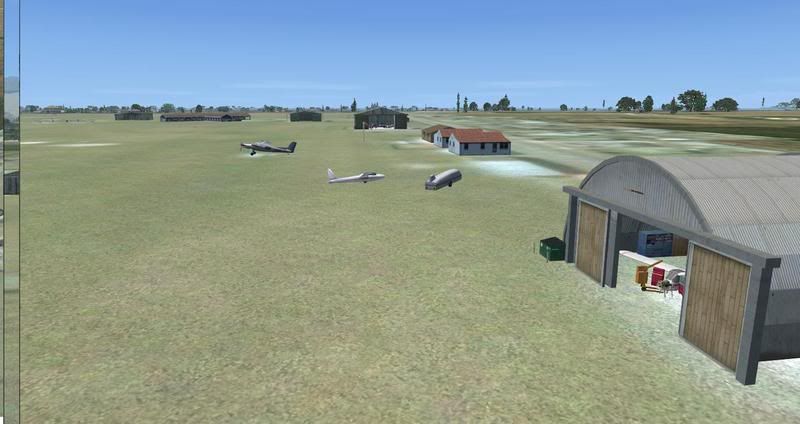
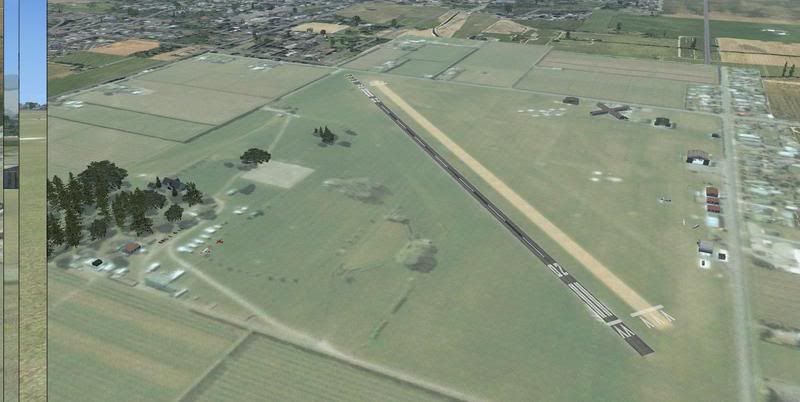
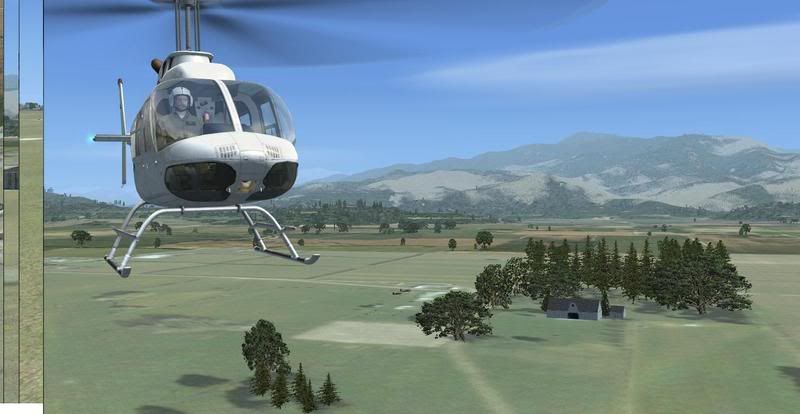
Well with about 1 hours work or less from myself and HCP Motueka is now on the FSX map ,using sbuilderX ,afcad editor and the default SDK placement tool you now have a pretty good rendition of the Airport and on both of our systems it sits at a 25 flp solid ,no frame hit at all ...
thanks to waka172rg for bring this to ahead and this is to really show you and others how easy it is to come up with something that looks ok and will be a temp till someone does a photoreal for it or puts more work into it ..
i really urge anybody with Deluxe to learn one part of the SDK
anyway it should all show up but some objects mite not as they are Acceleration or maybe not i cant remember i placed them that quickly ,have fun this is Freeware and should be treated like Freeware anything that is wrong with it not that should be just" say thanks "and enjoy tha parts that are ok tongue.gif

HCP and i call this FSX speed scenery winkyy.gif

it includes avgas /fuel /windsocks /photoreal goggle tile /helipad/hangers /lots of fun


DOWNLOAD MOTUEKA2008 FSX

Thanks to HCP cheers for the help thumbup1.gif

PostPosted: Mon Jul 21, 2008 10:36 am
by HardCorePawn
Just to clarify... I used Google Earth + FSX KML to generate the flatten/exclude for the airfield... had to as one end of the runway ended up about a meter off the ground... damn the 20m mesh for being so accurate!! winkyy.gif

Basically, you open up Google Earth, draw a polygon around the area you want to flatten out (in this case the big square that the airfield is sitting on)... save this object as a KML file. Then open the KML file in "FSX KML", set the polygon type to something like "Airport Background Flatten Exclude", then edit the vertices and change their elevation to what you want (eg. 10m at Motueka) to fit in with the mesh... Then compile it and this will give you the "cvxNZMF_FLATTEN.BGL"...

Then I used FSXPlanner to generate the AFCAD... put in a runway here, a runway there... adjust their position and angles to match the photoreal that Mike had made (a wee bit of trial and error here as GoogleEarth, the Real World and FSX don't really line up! rolleyes.gif)... fiddle with the surface types and markings etc to make it 'look right'... put in a tower view... put in some starting points at the end of each runway... add a couple of windsocks and some fuel triggers (based on the NZMK AIP plate).... Compile and we have the "Motueka NZMK.bgl".

Put it all together with the BGL's that Mike made for the photoreal and building placements and there you have it...

Motueka 2008 for FSX...


I joined the fun around 10:30pm last night... and was finished doing my stuff by around 11:30pm...

PostPosted: Mon Jul 21, 2008 10:51 am
by Ian Warren
Cheers Mike and Jared , i have a look now thumbup1.gif

PostPosted: Mon Jul 21, 2008 11:46 am
by Ian Warren
A slight tweek to match the roads , little more autogen , that'll silence the Motuekan's smile.gif Looks great challendge to land a spitty their .

PostPosted: Mon Jul 21, 2008 12:13 pm
by creator2003
Yeah i didnt load it with the Godzone as i thought most would not have it like us ,plus there is a file in there that brings my system to a crawl ? just like with NZQN the other night must be the runway ? from the old GDZ
and really this is just a temp holder till the real deal one day better than a FS9 port over i would think and so quick to do ...

PostPosted: Mon Jul 21, 2008 12:19 pm
by Ian Warren
i'll flic GZ Motueka in and see what sorta result we might get .

PostPosted: Mon Jul 21, 2008 12:27 pm
by creator2003
Try take the motuekaADF / n26/motueka / file out of the scenery folder not sure what one is bugging it ,ofcourse one at a time , i gave it ago last night before i started just to find the place and i know it is close but mite be alittle over to the right to mine ,differents sim ,but do expect Ian 3 -5 flps looking at the AP when that is loaded ,the new one has nothing to do with it

Try take the motuekaADF / n26/motueka / file out of the scenery folder not sure what one is bugging it ,ofcourse one at a time , i gave it ago last night before i started just to find the place and i know it is close but mite be alittle over to the right to mine ,differents sim ,but do expect Ian 3 -5 flps looking at the AP GDZ when that is loaded ,the new one has nothing to do with it

PostPosted: Mon Jul 21, 2008 12:31 pm
by waka172rg
creator2003 wrote:
QUOTE (creator2003 @ Jul 21 2008, 01:49 AM) <{POST_SNAPBACK}>
Well with about 1 hours work or less from myself and HCP Motueka is now on the FSX map ,using sbuilderX ,afcad editor and the default SDK placement tool you now have a pretty good rendition of the Airport and on both of our systems it sits at a 25 flp solid ,no frame hit at all ...
thanks to waka172rg for bring this to ahead and this is to really show you and others how easy it is to come up with something that looks ok and will be a temp till someone does a photoreal for it or puts more work into it ..
i really urge anybody with Deluxe to learn one part of the SDK
anyway it should all show up but some objects mite not as they are Acceleration or maybe not i cant remember i placed them that quickly ,have fun this is Freeware and should be treated like Freeware anything that is wrong with it not that should be just" say thanks "and enjoy tha parts that are ok tongue.gif

HCP and i call this FSX speed scenery winkyy.gif

it includes avgas /fuel /windsocks /photoreal goggle tile /helipad/hangers /lots of fun
DOWNLOAD MOTUEKA2008 FSX

Thanks to HCP cheers for the help thumbup1.gif

Thankyou so much!!! bloody kiwis helping kiwis!!! New_Zealand_etc.gif motueka is my home town and me and my patner moved over to auzzy three weeks ago so ill beable to go fly home when i want im so bloody happy clapping.gif thankyou mike and Jared notworthy.gif!! now ill try to put google earth on it. GO THE ALL BLACKS ON SAT NITE New_Zealand_etc.gif

PostPosted: Mon Jul 21, 2008 12:49 pm
by creator2003
QUOTE
now ill try to put google earth on it.[/quote] the tile is with the download so there is nothing you need to do or download just the file that is there ,enjoy mate NO Prob thumbup1.gif New_Zealand_etc.gif

this has the photoreal in the download /windsocks /avgas fuel / default placements of buildings everything you see in the pics /no extras needed to get this working mate ..

PostPosted: Mon Jul 21, 2008 1:09 pm
by waka172rg
creator2003 wrote:
QUOTE (creator2003 @ Jul 21 2008, 12:49 PM) <{POST_SNAPBACK}>
the tile is with the download so there is nothing you need to do or download just the file that is there ,enjoy mate NO Prob thumbup1.gif New_Zealand_etc.gif

this has the photoreal in the download /windsocks /avgas fuel / default placements of buildings everything you see in the pics /no extras needed to get this working mate ..


ok cheers!

PostPosted: Fri Aug 01, 2008 12:57 pm
by CathyH
waka172rg wrote:
QUOTE (waka172rg @ Jul 26 2008, 02:09 AM) <{POST_SNAPBACK}>
ok cheers!

Really nice, any chance of Greymouth? ( I'm an ex-Coaster bu way of Picton and now an Aussie)

cathy

PostPosted: Fri Aug 01, 2008 3:30 pm
by creator2003
Anything is possible but id suggest not waiting for us to finish projects and give it ago yourself ,im pretty busy with projects at the moment and time is something i only give away to things i think are worth while doing ,this project was to prove it doesnt take long at all to knock up a airport for your favorite area or home town and that infact its very easy to do so if you put the time and effort in to doing it ,
above are the tools we used all freeware from places if you goggle there names and tutorials are online all over the place to learn how to use them with a simple google search ...
id love to do your home town but i would also love to see some of you guys doing them yourselfs even if you think you cant you can and if i did it for you you wouldnt take the little time out to learn youselfs ,plus id have a list as long as my arm from others to request there home towns aswell

so i hope you understand and i really do wish you the best in building Greymouth plus if you have any questions that you cant answer with a goggle search plz dont worry about contacting me at all also im on Teamspeak in the NZFF scenery design room most days waiting for a chat or ready to help out if i can ...
mike thumbup1.gif

PostPosted: Sat Aug 02, 2008 7:54 am
by Daniel
Looking great guys thumbup1.gif
Thanks for all your hard work guys smile.gif

PostPosted: Sat Aug 02, 2008 8:57 am
by Njbb1995
If only I had FSX. The quality of the addons for FSX are getting better and better

PostPosted: Sat Aug 02, 2008 1:51 pm
by spongebob206
Thanks Guys,

Downloading now.


Awesome Guys, thanks, flew in last night.

PostPosted: Wed Oct 05, 2011 10:48 am
by Galp
sad.gif Oh dear. I have tried to download Motueka for FSX It redirects me to Windows Live, but when I log in to my account it comes up with this message "This item might not exist or is no longer available" Can anybody help with this please as I would dearly love to add Mot. to my scenery.

PostPosted: Wed Oct 05, 2011 11:39 am
by GlennAV8R
Galp wrote:
QUOTE (Galp @ Oct 5 2011,11:48 AM) <{POST_SNAPBACK}>
sad.gif Oh dear. I have tried to download Motueka for FSX It redirects me to Windows Live, but when I log in to my account it comes up with this message "This item might not exist or is no longer available" Can anybody help with this please as I would dearly love to add Mot. to my scenery.


I have it if you want me to email it to you. It is only 1.09MB

PostPosted: Wed Oct 05, 2011 11:46 am
by creator2003
All downloads from my skydrive have been moved to my server though i dropped all scenery i didnt like the look of which one of them is this ,the plan has always been to rebuild everything ive done to a better standard and not to use default objects as main buildings which i hate ,seeing there is Nelson coming for fsx maybe Robin will knock up a better basic airport ,other than that option there is the guy from simpit.co.nz which i know has done some scenery around the area,give him a email and see what he has and if he will part with it maybe ?..
sorry that its gone but its for the greater good of scenery standards in NZ

PostPosted: Wed Oct 05, 2011 6:30 pm
by Galp
thumbup1.gif Thanks for the offer Glen. That would be great! My email address is in my profile. Aint these forums great?...full of like minded and helpful folk! New_Zealand_etc.gif

PostPosted: Wed Oct 05, 2011 6:40 pm
by Galp
Thanks for the prompt reply Creator 2003. I can understand you removing your Mot scenery If you are striving for perfection, but it looks a whole lot better than the FSX default, so it will be fine for me until something better comes along! winkyy.gif As they say "You can't complain about the price" pirate.gif