 Posted: Mon Mar 24, 2008 4:01 pm
Does anyone know how to get rid of specific default objects like the power pole shown below?
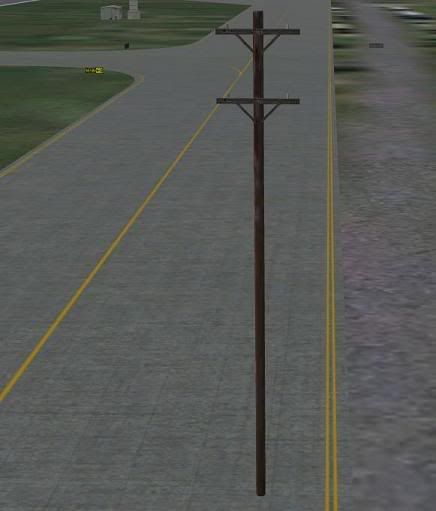
I don't want to get rid of all power poles, just a few like this one. Normally I'd create an exclude file with FSSC but that doesn't help or I would create an exclude arguement in the scenery.cfg file and that doesn't work either.
I could just move the taxiway over in this instance but the wings of passing jets would still hit the pole. This would also put the default taxiway signs in the middle of the moved taxiway, which - of course - also can't be made to dissapear.
Has anyone had the same problem and found a fix?
I don't want to get rid of all power poles, just a few like this one. Normally I'd create an exclude file with FSSC but that doesn't help or I would create an exclude arguement in the scenery.cfg file and that doesn't work either.
I could just move the taxiway over in this instance but the wings of passing jets would still hit the pole. This would also put the default taxiway signs in the middle of the moved taxiway, which - of course - also can't be made to dissapear.
Has anyone had the same problem and found a fix?