Page 1 of 2

PostPosted: Tue Mar 11, 2008 4:17 pm
by Snowman
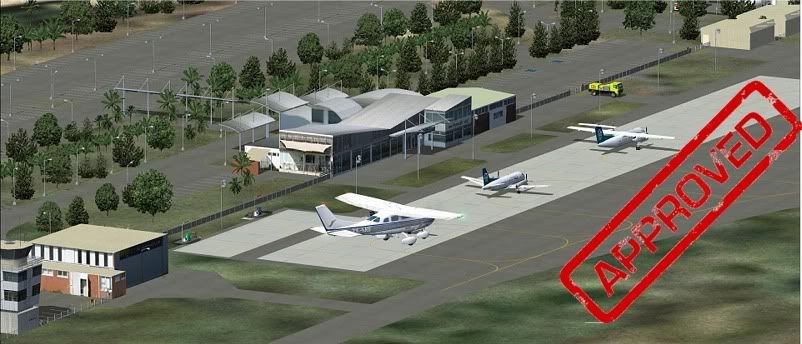
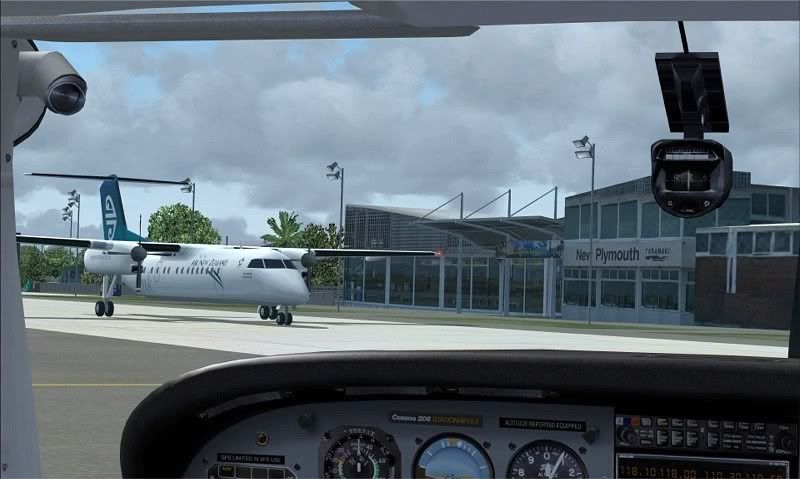
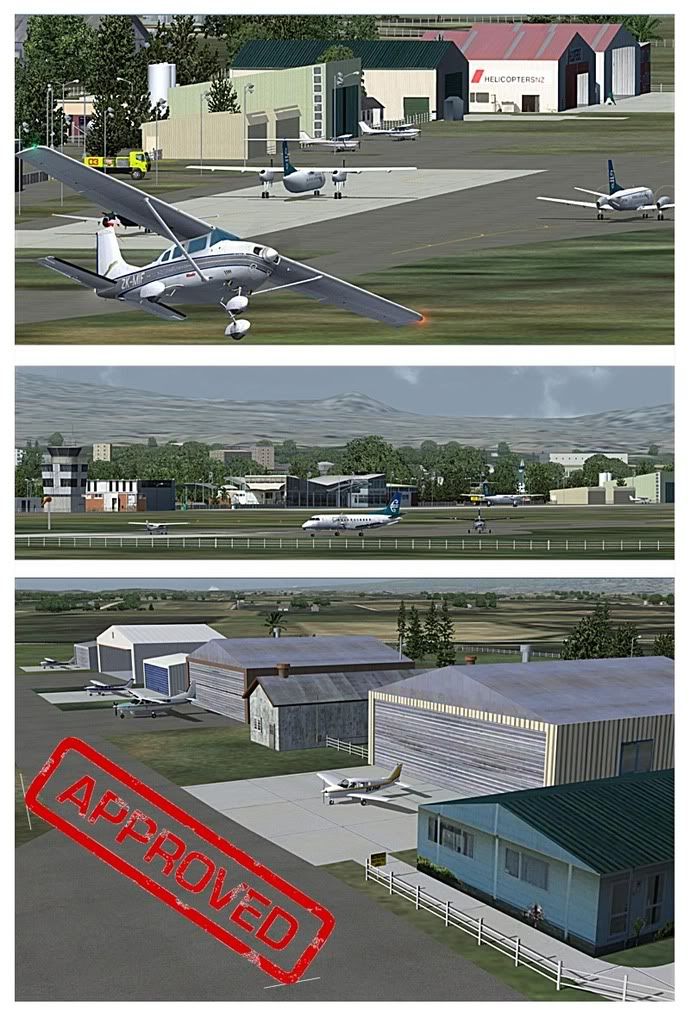
Just uploaded to Avsim,.............. New Plymouth NZNP for FS9 with Photoreal buildings.
See link below for details....................

http://nzff.org/forum/viewtopic.php?t=6159

Lawrie. >nzflag<

PostPosted: Tue Mar 11, 2008 5:42 pm
by Charl


Y'know...the Creator/Snowman pairing works really nicely, just took a look at Napier again.
It's worth doing again guys.
Even if the textures are originally destined for FSX, can it hurt to drop them on Lawrie for an FS9 extravaganza?
Just a (more than) passing thought...

PostPosted: Tue Mar 11, 2008 6:06 pm
by ardypilot
Link me up Charl, those screenies look awesome but I can't find it on AVsim yet!

PostPosted: Tue Mar 11, 2008 7:08 pm
by Q300
Dude I love you!!!!!!!
Looks bloody awesome Lawrie :wub: :D

PostPosted: Tue Mar 11, 2008 7:31 pm
by creator2003
QUOTE
Looks bloody awesome Lawrie[/quote]
And creator/mike ,just pluging my own work ..lest we forget

PostPosted: Tue Mar 11, 2008 7:33 pm
by Charl
Trolly wrote:
QUOTE (Trolly @ Mar 11 2008, 07:06 PM) <{POST_SNAPBACK}>
Link me up Charl, those screenies look awesome but I can't find it on AVsim yet!
Um I cheated just a little with the screenshots, but it's up now: new-plymouth-nznp-v2ph.zip

creator2003 wrote:
QUOTE (creator2003 @ Mar 11 2008, 08:31 PM) <{POST_SNAPBACK}>
And creator/mike ,just pluging my own work ..lest we forget

No chance, see above suggestion... :thumbup:

PostPosted: Tue Mar 11, 2008 9:12 pm
by Q300
creator2003 wrote:
QUOTE (creator2003 @ Mar 11 2008, 08:31 PM) <{POST_SNAPBACK}>
And creator/mike ,just pluging my own work ..lest we forget

Woops my bad "Nice work Lawrie and Mike :bow: " Love ya both :lol:

PostPosted: Tue Mar 11, 2008 9:46 pm
by Ian Warren
:D LOOKIN DAMM GOOD :thumbup:

PostPosted: Wed Mar 12, 2008 3:30 pm
by Snowman
Thanks very much guys................ but do plese remember,......... it is a JOINT effort between myself and Mike,
as is reflected on the page on Avsim, and also in the INSTALL instructions with the scenery.......................


Category: Flight Simulator 2004 - Scenery
New! New Plymouth Airport, New Zealand. NZNP. V-2 with PHOTOREAL buildings.


Images related to this file:


new-plymouth-nznp-v2ph-1.jpg
new-plymouth-nznp-v2ph-2.jpg
new-plymouth-nznp-v2ph-3.jpg
new-plymouth-nznp-v2ph-4.jpg

File Description:
Welcome to New Plymouth, a medium sized domestic airport in the Taranaki district, on the central west coast of the North Island of New Zealand. This new "Version-2" uses PHOTOREAL buildings for the airport,(textures included), instead of object library items, for most buildings. Some EZ Scenery libraries are still required (see INSTALL instructions for details).


Filename: new-plymouth-nznp-v2ph.zip
License: Freeware, limited distribution
Added: 11th March 2008
Downloads: XXXX
Author: Lawrie Roache / Mike Andrews
Size: 2648kb


--------------------------------------------------------------------------------

QUOTE (Charl) [ Y'know...the Creator/Snowman pairing works really nicely, just took a look at Napier again.
It's worth doing again guys.
Even if the textures are originally destined for FSX, can it hurt to drop them on Lawrie for an FS9 extravaganza?
Just a (more than) passing thought... ] UNQUOTE.

I wouldnt mind at all doing for FS9, while Mike does for FSX,................. Mike's got to agree first . !!!....... :)
You guys will have to harass him about it....... :lol:
There's still PLENTY of life left in FS9 yet !!......................

Lawrie. >nzflag<

PostPosted: Wed Mar 12, 2008 3:39 pm
by Snowman
Charl wrote:
QUOTE (Charl @ Mar 11 2008, 06:42 PM) <{POST_SNAPBACK}>


Y'know...the Creator/Snowman pairing works really nicely, just took a look at Napier again.
It's worth doing again guys.
Even if the textures are originally destined for FSX, can it hurt to drop them on Lawrie for an FS9 extravaganza?
Just a (more than) passing thought...


You must be a pretty important official Charl,.............................
Not many people i know have one of them thar goldarned, new-fangled, fancy "APPROVED" stamps............ :lol:
Which govt. dept. do i apply to for one of those ?? ................................... :lol:

Lawrie. >nzflag<

PostPosted: Wed Mar 12, 2008 4:05 pm
by Charl
Snowman wrote:
QUOTE (Snowman @ Mar 12 2008, 04:39 PM) <{POST_SNAPBACK}>
Not many people i know have one of them thar goldarned, new-fangled, fancy "APPROVED" stamps............ :lol:
Which govt. dept. do i apply to for one of those ?? ................................... :lol:

Heh. Walk tall, guys: Not many qualify for that much-coveted Stamp of Approval.
It takes a long history of proven, dedicated, applied service even to get on the ShortList for Consideration... :ye:

PostPosted: Wed Mar 12, 2008 6:28 pm
by ilovetofly
Hi Lawrie,
It's me Jim D. again.
Little problem with the New Plymouth scenery you just uploaded. I installed it an flew into it and landed and the entire scenery was there, and , as usual, magnificent work. Now after closing down and returning to NP, the texture for the main terminal is missing.

Would you please ID it for me so I can attempt to locate it? I tried reloading the scenery without getting results. Now I know that it was there the first time, but don't know what happened.

I appreciate any ideas.

Jim D.

PostPosted: Wed Mar 12, 2008 7:07 pm
by Ian Warren
ilovetofly wrote:
QUOTE (ilovetofly @ Mar 12 2008, 06:28 PM) <{POST_SNAPBACK}>
Hi Lawrie,
It's me Jim D. again.
Little problem with the New Plymouth scenery you just uploaded. I installed it an flew into it and landed and the entire scenery was there, and , as usual, magnificent work. Now after closing down and returning to NP, the texture for the main terminal is missing.

Would you please ID it for me so I can attempt to locate it? I tried reloading the scenery without getting results. Now I know that it was there the first time, but don't know what happened.

I appreciate any ideas.

Jim D.

A thought here Jim , you could copy the Texture folder of Lawrie/Mikes Scenery to your main FS9 texture folder , the files are very small , any major texture problem you may find will fix this even if you have to duplicate it . :) ..... this could be done with all your prob-matic textures :thumbup:

PostPosted: Wed Mar 12, 2008 8:24 pm
by creator2003
nakiterm1.bmp is the texture ,i wonder why this would happen ,if you have the yellow fire truck and some other buildings that i added on the same map texture showing ,then i find this very weird if just the terminal was missing
i see lawrie has kindly place each object as its own bgl file ,so i would check also if you had [ nakiterminal_11.bgl ]in the scenery folder as this is the placement file

PostPosted: Wed Mar 12, 2008 8:36 pm
by Ian Warren
creator2003 wrote:
QUOTE (creator2003 @ Mar 12 2008, 08:24 PM) <{POST_SNAPBACK}>
nakiterm1.bmp is the texture ,i wonder why this would happen ,if you have the yellow fire truck and some other buildings that i added on the same map texture showing ,then i find this very weird if just the terminal was missing
i see lawrie has kindly place each object as its own bgl file ,so i would check also if you had [ nakiterminal_11.bgl ]in the scenery folder as this is the placement file

I believe its the same silly prob with some texture folders , even AGNs go walkybouts? damm head scratcher at times , since files are so small ok to duplicate . Then all is a Go

PostPosted: Wed Mar 12, 2008 11:35 pm
by Snowman
For the Terminal Building, you should have............

" NZNP_TrmBdg.bgl "
" nakiterminal_11.bgl "

Both of these in the NZNP "Scenery" folder

" nakiterm1.bmp "
in the NZNP "Texture" folder.

Cant understand how it can just up and dissapear ????............. :blink: :unsure:

Lawrie. >nzflag<

PostPosted: Thu Mar 13, 2008 2:19 am
by ilovetofly
Thanks for all the suggestions.
First of all an apology. The texture missing was for the terminal at Wanganui, not New Plymouth.
I did a restore on the 'puter, then reinstalled Wanganui scenery and all is now OK. I don't know what happened. Also NZNP still looks great.

Thanks again
Jim D.

PostPosted: Thu Mar 13, 2008 7:13 am
by Charl
Ah yes, I do this all the time, mix up Auckland and Wellington, Christchurch/Dunedin, Hamilton and...what's that other place down in the South Island? :idea:

PostPosted: Thu Mar 13, 2008 7:24 am
by creator2003
Hhhmmmm cant say ive ever done this ,must be the order i thought i was really bad at ,i just keep everything the way it comes , addon scenery /folder_example /scenery /texture ,always ezy to find and activate ..
I never put anything in the addon scenery /scenery folder /texture ,unless they are needed in there ..

if you have rwy12 or ez scenery lib object i make a folder put scenery and texture folders into it and activate ,this way i know ive got no double ups and all those librarys are in one place ...

PostPosted: Thu Mar 13, 2008 7:31 am
by ilovetofly
That's the way I have it in my system, all new scenery goes into a folder I named "My Addon Scenery", then that is sub-divided by folders for specific regions, e.g. NZ, USA/(then by state), Australia, etc. I just had made a flight and then installed the new scenery so I forgot where I had last landed.

I've been doing a tour of the north island and landing every 20-30 minutes at a new location based on the sceneries I have. Been fun. Adds to the confusion as to where I last landed if I don't save the flight after landing.

JimD.