Hamilton Tree Problem

An area to discuss scenery addons for virtual NZ

Postby Naki » Wed Sep 12, 2007 10:44 pm

Hi Lawrie,

I tried to email these to you a couple of days ago but I am having real problems with a very slow internet connection (bl...dy dial up) at the moment and I am now having problems with Photobucket angry.gif but I have got these shots through the system so to speak.
Anyway as promised heres some snaps of my very cabon neutral (!) Hamilton airport . As you can see there are far too many trees with some of them in very annoying positions.I think these maybe left over from another scenery. I deinstalled it but the extra trees still don't want to go away.
Any clues on how to get rid of them would be grateful.


Cheers

Paul
Last edited by Naki on Wed Sep 12, 2007 10:45 pm, edited 1 time in total.
User avatar
Naki
NZFF Pro
 
Topic author
Joined: Sat Aug 05, 2006 10:03 pm
Posts: 7170
Location: Tauranga

Postby HardCorePawn » Thu Sep 13, 2007 8:46 am

Unfortunately, I am not sure how to get rid of them... but HN sure is looking a lot more 'Tropical' than I remember! dry.gif

what tree set is that?
"Son, we are about the break the surly bonds of gravity, and punch the face of God." -- Homer Simpson

Image
User avatar
HardCorePawn
Senior Member
 
Joined: Fri Sep 01, 2006 4:18 pm
Posts: 1277
Location: 2500' above Godzone

Postby creator2003 » Thu Sep 13, 2007 8:52 am

They look like treeX the one i hype on about heaps as they are my favorite tree set at the moment from avsim ,,you could just try a exclude or moving the exclued files somewhere else, just another folder ,,but id say that there has just been a mis here and you could make a custom exclude for that area ,,just remeber to always exclued on a 360-0 heading ..
mike
User avatar
creator2003
NZFF Pro
 
Joined: Fri Jun 16, 2006 12:08 am
Posts: 4633
Location: Cant U C im LOCO

Postby Naki » Thu Sep 13, 2007 5:44 pm

Thanks Mike

They are not Tree x trees as they were the offending trees were there before I installed Treex. HCP, I am pretty sure the trees came with Savern's Hamilton scenery.

Anybody have a virtual chainsaw!?
User avatar
Naki
NZFF Pro
 
Topic author
Joined: Sat Aug 05, 2006 10:03 pm
Posts: 7170
Location: Tauranga

Postby Snowman » Thu Sep 13, 2007 6:03 pm

Hi Paul.
You have me absolutely beat on this one.
Heres a couple of pics in my sim from about the same angles as your shots...........
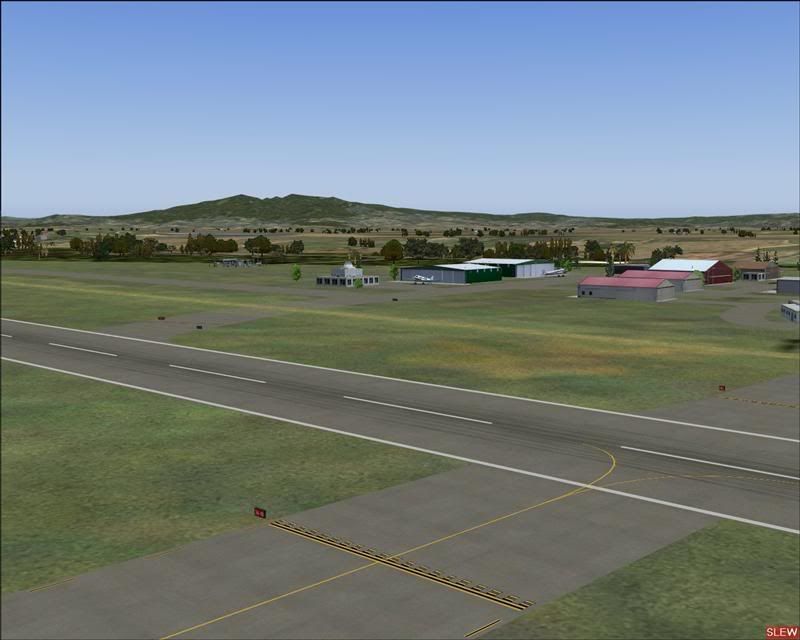
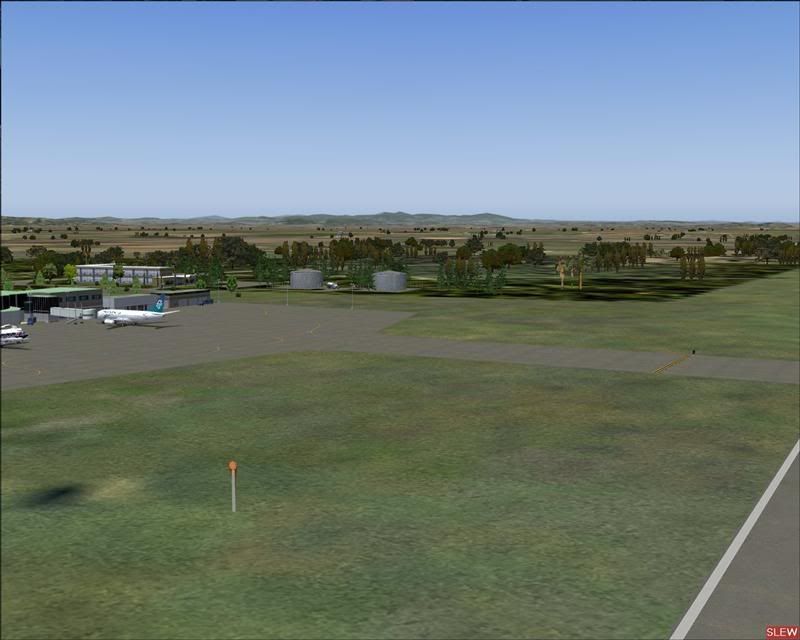
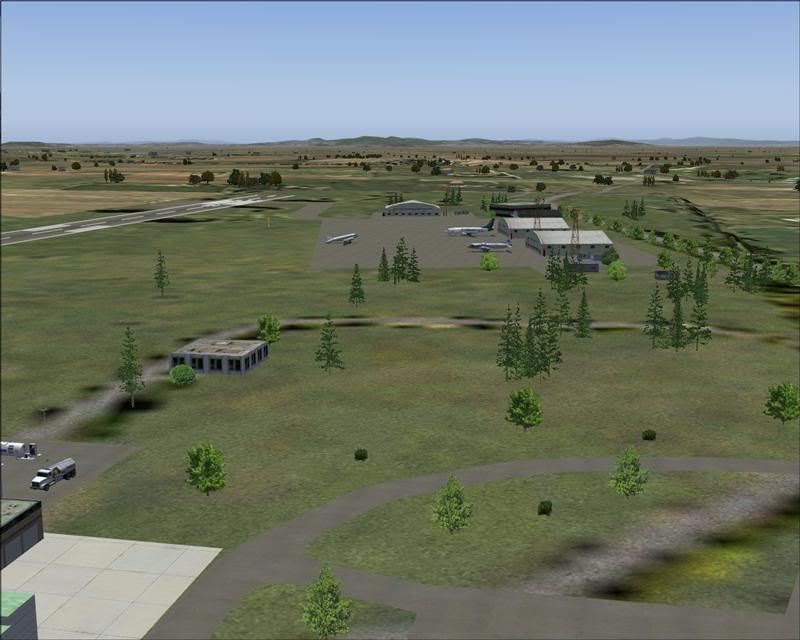


I have tried to re-create the problem in my sim, but am not having much luck. I installed Real Environment Pro by Tim Fuchs, and i did get some extra trees in different locations than you see in my shots, but not as many as yours. Real Env Pro has a tree gen file in it by Feng Zhu, and it does seem to change the placement of agn trees in some places, which is one of the reasons i dont use it.
The other idea i wonderered about is if VOZ may be doing this (if you have it installed). I no longer have VOZ ( i ditched it quite some time ago), so i cant try to see if thats the problem. I doubt if it would be old files from Saverns NZHN scenery, as to get the affect you are seeing, you would have had to combine his files and mine together in the one scenery folder for anomolies to show up in the sim.
Have you removed my scenery alltogether, then gone through your addon scenery folder to see if there are any other Hamilton sceneries in there, then tried a fresh re-insall of mine from the original downloaded zip file ??
I also use FScene-3, and i unisnstalled that to see if it made any difference to the numbers of, and placement of trees, but no, it made very little differece to what i am seeing now in my sim.
I will have to think long and hard on this one...............
I wonder if anyone else has had a similar problem with my Hamilton scenery ???
I havnt had any comments from anyone about stray trees. I also notice, that there are a few buildings missing fom your scenery in your shots (compare with mine ).
I also think you might benefit from installing "Airport Environment Upgrade" Version 7 by Chris Arrington, going by the looks of your runway and taxiway textures in the pics.

Lawrie. New_Zealand_etc.gif
Last edited by Snowman on Thu Sep 13, 2007 6:08 pm, edited 1 time in total.
Image

Image
User avatar
Snowman
NZFF Pro
 
Joined: Wed Jul 26, 2006 3:52 pm
Posts: 2427
Location: Tauranga, NZ.

Postby Naki » Fri Sep 14, 2007 9:15 pm

Hi Lawire

I have Real Enviroment Pro installed.

I have VOZ installed but I have unvozzed it so to speak - maybe completey deinstalling it may work.

I also removed your scenery completely and reinstalled with no luck.

I don't have FS Scene 3.

What about Matts trees - should I uninstall those?

Thanks for the hint on the airport enviroment upgrade - I'll try this out. I have also installed FSX trees as you have suggested (maybe this is causing it?) in the read me.

Cheers

Paul
User avatar
Naki
NZFF Pro
 
Topic author
Joined: Sat Aug 05, 2006 10:03 pm
Posts: 7170
Location: Tauranga

Postby Snowman » Sat Sep 15, 2007 12:46 am

Naki wrote:
QUOTE(Naki @ Sep 14 2007, 09:15 PM) <{POST_SNAPBACK}>
Hi Lawire

I have Real Enviroment Pro installed.

I have VOZ installed but I have unvozzed it so to speak - maybe completey deinstalling it may work.

I also removed your scenery completely and reinstalled with no luck.

I don't have FS Scene 3.

What about Matts trees - should I uninstall those?

Thanks for the hint on the airport enviroment upgrade - I'll try this out. I have also installed FSX trees as you have suggested (maybe this is causing it?) in the read me.

Cheers

Paul


Aha,.................. Real Environment Pro. I had similar troubles with trees and other autogen items at various places showing through runways and other such things (including Hamilton).................I removed it !! The water textures are really nice in it, but it does change the autogen tree placements in many places,.... this MAY be the cause of your problem.
Ive had no such problems since i removed it.
Matts trees are needed for my sceneries. They are added trees, not from the agn libraries of FS, so NO, dont remove them.
The FSX trees WONT be causing it, they just replace the original FS9 default tree bitmaps, with new bitmaps, the actual placement of the trees does NOT change.

Lawrie. New_Zealand_etc.gif
Image

Image
User avatar
Snowman
NZFF Pro
 
Joined: Wed Jul 26, 2006 3:52 pm
Posts: 2427
Location: Tauranga, NZ.

Postby Naki » Sat Sep 15, 2007 10:30 pm

Thanks Lawrie - I'll try deinstalling Pro Enviroment
User avatar
Naki
NZFF Pro
 
Topic author
Joined: Sat Aug 05, 2006 10:03 pm
Posts: 7170
Location: Tauranga

Postby Snowman » Sat Sep 15, 2007 11:29 pm

Naki wrote:
QUOTE(Naki @ Sep 15 2007, 10:30 PM) <{POST_SNAPBACK}>
Thanks Lawrie - I'll try deinstalling Pro Enviroment


Good luck with that. I did have some trouble removing all the elements of it. Luckily i had done a full backup of all the FS folders (scenery, texture, addonscenery etc) before i installed it, so deleted the complete folders and just copied my backups back into FS.
I do believe i have read of others in the past having trouble removing all aspects of it as well.
The dark water textures in it are really nice though..................
My stopgap Hamilton will become obsolete, once Mike's Photoreal scenery is released. Looks AWESOME !!

Lawrie. New_Zealand_etc.gif
Last edited by Snowman on Sat Sep 15, 2007 11:32 pm, edited 1 time in total.
Image

Image
User avatar
Snowman
NZFF Pro
 
Joined: Wed Jul 26, 2006 3:52 pm
Posts: 2427
Location: Tauranga, NZ.


Return to Scenery

Who is online

Users browsing this forum: No registered users and 12 guests


