 Posted: Mon Aug 20, 2007 7:08 pm
Hi everybody,
Here's one for the scenery experts. I'm working on a basic airport scenery and I'm unhappy with the default MS coastline around the airport. I've created an AFCAD file and some basic objects using Google Earth as reference for positioning the airport features. Is there an easy way of getting rid of the river and moving the coastline to the yellow line shown in the screen shot below? The brown smudgy bit to the right of the picture is the dry riverbed that exists for 95% of the year.
Dan
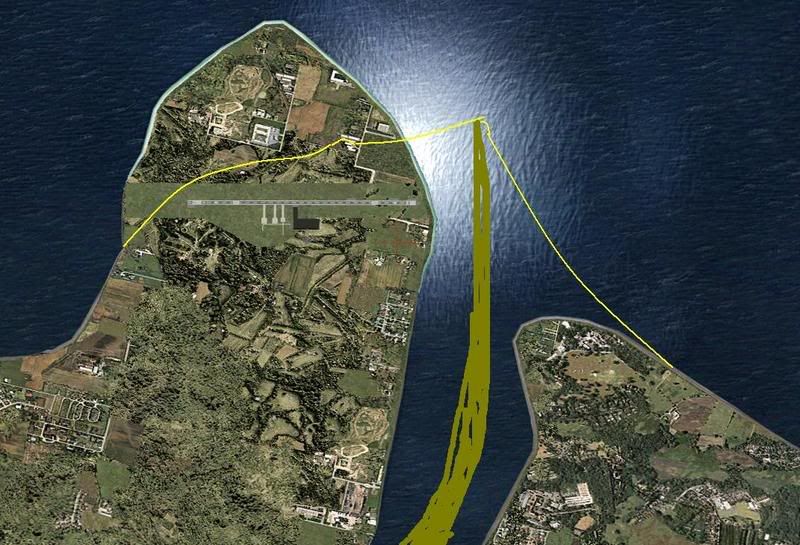
Here's one for the scenery experts. I'm working on a basic airport scenery and I'm unhappy with the default MS coastline around the airport. I've created an AFCAD file and some basic objects using Google Earth as reference for positioning the airport features. Is there an easy way of getting rid of the river and moving the coastline to the yellow line shown in the screen shot below? The brown smudgy bit to the right of the picture is the dry riverbed that exists for 95% of the year.
Dan
