
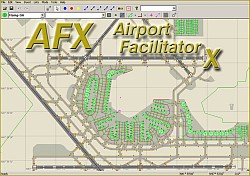
In addition to it's very intuitive and convenient user interface, AFX allows you to see the airport you are editing and all editing actions LIVE in Flight Simulator. This allows you to precisely position airport elements in relation to the surrounding scenery. AFX allows you to add, modify, or remove runways, taxiways, and paths, taxiway signs, aprons, start location, navaids, parking spots, exclusion rectangles and many more airport features. It includes a special set of tools specifically for FSX airports; you can add fences, moving jetways, vehicle links and parking spots. The utility also gives you access to FSX-specific runway markings and other attributes.
For more information on this new utility add-on, compkete with screenshots and additional purchasing news visit The
Flight1 website.
Source: Avsim.com
Flight Simulator Integration
# Can import both stock and add-on FSX and FS2004 airports in the BGL format.
# Connects to FS2004 and FSX using a special AFX module (included).
# Allows you to to see the airport you are editing and all editing actions LIVE in Flight Simulator. This allows very easy positioning of airport elements relative to buildings, terrain features and other aspects of the scenery.
# When the mouse is inside the AFX window, a second mouse pointer shows the corresponding location directly in Flight Simulator.
# Reloading of scenery in FS can be triggered directly from AFX.
# Displays the plane position in the AFX window.
# Can lock the viewpoint in the AFX window to the plane location.
Supported Airport Features
# Airport Reference Point
# Tower Viewpoint
# Runways (with markings and runway lights)
# Taxiways (with designators), apron paths and nodes
# Parking Spots (with airline assignments)
# Apron Polygons
# Apron Edge Lights
# Start Locations
# Helipads
# Taxiway Signs
# Comm Frequencies
# Navaids (VOR, NDB, ILS components)
# Exclusion Rectangles (can also exclude autogen)
# Vehicle parking spots and paths (FSX only)
# Moving Jetways (FSX only)
# Boundary Fences (FSX only)
# Blast Fences (FSX only)
(how do you edit the subject title ??
 )
)



