Page 1 of 1

PostPosted: Mon Nov 15, 2010 11:03 am
by Nzeddy
EDIT: 2012 - PROJECT CANCELED.

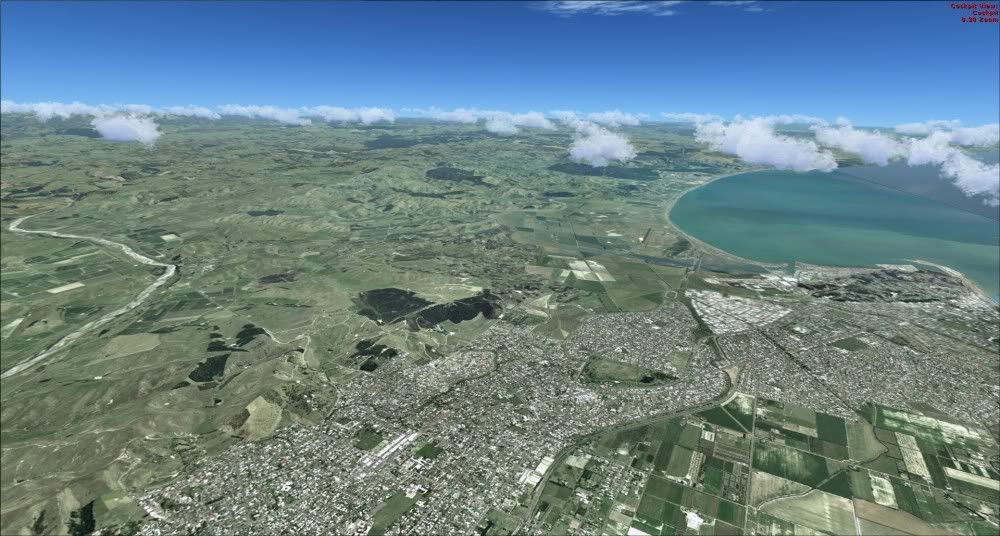
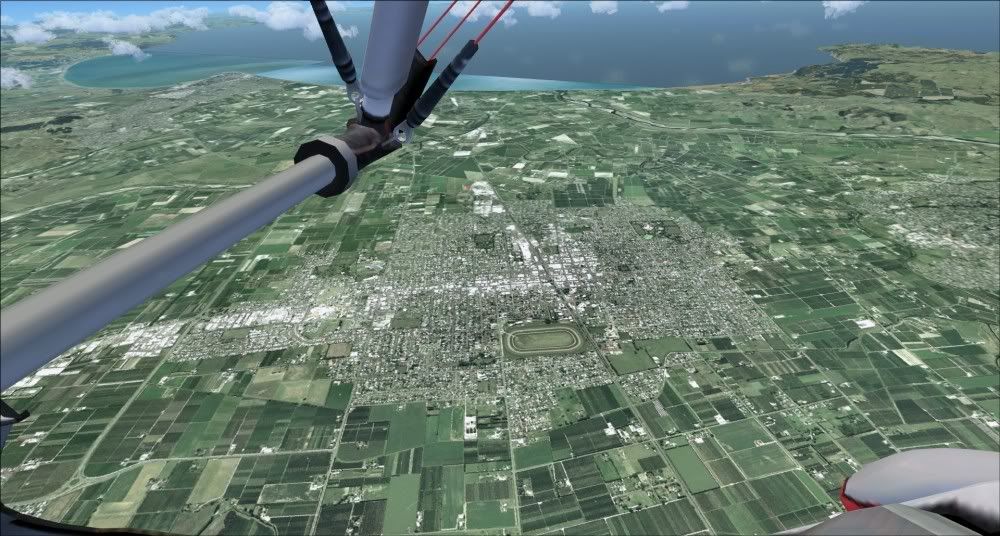
This scenery project is undergoing development and is slowly progressing very well.

Features: - Not final features
- Freeware
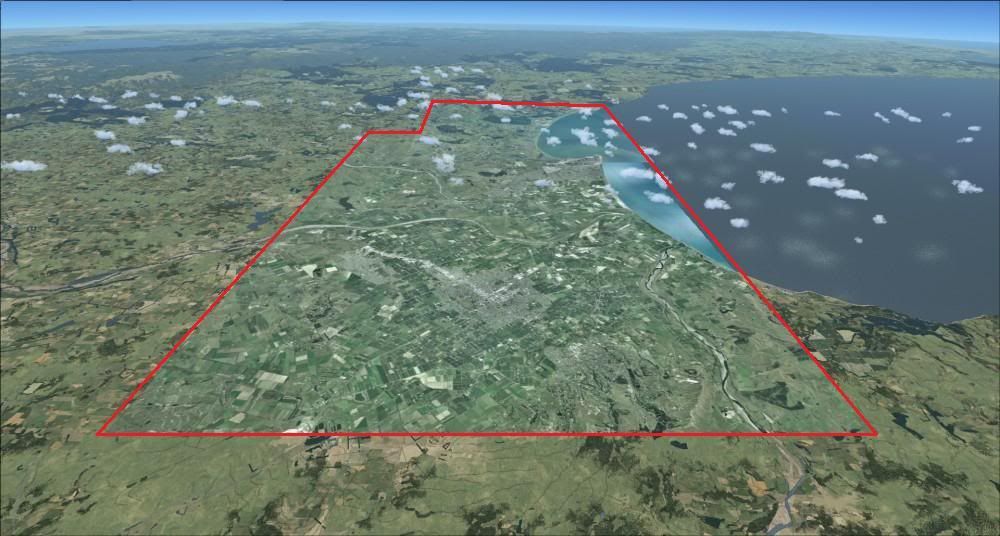
- 2.5m photoreal imagery (this might be better when I get hold of high res imagery)| coverage from Napier to Hastings | will include all season blending and night lighting
- Scenery objects around Hawke's Bay harbour eg, logs, containers, ships etc.
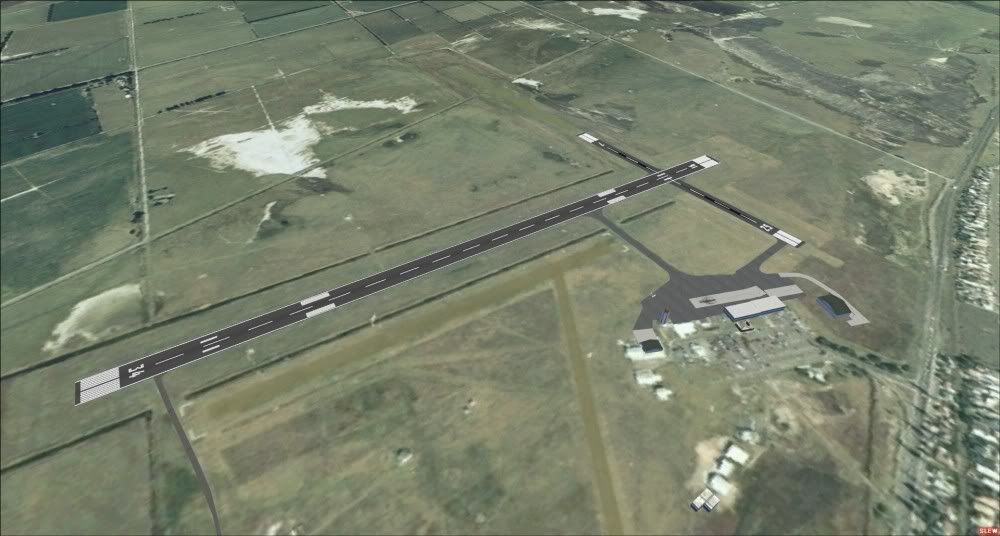
- Hawke's Bay Airport
- Hasting Aerodrome
- Compatible with Vector Land Class
- Autogen
- Buildings made with Gmax


Release Date:
Unknown.

Preview Screenshots - PreAlpha. Remeber, this is still a work in progress. winkyy.gif


PostPosted: Mon Nov 15, 2010 12:03 pm
by Ian Warren
Nzeddy wrote:
QUOTE (Nzeddy @ Nov 15 2010, 12:03 PM) <{POST_SNAPBACK}>
Release Date:
Please don't ask. smile.gif It'll be released when it's finished and ready!!!!! I hope you really understand. winkyy.gif

biggrin.gif Hey Eddy , when is the release date rolleyes.gif

PostPosted: Mon Nov 15, 2010 12:47 pm
by Jamessx
Ill Work On The Pictures Of Hangars For Napier And Bridge Pa Airport biggrin.gif

PostPosted: Mon Nov 15, 2010 12:58 pm
by Adamski
Looking forward to the fruits of [all] your efforts!

Many photo real textures I see seem a lot paler than the surrounding default tiles. It's quite apparent in the 2nd pic. Can this rectified, or is it some unfortunate side-effect?

PostPosted: Mon Nov 15, 2010 1:10 pm
by IslandBoy77
Many photo real textures I see seem a lot paler than the surrounding default tiles. It's quite apparent in the 2nd pic. Can this rectified, or is it some unfortunate side-effect?

I was wondering the same. I would have thought it would be possible to colour-match the tiles to some degree through an image-editing prog (Photoshop, Paint.net or whatever) - wouldn't be a simple task, but neither would it be overly difficult. I've done a bit of colour-correcting in my time: is always a bit of a drama getting things very accurate, as it depends on which colour has the strongest cast, how much or little of it there is in the one I'm matching to etc etc.

I'm hoping to be able to contribute to this effort, with Napier being my home-ground and all...

PostPosted: Mon Nov 15, 2010 1:23 pm
by Nzeddy
I've just did all the colour matching with the image for all seasons but some are OK. Still editing them atm. Also working on the water and blend mask.

If anyone wants to help then all goods. Just reply or pm me. smile.gif

Ian... angry.gif laugh.gif

PostPosted: Mon Nov 15, 2010 3:56 pm
by toprob
Bear in mind that colour correction here is not really possible, although you should be able to have a crack at a simple colour matching. Most image manipulation is not really too different than throwing away some information from the image, as generally you are removing image data rather than adding it. The more you manipulate it, the less colour information you will end up with. Normally when you colour-correct, you want to start with more colour/tonal information than you really need -- similar to the type of thing you'd do with a 'RAW' image from a digital camera.

Since these aerial images have already been colour corrected and colour matched, there is a huge amount of 'damage' to the tonal range -- whereas a RAW image could be thought of as similar to an old 48-bit scan of a negative, which would then be converted into a 24-bit image for viewing, most aerial images start with a bit less than 24-bit, and after the initial image processing probably end up closer to 18-bit. So they can't really be treated as full-colour images.

And since the most obvious colour is generally green, and our eyes are a lot more sensitive to shades of green, any tonal damage would be more obvious than normal.

To make it more of a dog's breakfast, you have to factor in a colour-match to the default textures, which can range from poor to hideous.

On the other hand you need to do something to fix the blue caste and poor tonal range. The trick is to know when to stop before it turns into image-soup.

PostPosted: Mon Nov 15, 2010 4:12 pm
by IslandBoy77
toprob wrote:
QUOTE (toprob @ Nov 15 2010, 04:56 PM) <{POST_SNAPBACK}>
To make it more of a dog's breakfast, you have to factor in a colour-match to the default textures, which can range from poor to hideous.

On the other hand you need to do something to fix the blue caste and poor tonal range. The trick is to know when to stop before it turns into image-soup.

Nice one Robin - particularly liked the "which can range from poor to hideous". Also, "The trick is to know when to stop before it turns into image-soup" - oh yes, that is so true. Thank goodness for Undo and making a backup copy before one starts...

I 100% agree that often an image is "so far gone" that one is very limited in what one can do to it. Having said that, hopefully what Eddy has to work with will be usable enough.

PostPosted: Mon Nov 15, 2010 4:30 pm
by Nzeddy
Thanks Robin.

I'll see what I can do with the aerial images.

PostPosted: Wed Nov 17, 2010 2:48 pm
by Nzeddy
I've set up a support forum for Eddy's Airports. cool.gif

Screenshots, information etc will be mainly posted here.

Napier scenery here.

I'll try post here for more screenshots etc.

PostPosted: Sat Dec 11, 2010 9:12 am
by mechaneer
Nzeddy wrote:
QUOTE (Nzeddy @ Nov 17 2010, 03:48 PM) <{POST_SNAPBACK}>
I've set up a support forum for Eddy's Airports. cool.gif

Screenshots, information etc will be mainly posted here.

Napier scenery here.

I'll try post here for more screenshots etc.


Is there a reason why those links arn't working for me? Are there anymore screenshot around anywhere? I'm really looking forward to this release.

PostPosted: Sat Dec 11, 2010 10:01 am
by Nzeddy
mechaneer wrote:
QUOTE (mechaneer @ Dec 11 2010, 10:12 AM) <{POST_SNAPBACK}>
Is there a reason why those links arn't working for me? Are there anymore screenshot around anywhere? I'm really looking forward to this release.

Whoops, forgot to edit them. The links don't work because Jon Murchison had to change the domain name for some reason.

Try these new links: http://www.flightsimx.co.nz/FORUM/viewforum.php?f=52
http://www.flightsimx.co.nz/FORUM/viewtopi...?f=52&t=266

The latest screenshots are on this topic as well.