AHHHHH! HELP!

An area to discuss scenery addons for virtual NZ

Postby MaarkenEdwards » Thu Jun 09, 2011 2:15 pm

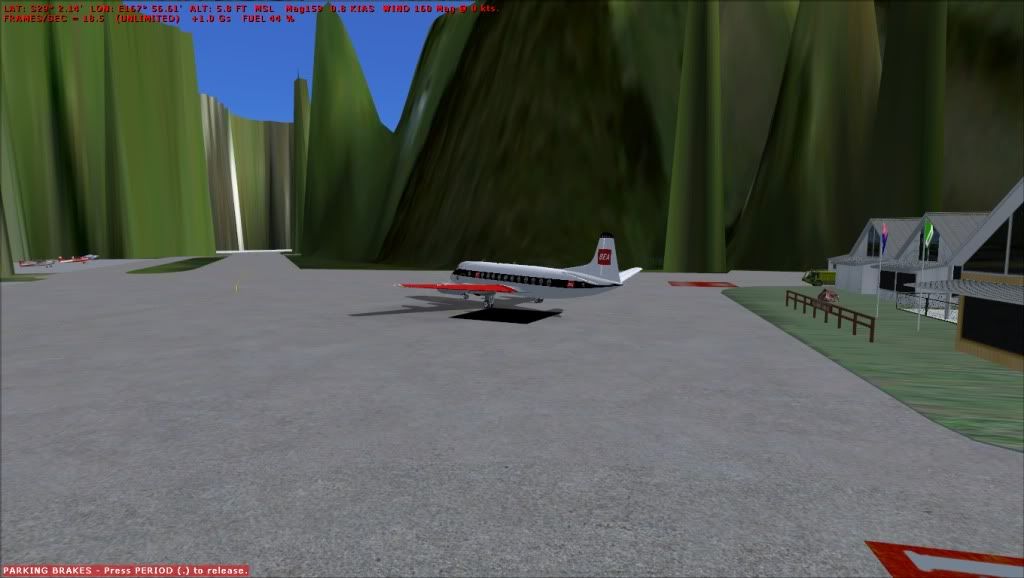
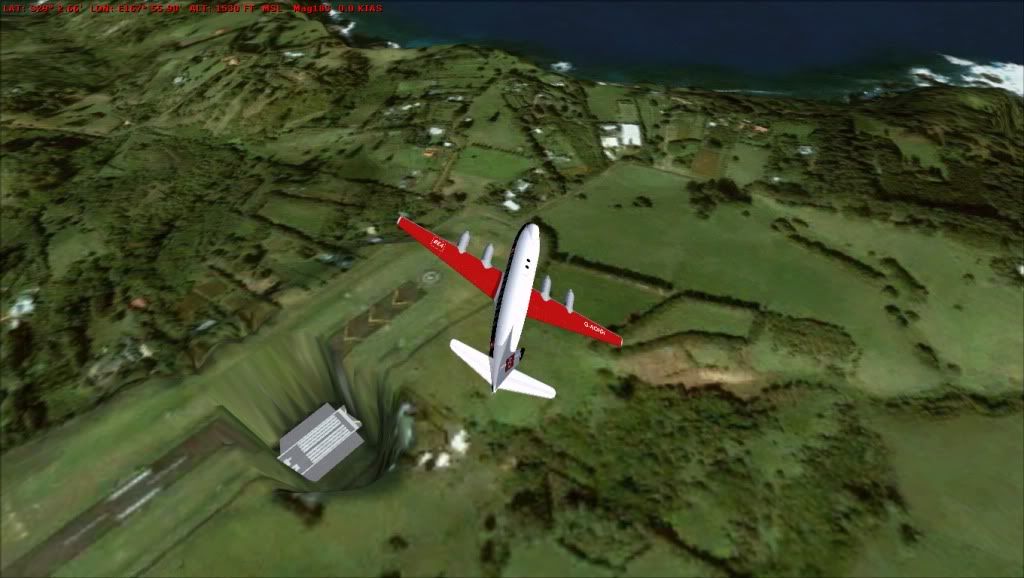
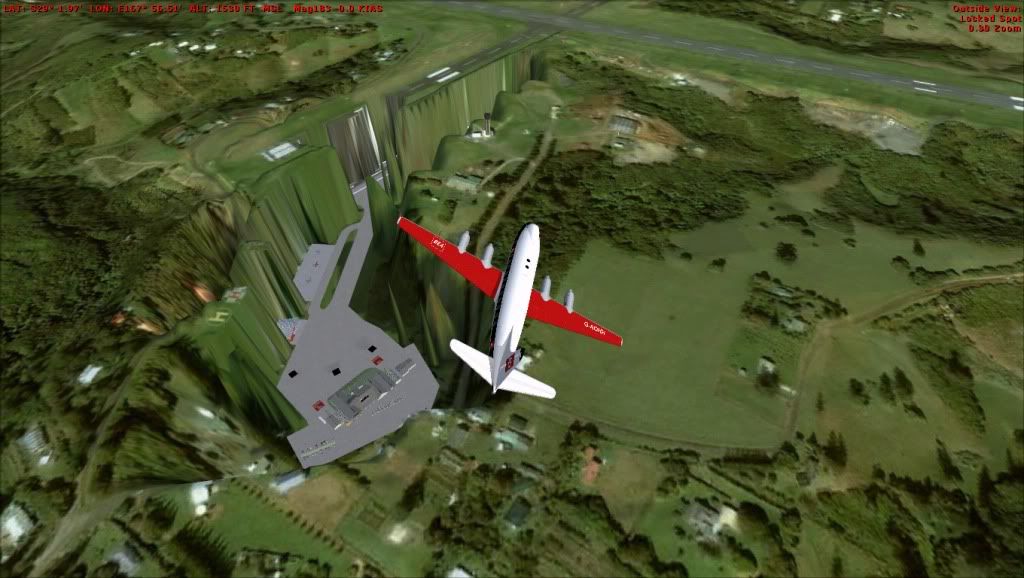
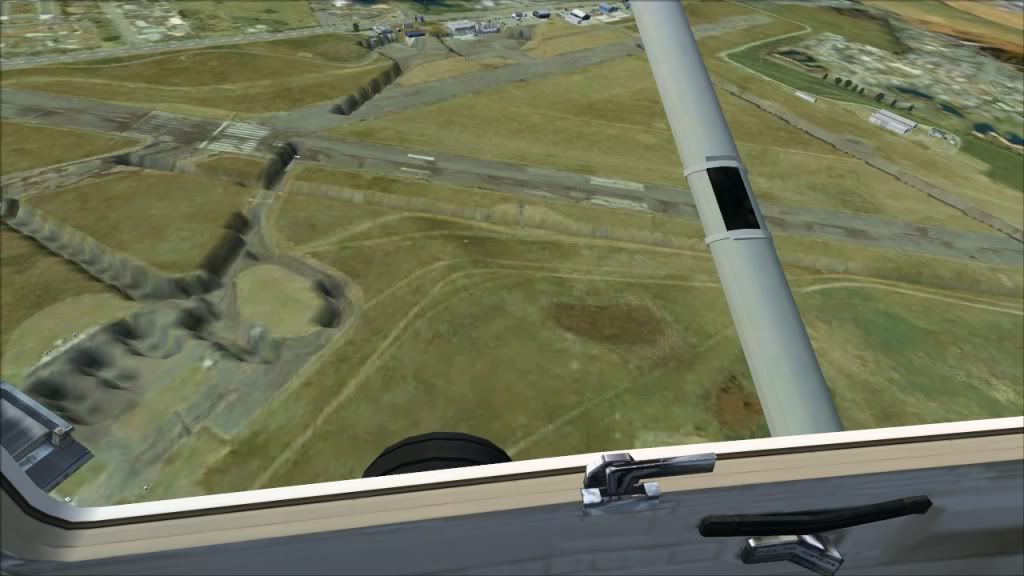
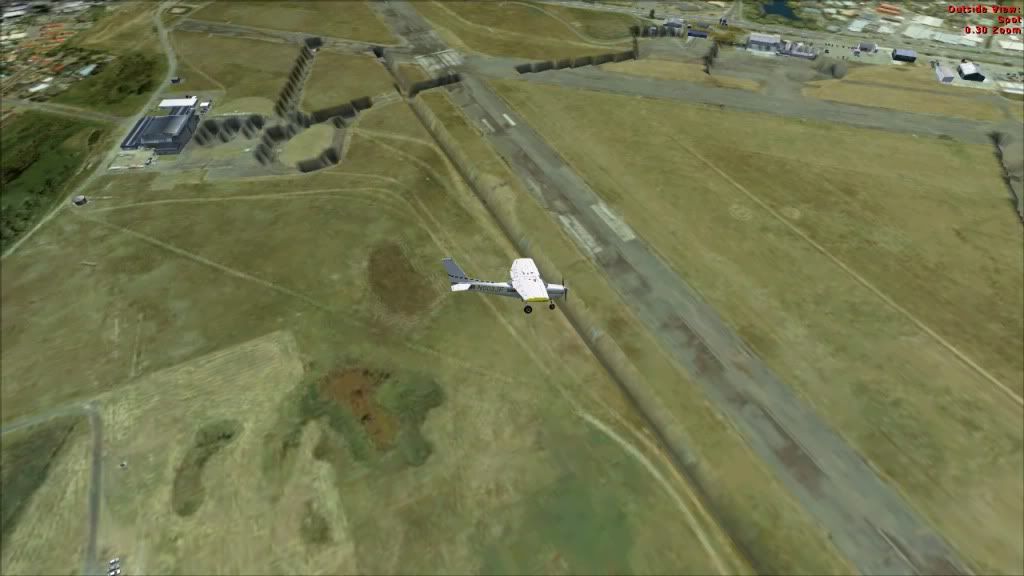
This is happening with some scenery i use for fsx, i need help!


First three are from Norfolk island (photoreal) YSNF, second two are RealNZ Paraparaumu scenery, this is used in FSX
________________________________________________________________________________
__________________________________

Image
Image
Image
User avatar
MaarkenEdwards
Member
 
Topic author
Joined: Sun Oct 03, 2010 4:35 pm
Posts: 136
Location: Tauranga

Postby creator2003 » Thu Jun 09, 2011 2:26 pm

Looks like youve added traffic with maybe afcads that from the looks of it changed the height of taxi ways runways etc , was there flattens with the afcad or traffic addons youve installed that maybe youve forgotten to put in the world scenery folder ?
my first guess is traffic afcad related ..
User avatar
creator2003
NZFF Pro
 
Joined: Fri Jun 16, 2006 12:08 am
Posts: 4633
Location: Cant U C im LOCO

Postby MaarkenEdwards » Thu Jun 09, 2011 2:35 pm

creator2003 wrote:
QUOTE (creator2003 @ Jun 9 2011,2:26 PM) <{POST_SNAPBACK}>
Looks like youve added traffic with maybe afcads that from the looks of it changed the height of taxi ways runways etc , was there flattens with the afcad or traffic addons youve installed that maybe youve forgotten to put in the world scenery folder ?
my first guess is traffic afcad related ..


Hmm, i dont know if it is traffic related, i dont use traffic because im always on MP, no need for it, but in that case afcads dont necessarily need traffic, so how do you correct it if thats the problem?
________________________________________________________________________________
__________________________________

Image
Image
Image
User avatar
MaarkenEdwards
Member
 
Topic author
Joined: Sun Oct 03, 2010 4:35 pm
Posts: 136
Location: Tauranga

Postby toprob » Thu Jun 09, 2011 2:45 pm

I'd agree with Mike, at any airport where the elevation has been changed (both of these) there needs to be a mini version of the AFCAD in Scenery\World\Scenery. The most common reason for not having these is if you backed up a particular scenery by just copying the scenery folder, and then used these to reinstall the scenery, rather than the original installer. In that case you wouldn't have the extra AFCAD because they are kept outside the backed up scenery folder.

Another likely reason is if you have an AFCAD designed for the default installed. These sometimes come with AI traffic packages etc, but you can't really use these AFCADs unless they are designed for the particular addon scenery.
User avatar
toprob
NZFF Pro
 
Joined: Sat Apr 29, 2006 4:56 pm
Posts: 6711
Location: Upper Hutt

Postby MaarkenEdwards » Thu Jun 09, 2011 3:01 pm

toprob wrote:
QUOTE (toprob @ Jun 9 2011,2:45 PM) <{POST_SNAPBACK}>
I'd agree with Mike, at any airport where the elevation has been changed (both of these) there needs to be a mini version of the AFCAD in Scenery\World\Scenery. The most common reason for not having these is if you backed up a particular scenery by just copying the scenery folder, and then used these to reinstall the scenery, rather than the original installer. In that case you wouldn't have the extra AFCAD because they are kept outside the backed up scenery folder.

Another likely reason is if you have an AFCAD designed for the default installed. These sometimes come with AI traffic packages etc, but you can't really use these AFCADs unless they are designed for the particular addon scenery.

If someone has TS3 here can they please talk me though how to fix the problem? No AFCAD came with the Norfolk Island scenery either, sorry for the lack of knowledge here, im only used to fixing aircraft etc.
________________________________________________________________________________
__________________________________

Image
Image
Image
User avatar
MaarkenEdwards
Member
 
Topic author
Joined: Sun Oct 03, 2010 4:35 pm
Posts: 136
Location: Tauranga

Postby creator2003 » Thu Jun 09, 2011 4:10 pm

4 NZPP id uninstall & reinstall from disc or download
4 Norfolk id source a afcad or other 3rd party files to fix and replace the afcad etc but it does sound alittle strange there is not a afcad and flatten in there seeing there is a model terminal which mite have just been using a default afcad i suppose ,from memory the guys at ozX mite of made a 3rd party airport for it and mite be available for download somewhere ,this could help maybe ?

so its kinda upto you to uninstall reinstall, source a new afcad/flatten or open it up in ADE and make a flatten poly etc though this just gets more complicated and i dont think your problem is much more than a simple file in the wrong place or a simple file missing .
im sorry i cant explain better as comms are out but i know Ian or Kade on TS should be able to explain abit more ..
User avatar
creator2003
NZFF Pro
 
Joined: Fri Jun 16, 2006 12:08 am
Posts: 4633
Location: Cant U C im LOCO

Postby toprob » Thu Jun 09, 2011 6:35 pm

Sorry I didn't include this earlier, but I've only just now been able to check this out. Here's the install instructions from the Norfolk Island manual:
QUOTE
Installation
1. Copy & Paste the “norfolk-island â€￾ folder into your FSX/Addon Scenery Folder.
2. Copy & Paste the “static-library-objectsâ€￾ folder into your FSX/Addon Scenery Folder.
3. Copy & Paste the "YSNF_ADX_GVF_ALT" file into your FSX/Scenery/World/Scenery"
Folder.
4. Activate the “norfolk-islandâ€￾ & “static-library-objectsâ€￾ as you would any new scenery in
FSX[/quote]

Step 3 installs the mini AFCAD. If you haven't done this, just find the file in the install zip file, and put it into Scenery\World\Scenery.
User avatar
toprob
NZFF Pro
 
Joined: Sat Apr 29, 2006 4:56 pm
Posts: 6711
Location: Upper Hutt

Postby MaarkenEdwards » Fri Jun 10, 2011 2:03 am

toprob wrote:
QUOTE (toprob @ Jun 9 2011,6:35 PM) <{POST_SNAPBACK}>
Sorry I didn't include this earlier, but I've only just now been able to check this out. Here's the install instructions from the Norfolk Island manual:


Step 3 installs the mini AFCAD. If you haven't done this, just find the file in the install zip file, and put it into Scenery\World\Scenery.


Thanks Rob, got it sorted with Ian yesterday, all is better smile.gif thanks for the help guys smile.gif
________________________________________________________________________________
__________________________________

Image
Image
Image
User avatar
MaarkenEdwards
Member
 
Topic author
Joined: Sun Oct 03, 2010 4:35 pm
Posts: 136
Location: Tauranga


Return to Scenery

Who is online

Users browsing this forum: No registered users and 3 guests