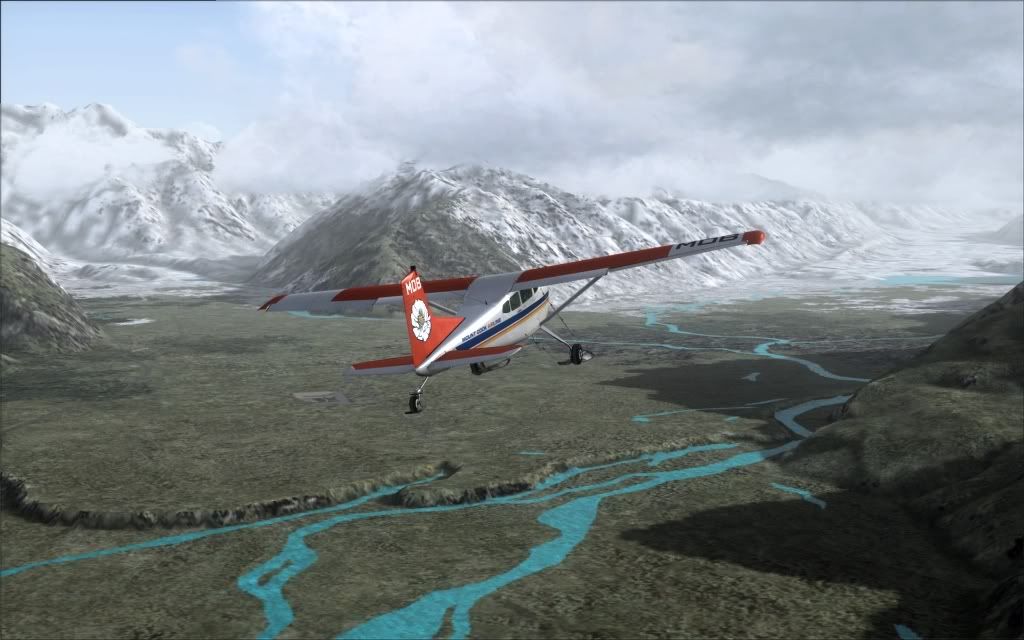
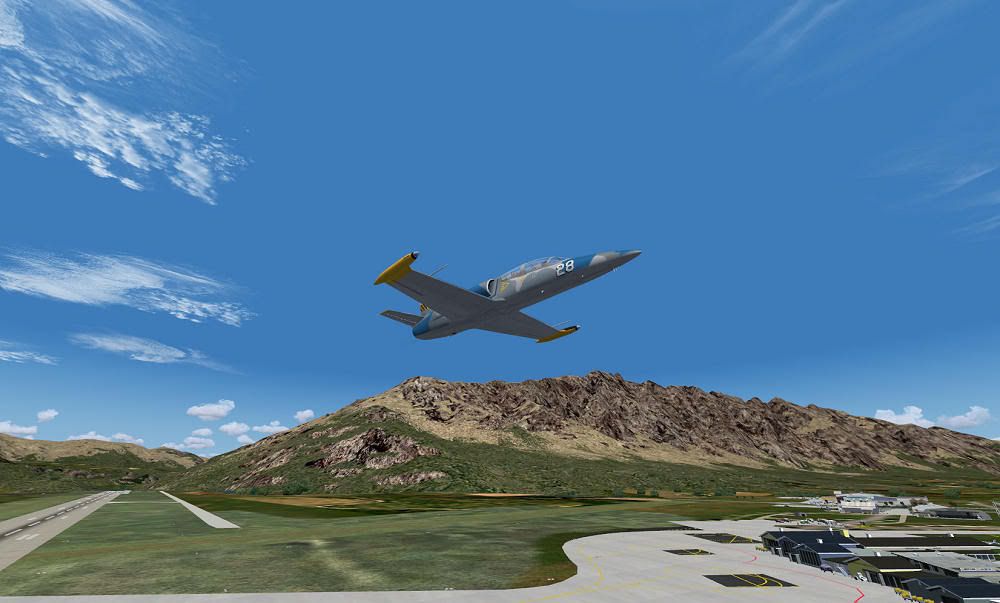
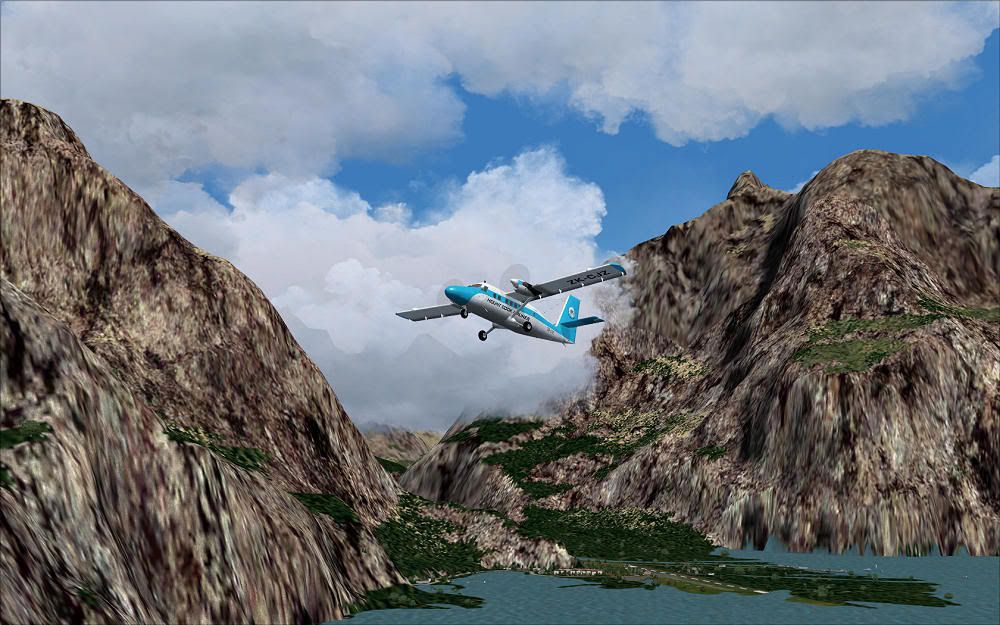
Red Baron 20m mesh

An area to discuss scenery addons for virtual NZ

Postby Wildbillkelso » Mon Dec 27, 2010 4:59 am

Dear folks,

yes, I know: It's a stupid question and I certainly won't get a "No, never!" answer here... winkyy.gif
But 75 of your Dollars still seems a lot of cash, so I'll expect a lot of bang for these bucks.

I currently have the 75m mesh by Christian Stock/Red Baron installed and I am pretty confident with it - if there weren't such annoying terrain issues like here at Mt. Cook airport:
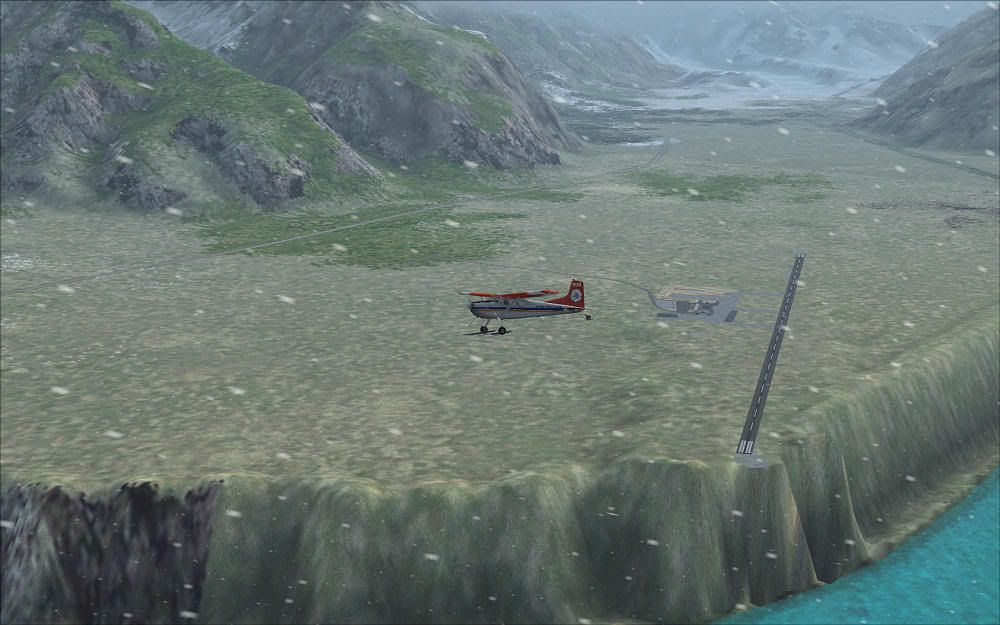
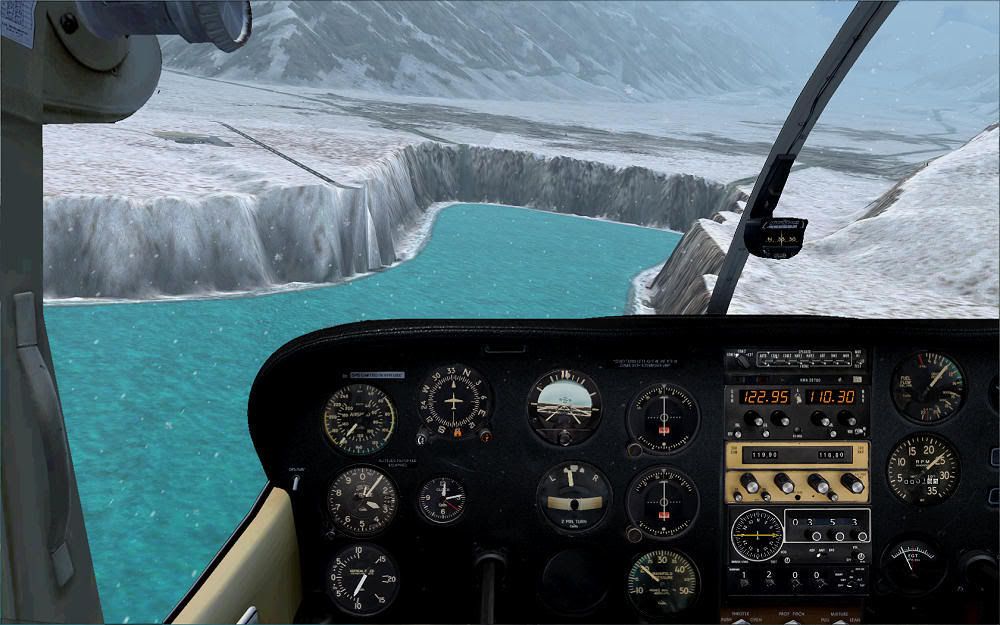


I've been into Lukla before (and out of it) with my Twin Otter without any vital damage and the depicted cliff at the runway's end always makes me feel like I'm in the Himalaya.
Why in all places must this happen here? sad.gif
Note: The lake elevation fix provided by Christian Stock is already applied here.

Do these issues get corrected with the 20m data?
Could anyone please post a screenshot on how this area looks with the 20m mesh?

I know the 20m mesh is intended to be used in conjunction with the RealNZ series (which I gladly own), and I know about the immense improvements a combination of mesh, landclass and textures can achieve. I think Misty Fjords and Tongass Fjords can stand as a good example for this successful relationship.

So please give it to me straight:
Will I never ever encounter such issues again with this mesh?

Thanks in advance,
Markus.

Image
User avatar
Wildbillkelso
Forum Addict
 
Topic author
Joined: Fri Feb 19, 2010 7:58 pm
Posts: 361
Location: Berlin, Germany

Postby mfraser » Mon Dec 27, 2010 6:48 am

Wildbillkelso wrote:
QUOTE (Wildbillkelso @ Dec 27 2010, 05:59 AM) <{POST_SNAPBACK}>
Do these issues get corrected with the 20m data?

Yes they do, although there are a few users that have experienced small problems with the installer which results in similar problems. This can be fixed by following the instructions in this post.

Wildbillkelso wrote:
QUOTE (Wildbillkelso @ Dec 27 2010, 05:59 AM) <{POST_SNAPBACK}>
Could anyone please post a screenshot on how this area looks with the 20m mesh?

Sure - I'll fire up my sim and post a screenshot reply shortly......... unless someone beats me to it!

Wildbillkelso wrote:
QUOTE (Wildbillkelso @ Dec 27 2010, 05:59 AM) <{POST_SNAPBACK}>
So please give it to me straight: Will I never ever encounter such issues again with this mesh?

Never say never, but to date I have not experienced any problems with the 20m mesh and any addon or default airports.

Regards,
Mat
Last edited by mfraser on Mon Dec 27, 2010 6:57 am, edited 1 time in total.
mfraser
Sim-holic
 
Joined: Sun May 04, 2008 4:23 pm
Posts: 537
Location: Auckland, New Zealand

Postby Bazza » Mon Dec 27, 2010 8:09 am

mfraser wrote:
QUOTE (mfraser @ Dec 27 2010, 07:48 AM) <{POST_SNAPBACK}>
Never say never, but to date I have not experienced any problems with the 20m mesh and any addon or default airports.


X 2
Image
User avatar
Bazza
Sim-holic
 
Joined: Sat Jul 15, 2006 1:44 pm
Posts: 983
Location: Tauranga

Postby Adamski » Mon Dec 27, 2010 12:31 pm

Wildbillkelso wrote:
QUOTE (Wildbillkelso @ Dec 27 2010, 05:59 AM) <{POST_SNAPBACK}>
Do these issues get corrected with the 20m data?
Could anyone please post a screenshot on how this area looks with the 20m mesh?

Sounds to me like you need VLC!!! I'll post some screenies shortly. With VLC, the lake (quite rightly) doesn't come anywhere near the airport.

Would the authors (Timmo et al) consider giving Markus a complimentary copy of VLC to Timmo for "services rendered" to NZFF and the NZ FS community?

What airport add-on have you got there, Markus? - I just have a bare runway ...

EDIT: Just realised you're in FS9 ... I'm viewing in FSX.


The above is FSX + VLC ...
Last edited by Adamski on Mon Dec 27, 2010 1:35 pm, edited 1 time in total.
Image
User avatar
Adamski
NZFF Pro
 
Joined: Thu Nov 01, 2007 2:22 am
Posts: 5029
Location: Birkenhead, Auckland

Postby toprob » Mon Dec 27, 2010 12:51 pm

Adamski wrote:
QUOTE (Adamski @ Dec 27 2010, 01:31 PM) <{POST_SNAPBACK}>
Would the authors (Timmo et al) consider giving Markus a complimentary copy of VLC to Timmo for "services rendered" to NZFF and the NZ FS community?


I assumed Markus is using FS2004 (the lake fix is not required in FSX), in which case if he intends to stick with it for a long time, the Red Baron mesh/topo is the way to go.
VLC is FSX-only (but it is cheaper!)
User avatar
toprob
NZFF Pro
 
Joined: Sat Apr 29, 2006 4:56 pm
Posts: 6711
Location: Upper Hutt

Postby Charl » Mon Dec 27, 2010 5:40 pm

Markus, no question about it: Christian's mesh + topo is the foundation for everything FS9 in New Zealand.
After you've installed the 20m mesh you will go Ahh in many places, not only Mt Cook.


There is still an issue with Peter Lohr's (excellent) airport scenery though, which Lawrie Roache fixed with 3 flatten files.
I'm sure he won't mind me sharing them, PM me if you want.
User avatar
Charl
NZFF Pro
 
Joined: Mon May 01, 2006 8:28 am
Posts: 9691
Location: Auckland

Postby mfraser » Mon Dec 27, 2010 8:30 pm

Charl wrote:
QUOTE (Charl @ Dec 27 2010, 06:40 PM) <{POST_SNAPBACK}>
There is still an issue with Peter Lohr's (excellent) airport scenery though, which Lawrie Roache fixed with 3 flatten files.

Being a North Island boy I haven't explored the region much, but I've never had to apply any of the flattens - everything seems to look 'okay' on my sim!!

I was going to put up some screens but couldn't work out why the Mount Cook lakes and rivers were getting a bright blue tropical water texture.... but it looks like you have it too!!
Last edited by mfraser on Mon Dec 27, 2010 8:31 pm, edited 1 time in total.
mfraser
Sim-holic
 
Joined: Sun May 04, 2008 4:23 pm
Posts: 537
Location: Auckland, New Zealand

Postby Ian Warren » Mon Dec 27, 2010 9:02 pm

I did have the area working well , Peter Lohr,s Queenstown did come with a lake and topo fix , recall it had to be in a consecutive order , maybe Charl could list the priority from his scenery list , i'll attempt to spend time to make it work at my end , dose get a little fickle .
Image
User avatar
Ian Warren
NZFF Pro
 
Joined: Fri May 05, 2006 5:23 pm
Posts: 41187
Location: AREA 51

Postby Rotordude » Mon Dec 27, 2010 9:47 pm

Charl wrote:
QUOTE (Charl @ Dec 27 2010, 06:40 PM) <{POST_SNAPBACK}>

A little off topic, but where can I find that carenado repaint ????
Regards always
Pete
Rotordude
Sim-holic
 
Joined: Wed Mar 25, 2009 3:50 pm
Posts: 508
Location: Huntly, NZ

Postby Wildbillkelso » Tue Dec 28, 2010 5:41 am

Hi, folks!

Adamski wrote:
QUOTE (Adamski @ Dec 27 2010, 12:31 PM) <{POST_SNAPBACK}>
...giving Markus a complimentary copy of VLC to Timmo for "services rendered" to NZFF and the NZ FS community?

I'm really touched by this idea and your praise - thank you! unsure.gif
But - as correctly presumed - I'll stay with FS9, so VLC isn't for me.
It took me about six years to get my flightsim world as it looks now, and I won't leave this world for a FSX universe of which I'm still not convinced...

The depicted airport is Peter Lohr's NZMC (Charl got it right).

@Rotordude:
This paint is available at avsim and flightsim.com, filename is mountcook_skywagons.zip
http://library.avsim.net/download.php?DLID=155345
http://flightsim.com/kdl.php?fid=152464
It's FS9 only, but a dedicated FSX version is in the works!
Wrote something about it here:
http://nzff.org/forum/viewtopic.php?t=...t&p=8272107

@mfraser:
I'm no North Island boy, but one of the (many) things I've learned about your splendid country via flightsimming is that the meltwater-filled glacier lakes in the Southern Alps area do appear rather turquoise! winkyy.gif


Back to topic:
Glad to hear that there's a cure for those terrain issues!
I don't complain about the price: I'm aware of the fact that this kind of addon is a special interest item (compared to other scenery addons), selling just a small number of copies.
That's the price for having a refined taste...

Thanks for your screenie, Charl! Looks quite different - now I'm convinced that there's no alternative!
Hope wifey won't catch me buying it... ninja.gif

Gone shopping! drool.gif

Cheers,
Markus.
Last edited by Wildbillkelso on Tue Dec 28, 2010 5:46 am, edited 1 time in total.
Image
User avatar
Wildbillkelso
Forum Addict
 
Topic author
Joined: Fri Feb 19, 2010 7:58 pm
Posts: 361
Location: Berlin, Germany

Postby Rotordude » Tue Dec 28, 2010 11:32 pm

Hey thanks for the link Markus, have done all the DXT5 conversions and is now running in FSX smile.gif
Regards always
Pete
Rotordude
Sim-holic
 
Joined: Wed Mar 25, 2009 3:50 pm
Posts: 508
Location: Huntly, NZ

Postby Wildbillkelso » Thu Jan 20, 2011 10:21 am

Waiting time is over!
Got the Combo Scenery CD in my mail box today:


Queenstown


Milford Sound

This is nothing less than awesome! thumbup1.gif
Was a little frustrated when I first installed it to a custom folder (usually store my addon sceneries on a seperate drive), resulting in some ugly elevation issues.
But installing it into the FS9 folder (as recommended by the installer) sorted everything out fine!

Thanks to Christian and team for this amazing improvement of your lovely country. New_Zealand_etc.gif

Cheers,
Markus.
Image
User avatar
Wildbillkelso
Forum Addict
 
Topic author
Joined: Fri Feb 19, 2010 7:58 pm
Posts: 361
Location: Berlin, Germany


Return to Scenery

Who is online

Users browsing this forum: No registered users and 6 guests