See link below for details and pics,..................
http://nzff.org/forum/viewtopic.php?t=8662
Lawrie.


100% ad-free
 by Snowman » Sat Dec 06, 2008 2:50 am



by Charl » Sat Dec 06, 2008 11:24 am
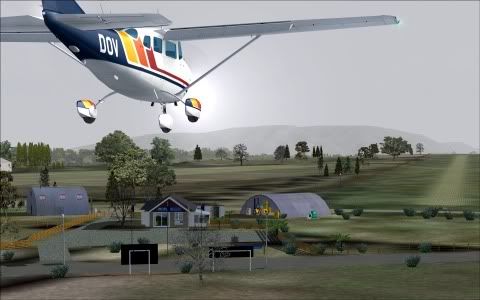
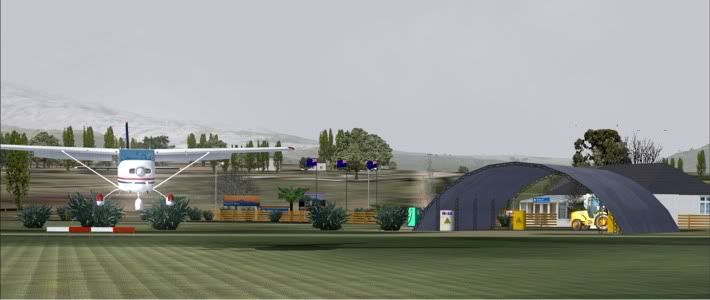
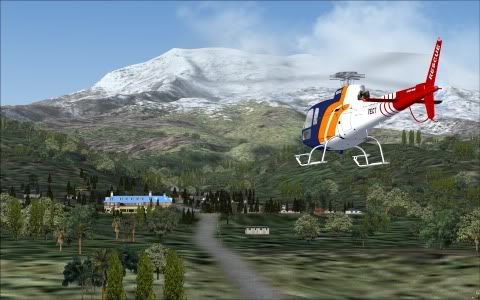
 )
)

by Snowman » Sat Dec 06, 2008 2:45 pm
Charl wrote:QUOTE (Charl @ Dec 6 2008, 12:24 PM) <{POST_SNAPBACK}>It's a great package, nice destination to fly to - especially in winter!
And if you're really brave you can go heli-skiing a little further up
"Heli-skiing",............... Yes Charl,...... i can just imagine your version of it.............
Iroquois Gunship,........... hosing down the slopes with gunfire,........ no more skiers in the way now,................
Plenty of room to go heli-skiing now................. WHOOSH !!................... YEEE HAAAAAA !!
Lawrie.
by deeknow » Sat Dec 06, 2008 3:21 pm
Menemeth wrote:QUOTE (Menemeth @ Dec 6 2008, 04:19 PM) <{POST_SNAPBACK}>I seem to have an elevation problem at NZ22 (hanger, trees, etc., floating in air). Everything is GREAT when starting from NZ20, but when I fly over NZ22, the airport is not there. I do have FSGlobal 2008 installed & Ultimate Terrain (FS9)...
Check out the readme/installation instructions, it mentions that you need to copy the AFCAD file for NZ22 into your scenery/world/scenery folder. I had the same problem till I went back and re-read the docDeans repaints: http://www.deeknow.com/
X570 Mini-ITX m/b - Ryzen7 5700X3D (8c/16t) - RTX 2060-super - 32GB 3600MHz DDR4 - Win10 - P3Dv5.3

by Snowman » Sat Dec 06, 2008 3:31 pm
by deeknow » Sat Dec 06, 2008 4:23 pm
Snowman wrote:QUOTE (Snowman @ Dec 6 2008, 04:31 PM) <{POST_SNAPBACK}>Who reads install instructions anyway......
working in IT I've made the sterotypical career out of not reading docs, but as I've gotten older I seem to be more inclined to give them a once-over, tends to save my poor old brain the stress of having to debug stuff later
Your install docs are great Lawrie, enough detail on the important points. I guess you've refined some sort of template over the years to the point where they get a little easier to roll out. One thing that must be bugging you though is the EZ library installs, is there some way they could be handled using one of those windows installer clients to check and add them, or is the problem really the distribution of them?Deans repaints: http://www.deeknow.com/
X570 Mini-ITX m/b - Ryzen7 5700X3D (8c/16t) - RTX 2060-super - 32GB 3600MHz DDR4 - Win10 - P3Dv5.3
by Snowman » Sun Dec 07, 2008 2:13 pm
Menemeth wrote:QUOTE (Menemeth @ Dec 6 2008, 05:44 PM) <{POST_SNAPBACK}>
Okay...Trees in the way. Could it be my Ultimate Terrain?
I would take a guess from your pics and say yes to it being UT. UT, just like GE Pro and others, moves the positioning of agn items such as trees and buildings.
Lawrie.
by Snowman » Sun Dec 07, 2008 2:20 pm
deeknow wrote:QUOTE (deeknow @ Dec 6 2008, 05:23 PM) <{POST_SNAPBACK}>working in IT I've made the sterotypical career out of not reading docs, but as I've gotten older I seem to be more inclined to give them a once-over, tends to save my poor old brain the stress of having to debug stuff later
Your install docs are great Lawrie, enough detail on the important points. I guess you've refined some sort of template over the years to the point where they get a little easier to roll out. One thing that must be bugging you though is the EZ library installs, is there some way they could be handled using one of those windows installer clients to check and add them, or is the problem really the distribution of them?
There are problems with re-distribution of some of the Object Library Sets unfortunately.............
You realise you dont have to download and install all object libraries listed in the docs, with each and every scenery you install..............
Most of them you will aready have from previous sceneries of mine,............ once you have a certain object library, you dont need to ever download and install it again...................
I only mention this,....... as im surprised by the number of e-mails ive had (and PMs from NZFF members), who seriously thought you had to download each and every object set listed in the instructions,..EVERY time with EVERY scenery they added..................................
You only need to get the ones you dont already have................
Lawrie.
by deeknow » Sun Dec 07, 2008 9:00 pm
Snowman wrote:QUOTE (Snowman @ Dec 7 2008, 03:20 PM) <{POST_SNAPBACK}>You realise you dont have to download and install all object libraries listed in the docs, with each and every scenery you install.............. You only need to get the ones you dont already have................
Err.. yes, I realise that
It's the "getting the ones you dont have" part that can be tricky to remember. Maybe a lightweight installer script to check to see you've got the required ones and hilight those you dont have? It's not a big deal, and should be obvious when you fire up a scenery location and there are buildings missingLast edited by deeknow on Sun Dec 07, 2008 9:01 pm, edited 1 time in total.Deans repaints: http://www.deeknow.com/
X570 Mini-ITX m/b - Ryzen7 5700X3D (8c/16t) - RTX 2060-super - 32GB 3600MHz DDR4 - Win10 - P3Dv5.3
Users browsing this forum: No registered users and 13 guests


