Onerahi land problem

An area to discuss scenery addons for virtual NZ

Postby Kelburn » Fri Feb 22, 2008 4:25 pm

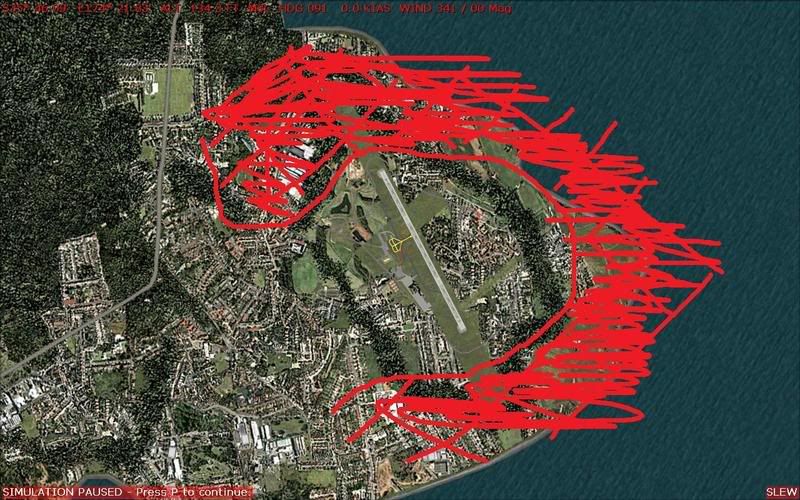
At NZWR the land goes out far too far.


As shown, the red line is where it should be and the shaded in part shouldn't be there.

Is there any fix to this or how do I go about fixing the problem?
Image

Isn't it evident?? Boeing are my favourite aircraft.

P.S. that's is my real birthday but I wish to keep my real age secret to keep you all pondering.
Kelburn
NZFF Pro
 
Topic author
Joined: Sat Oct 14, 2006 10:59 am
Posts: 2193
Location: On a reverse 'hole'

Postby creator2003 » Fri Feb 22, 2008 4:42 pm

FSX or FS9 ?
There is a tool out there for FSX FSX_KML#Introduction
not sure if you can do the same or if there is a similar tool for fs9 but im sure there is ...

just remembered another fix if you dont have it TOPO from rbe ,im pretty sure that would fix your coastline
Last edited by creator2003 on Fri Feb 22, 2008 4:45 pm, edited 1 time in total.
User avatar
creator2003
NZFF Pro
 
Joined: Fri Jun 16, 2006 12:08 am
Posts: 4633
Location: Cant U C im LOCO

Postby Kelburn » Fri Feb 22, 2008 4:48 pm

Sorry FS9 with Red Baron Freeware 75m mesh (I think. The one available from Geographx)

That's all I've installed (there was a lake (and coastline?) fix for FS2002 (and 2004?) but I don't know if I installed it on my new FS9 would that fix it)
Image

Isn't it evident?? Boeing are my favourite aircraft.

P.S. that's is my real birthday but I wish to keep my real age secret to keep you all pondering.
Kelburn
NZFF Pro
 
Topic author
Joined: Sat Oct 14, 2006 10:59 am
Posts: 2193
Location: On a reverse 'hole'

Postby Kelburn » Fri Feb 22, 2008 8:25 pm

can someone please help?

I don't have the money to buy anything (e.g. NZ Topo by red baron),
so is there again any free way to fix my problem?
Image

Isn't it evident?? Boeing are my favourite aircraft.

P.S. that's is my real birthday but I wish to keep my real age secret to keep you all pondering.
Kelburn
NZFF Pro
 
Topic author
Joined: Sat Oct 14, 2006 10:59 am
Posts: 2193
Location: On a reverse 'hole'

Postby Bazza » Sat Feb 23, 2008 10:13 am

Well you're dead right about the scenery.....I checked it out on Google Earth (very poor definition - the Yanks can't see Onerahi as a Tactical Air Force Base)..

I also did a slew over my terrain but you'll see the difference that the NZ Topo makes - I am also running the 75M Mesh.

I am very familiar with this area, having flown in and out dozens of times over the years, and also have some mates living on the seaward side of the airstrip. I consider that my corrected
NZ Topo result is about as good as you'll get given the limitations of the Simulation.

I see you state you can't afford the NZ Topo and fair enough....I can't help technically apart from commenting that it does work and is worth the bikkies if you can find them.

Image
User avatar
Bazza
Sim-holic
 
Joined: Sat Jul 15, 2006 1:44 pm
Posts: 983
Location: Tauranga

Postby Kelburn » Sat Feb 23, 2008 11:48 am

Yours looks fantastic.
are there any freeware mesh editor/creator/landclass editors around?
Image

Isn't it evident?? Boeing are my favourite aircraft.

P.S. that's is my real birthday but I wish to keep my real age secret to keep you all pondering.
Kelburn
NZFF Pro
 
Topic author
Joined: Sat Oct 14, 2006 10:59 am
Posts: 2193
Location: On a reverse 'hole'

Postby Bandit » Sat Feb 23, 2008 8:53 pm

Check out this EZ Landclass it may do what you're after.

I haven't used it so can't say whether it's any good or not.
Testers are born to fiddle. What does this button do? Oh! Never mind.....
User avatar
Bandit
Forum Addict
 
Joined: Fri Jul 21, 2006 10:08 pm
Posts: 423
Location: Palmerston North


Return to Scenery

Who is online

Users browsing this forum: No registered users and 6 guests


