Page 1 of 1

PostPosted: Thu Feb 08, 2007 12:34 pm
by JonARNZ
Thought ya'll might find this interesting, its an excellent resource for those wanting to install FS9 aircraft in our new fave sim

PDF ARTICLE PART 1 - 1200KB

PDF ARTICLE PART 2 - 1500KB

PostPosted: Fri Nov 16, 2007 8:51 am
by Timmo
Some earlier aircraft also do not display properly in FSX and FSX- Acceleration.

Possible symptoms include: Areas of glass/transparency showing as solid black (i.e. You are not able to see through glass); other textures showing as solid black; the whole flightsim window showing white at certain view angles/types.

The easiest fix is to convert the relevant textures to '32 bit' using 'ImageTool' which comes with the SDK on the Deluxe version of the game.

PostPosted: Thu Mar 12, 2009 12:26 pm
by CoochB
Timmo wrote:
QUOTE (Timmo @ Nov 16 2007, 09:51 AM) <{POST_SNAPBACK}>
Some earlier aircraft also do not display properly in FSX and FSX- Acceleration.

Possible symptoms include: Areas of glass/transparency showing as solid black (i.e. You are not able to see through glass); other textures showing as solid black; the whole flightsim window showing white at certain view angles/types.

The easiest fix is to convert the relevant textures to '32 bit' using 'ImageTool' which comes with the SDK on the Deluxe version of the game.


Should you change all textures?

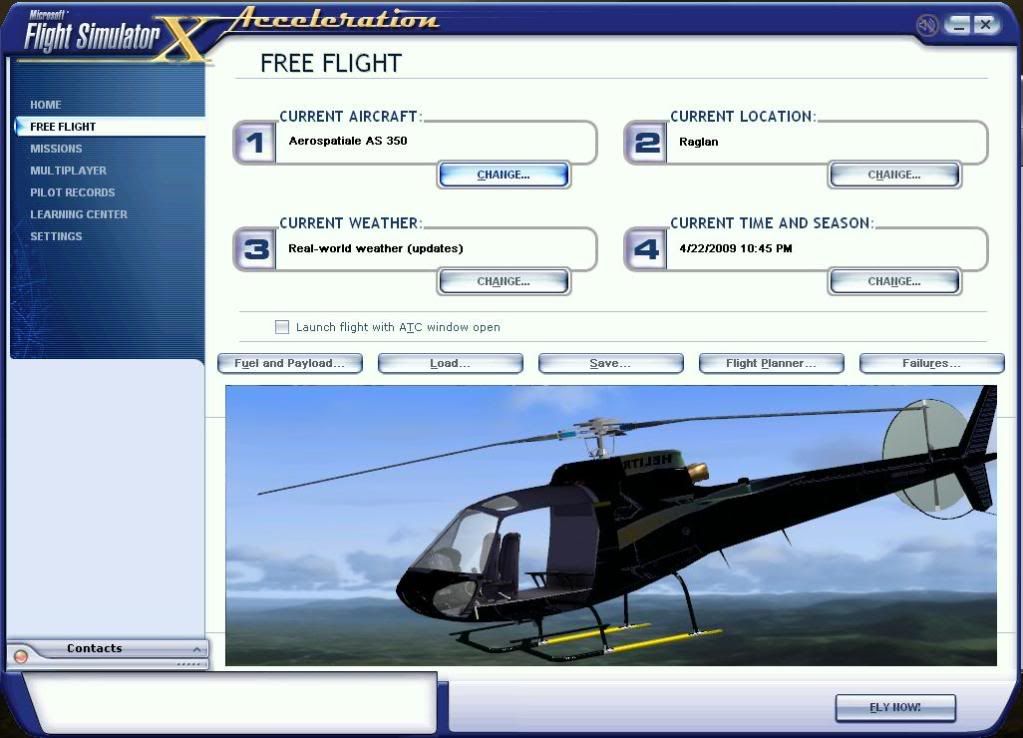
I am trying to transfeer Nemth Designs AS350 Helicopter. At first attempt I could not see through the windows in VC, they were black, also you cannot see into the cabin from the outside. Experimenting on just one version I converted every file in the texture file to 32 bit. Still cannot see through the windows, however now I can see though the edges of the instrument panels and also around the edges of the doors.

I do however have a fix for the GPWS which keeps on going off.

PostPosted: Thu Mar 12, 2009 1:06 pm
by Adamski
Timmo wrote:
QUOTE (Timmo @ Nov 16 2007, 09:51 AM) <{POST_SNAPBACK}>
Some earlier aircraft also do not display properly in FSX and FSX- Acceleration.

Possible symptoms include: Areas of glass/transparency showing as solid black (i.e. You are not able to see through glass); other textures showing as solid black; the whole flightsim window showing white at certain view angles/types.

The easiest fix is to convert the relevant textures to '32 bit' using 'ImageTool' which comes with the SDK on the Deluxe version of the game.

Timmo ... I have problems with many of my AI (WOAI) aircraft ... showing black discs instead of props ... yes, that old chestnut! Would a resave in 32-bit cure that?

PostPosted: Thu Mar 12, 2009 2:45 pm
by creator2003
My AS350 worked right off no texture changes at all apart from the updated rotor textures for hovercontrol i think ,the gauges work but i changed them ,the glass well why not just remove that texture you will hardly notice it missing though im sure my one works ok ..

The prop textures can sometimes be changed for a working one from another aircraft as long as its the same size 128X128 256x256 512x 512 1024x1024 as the one you are changing ,and of course renaming that prop texture for the name on the one that you are trying to fix ..
other quick fix is opening the texture with imagetool turning it to a 32 bitmap then photoshop and blending out white or black as one of these will be the alpha channel color that is trying to be transparent so removing that color will make the prop look better without that solid black ..
ps..... just remember what format you have to change it back to with imagetool before putting it back in the sim for testing ..
anyway im always learning new tricks some that work ok some that dont so just have a good old play and see what comes of it and remember to make backups of all textures you are playing with ..

this week i managed to convert nemeth S76 ,the copit was a complete mess with alpha channels and reflections ,but now its back in fsx so i can enjoy the helicopter ive flown so many sim hours in ... thumbup1.gif

PostPosted: Thu Mar 12, 2009 3:20 pm
by Njbb1995
CoochB wrote:
QUOTE (CoochB @ Mar 12 2009, 01:26 PM) <{POST_SNAPBACK}>
also you cannot see into the cabin from the outside.

Window Tinting tongue.gif

PostPosted: Mon Mar 16, 2009 7:36 am
by CoochB
njbb1995 wrote:
QUOTE (njbb1995 @ Mar 12 2009, 04:20 PM) <{POST_SNAPBACK}>
Window Tinting tongue.gif

How do you change that???

PostPosted: Tue Mar 17, 2009 2:11 am
by creator2003
Remove the texture for the windows and you should be able to see through that tinting ...

PostPosted: Thu Mar 19, 2009 7:28 pm
by CoochB
creator2003 wrote:
QUOTE (creator2003 @ Mar 17 2009, 03:11 AM) <{POST_SNAPBACK}>
Remove the texture for the windows and you should be able to see through that tinting ...

I've tried deleting and renameing (so it couldn't find it) the "Windows" texture file in the models folder, hasn't made any difference.

PostPosted: Wed May 06, 2009 9:54 pm
by simulation11
Try again. Did u forget something?

simulation rachat credit

PostPosted: Wed May 06, 2009 10:16 pm
by creator2003
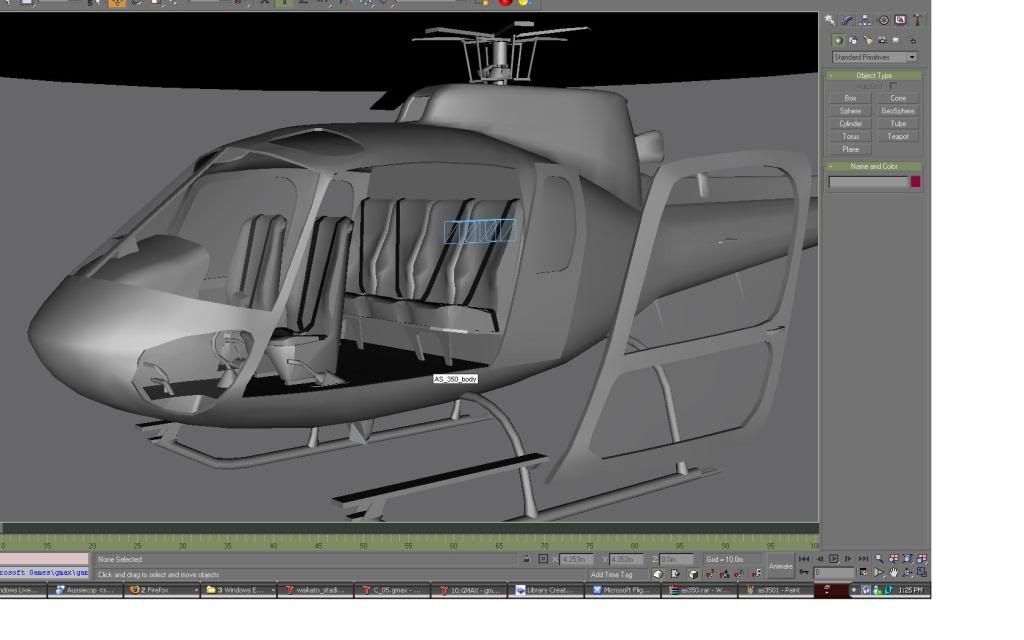
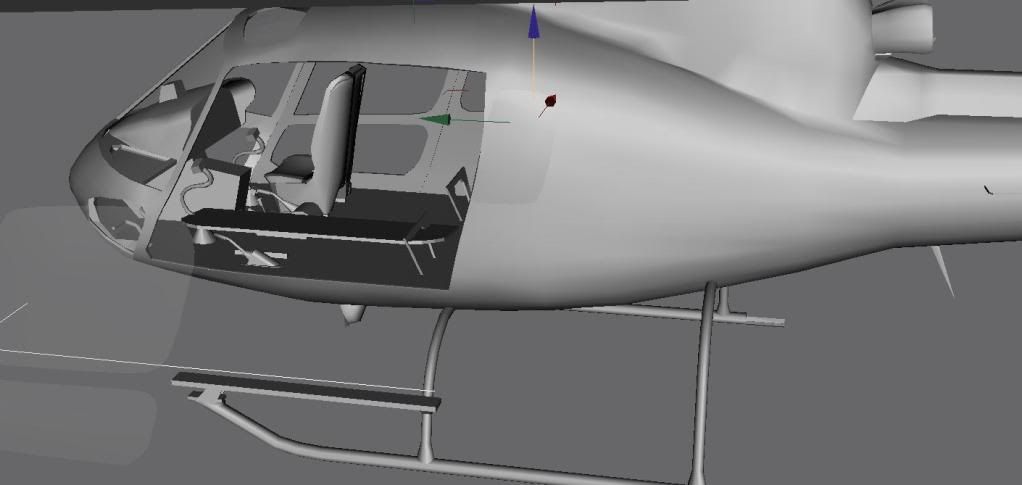
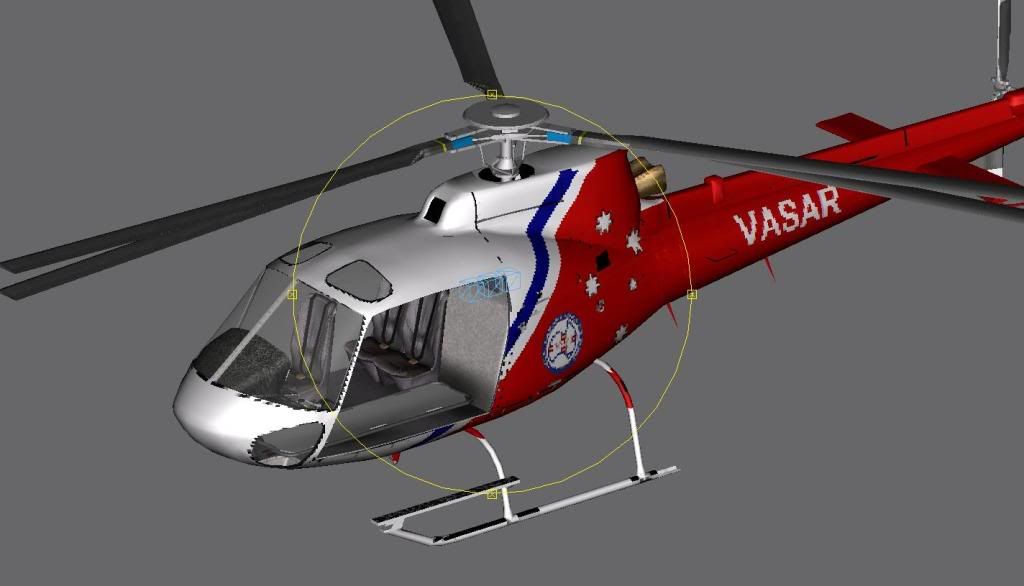
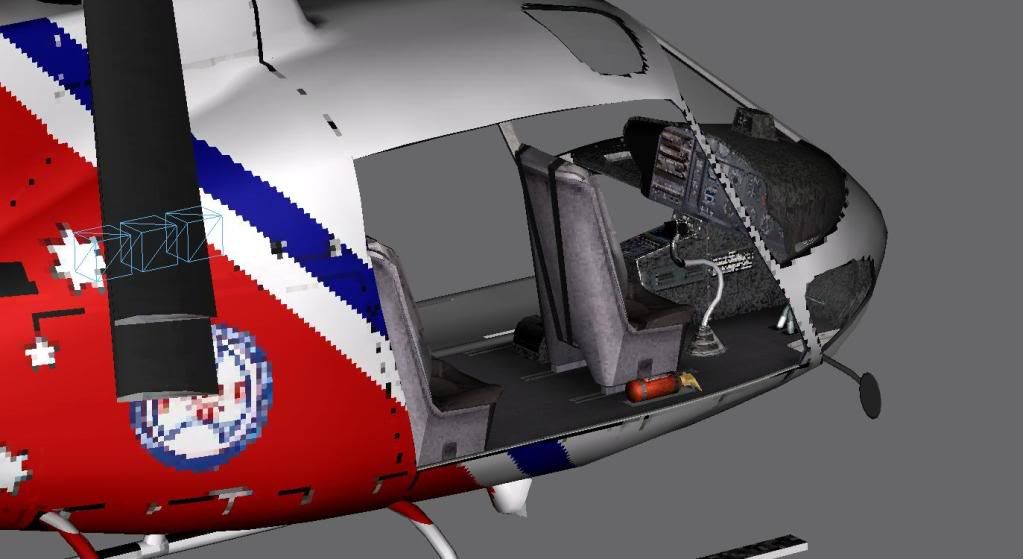
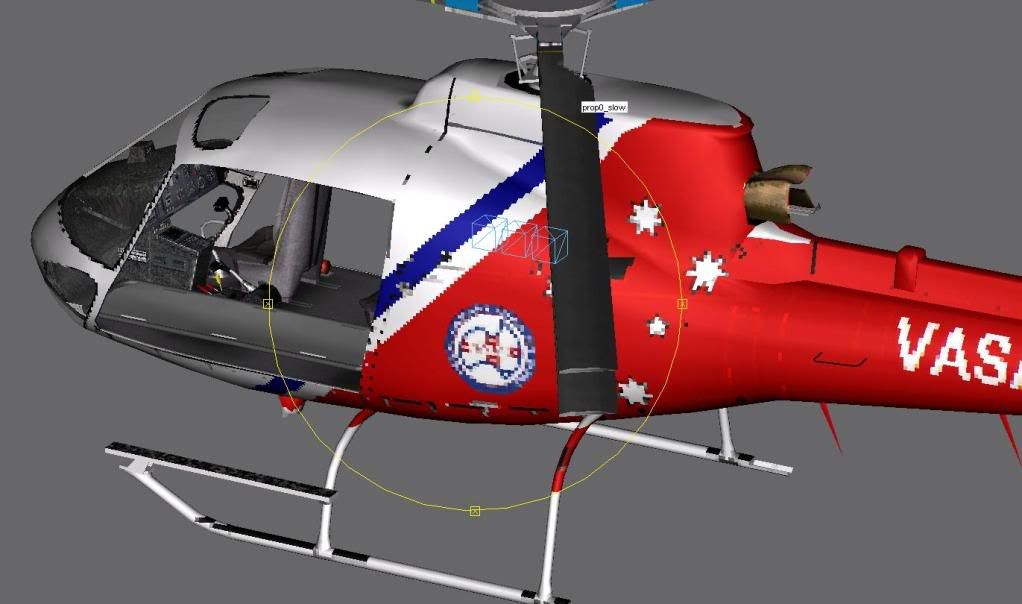
I have the source file for the nemeth AS350 now and are making changes to it and will learn more as i do it to update it to FSX ,though im thinking i mite need some help when it comes to compling it to FSX in the FSX sdk etc ,i have a couple of shots of it in GMAX with doors off and a stretcher and different varations ive been wishing for for years , i do know we will get this working in FSX fully fsx compat just time


Got it fling in the sim but animations and textures need doing for FSX again


added a mirror

started on a stretcher and ripped some seats out


this is a fs2002 or so to fsx and is going to be awhile away ,any help from the likes of our aircraft guys would be a huge help getting this one out ..
pm if you can help me with fsx aircraft design and porting this baby to the future

PostPosted: Thu May 07, 2009 9:49 am
by Njbb1995
I will try to help if you want..... but I am pretty Newbie-ish yo the whole Gmax and modelling scene. But ya know I might be handy sometime

PostPosted: Thu May 07, 2009 9:48 pm
by Timmo
Can give you a hand with the texturing side of things and possibly some modelling- We'll chat on TS I guess smile.gif

PostPosted: Fri May 08, 2009 8:23 am
by creator2003
Thank you both for your offers ,this project is advanced Gmax so for the moment nibb ill have to leave you to the back burner "sorry" timmo thanks ill get back to you next week and will be starting a new topic in the nzfreeware section of this forum that is locked to normal members and will show previews on the main pages when we have more progess on the AS350 nemeth,
,just a side note guys i was given this file from a good friend that has done work with the nemeth bros and has asked me if i could help sort it out ,id love to make ems ,deer hunting, sprayer ,police and doors on doors off etc loaded and unloaded and so on and so on ,my mate has done HD textures already for it and and normal set would be applyed aswell ,
im planning on remodelling a AS350FX version and maybe any others we could do ,there are just so many options ..

the Helicopter will be freeware as requested from Nemeth bros, so all the work getting this flying in FSX would be learning for thoses with some skills in advanced Gmax and wanting to go the next step in learning how to build FSX aircraft ,this is a really good template and ive learnt abit already just having a play around ...

this is really a good chance and it would be a NZFF advanced community project for the world ...


The source file will only be given to trusted know members to myself , as this type of file has to stay under a close eyes due to the comment ive made to the Nemeth bros and friend ..
anyway looking forward to getting this thing custom to NZ and the world ...