Page 1 of 1

PostPosted: Sat Apr 24, 2010 8:03 am
by Venge
After spending a day or two pouring over this website I think I have sensory (or at least information) overload!
Is simply amazing what you guys have done to enhance FSX for NZ users.
Which brings me to my biggest question. What the hell is a noob like me to do in regards to enhancing FSX? I am talking mainly here in terms of scenery and aircraft addons.
From what I have read, there seems to be 2 basic types of scenery enhancements. Once enhances the generation of random scenery (REX) and the other is actually replacement graphics for certain areas. Both seem to have various freeware and payware types. Is this correct?
If so is it safe to say any of the random generation scenery enhancement programs will work hand in hand with the replacement graphics addons? If this isn't how it works and I am way off base could some one please enlighten me? smile.gif
What way do most of you go about enhancing your scenery?

Now, there also seems to be aircraft type addons, ranging from ones that just replace skins to ones that enhance the whole way the planes work in terms of realism. I was wondering if FSX comes stock with any nice aircraft or is it suggested to buy one or two aircraft addons to really see what FSX can do? If so, which ones are good to start with. At the moment I know my way around a 172 (VFR) from some real life experience so would love to have a good 172 package if stock FSX one isn't up to par.

Plus any other info a new to flight simming person needs to digest would be appreciated.
My apologies for all the basic questions, but it really and truly amazing how much there is to get a grasp on for a noob like me! Plus I am so looking forward to getting it all sorted so I can fire it up. I get my copy of FSX Gold on Monday and I am heading into town today to grab a stick so I can get up and running then.

PostPosted: Sat Apr 24, 2010 8:51 am
by Timmo
Welcome Venge

Probably the best places to start are www.avsim.com and www.flightsim.com for free aircraft and scenery addons. There are a heap of really good addons made by the community which greatly enhance your sim.

You are correct in that scenery addons (such as VLC, RealNZ) are separate but complimentary to graphics enhancement addons (such as REX) with the difference being that scenery enhancement generally update specific geographical areas of the sim/world while graphics enhancements will have an affect all over the world (since those textures aren't region specific)

Figuring out which areas to enhance is a very personal decision- Some people don't mind what they are flying over unless the aircraft has all its rivets in the right place, whereas some people need to feel greater immersion by ensuring what is visible outside the window is spot on. So, I would suggest waiting until you have installed FSX and spent a little bit of time to see which things you think need updating and then going from there.....

Remembering that FSX models the whole world, it is difficult to suggest specific things that will appeal to all people!

Hope that helps and welcome to NZFF!

PostPosted: Sat Apr 24, 2010 11:41 am
by Adamski
Venge wrote:
QUOTE (Venge @ Apr 24 2010, 08:03 AM) <{POST_SNAPBACK}>
I was wondering if FSX comes stock with any nice aircraft or is it suggested to buy one or two aircraft addons to really see what FSX can do? If so, which ones are good to start with. At the moment I know my way around a 172 (VFR) from some real life experience so would love to have a good 172 package if stock FSX one isn't up to par.

There seems to be a rash of these threads lately - so do a quick search on NZFF - you may find all the info, albeit scattered around a bit winkyy.gif

Errr .... I think you're duplicating these sorts of queries across multiple threads yourself laugh.gif I replied with my take on aircraft add-ons in your thread here

Watch out for the C172 add-ons that don't include glideslope indicators!

PostPosted: Sat Apr 24, 2010 12:01 pm
by Venge
Adamski wrote:
QUOTE (Adamski @ Apr 24 2010, 11:41 AM) <{POST_SNAPBACK}>
There seems to be a rash of these threads lately - so do a quick search on NZFF - you may find all the info, albeit scattered around a bit winkyy.gif

Errr .... I think you're duplicating these sorts of queries across multiple threads yourself laugh.gif I replied with my take on aircraft add-ons in your thread here
Watch out for the C172 add-ons that don't include glideslope indicators!


Hmm, guess in my enthusiasm I am asking too many questions lol smile.gif
However, after scanning that thread of mine you linked all I see is joystick/controller discussion. I must of missed it, or it was a different thread again. No biggie either way. Will try not to flood the forums with noob questions.

PostPosted: Sat Apr 24, 2010 12:32 pm
by Adamski
Venge wrote:
QUOTE (Venge @ Apr 24 2010, 12:01 PM) <{POST_SNAPBACK}>
Hmm, guess in my enthusiasm I am asking too many questions lol smile.gif
However, after scanning that thread of mine you linked all I see is joystick/controller discussion. I must of missed it, or it was a different thread again. No biggie either way. Will try not to flood the forums with noob questions.

No harm in asking questions winkyy.gif ... I do it here all the time laugh.gif - just handy to keep similar enquiries in one place, as this (thankfully) is a busy forum!

I'm wondering whether you're seeing all the posts (check your view thread style). Here's my post from that thread ...

"Apart from the basic C172 and the DC-3, I don't find *any* of the default aircraft in FSX that satisfying. I'd recommend buying one decent FSX optimised aircraft to start with - one that has all the navigation (and possibly FMS) functionality you need to get to learn the ropes. Military aircraft are fun, but they're pure eye-candy - nothing else.

My favourites are [all the] Captain Sim aircraft - and most of the Wilco/Feelthere range. Some of the Carenado GA aircraft are good, but beware - not all have full ILS/Glideslope functionality."

PostPosted: Sat Apr 24, 2010 12:41 pm
by Venge
Adamski wrote:
QUOTE (Adamski @ Apr 24 2010, 12:32 PM) <{POST_SNAPBACK}>
I'm wondering whether you're seeing all the posts (check your view thread style). Here's my post from that thread ...


Funny you should mention that, i don't like how it is set up, so i had a look, but could nto spot any way to change the thread layout. In my control panel all I see is
. Compose New Message
- Inbox
- Sent Items
- Saved (Unsent) PMs
. Empty PM Folders
. Edit Storage Folders
. PM Block List
. Archive Messages
. Message Tracker
Community Blog

. Blog Tracker
. Create a Blog
Invision Gallery

. Your Albums
. Your Favorites
. Image Subscriptions
Subscriptions

. View Topics
. View Forums
Personal Profile

. Edit Profile Information
. Edit Personal Portal Information
. Edit 'About Me' page
. Edit Signature
. Edit Avatar Settings
. Change Personal Photo
Options

. Purchase Paid Subscriptions
. Manage Your Attachments
. Manage Friend List
. Manage Ignored Users
. Email Settings
. Board Settings
. Change Email Address
. Change Password


I looked in Board settings but saw no way to change thread layout. I must be missing something, any ideas? smile.gif
But something is wrong, i do not even see a reply from you in that thread anywhere.

PostPosted: Sat Apr 24, 2010 1:11 pm
by Adamski
Venge wrote:
QUOTE (Venge @ Apr 24 2010, 12:41 PM) <{POST_SNAPBACK}>
Funny you should mention that, i don't like how it is set up, so i had a look, but could nto spot any way to change the thread layout.
...
I looked in Board settings but saw no way to change thread layout. I must be missing something, any ideas? smile.gif
But something is wrong, i do not even see a reply from you in that thread anywhere.

Aaah ... this could explain a lot winkyy.gif

It may be in your Control Panel somewhere (haven't checked) ... but it's in the individual thread *Options* - to the right of the title (in the blue bar). Try "Display Mode" ... set it to "Standard". I think it's done on a per-thread basis in case you want to see some threads in full, some collapsed.

That drop-down is also handy for subscribing yourself to a thread (if you didn't create it yourself).

PostPosted: Sat Apr 24, 2010 4:33 pm
by ZK-LGD
For just VFR "tootling"around some of the great NZ free/payware sceneries one cannot go past the Just Flight/FS Insider C152 "gift" here. Docile, basic as heck, fun to fly ... and, free!

PostPosted: Sat Apr 24, 2010 7:19 pm
by Venge
Thanks Adamski, got my threads sorted now and I can see your post! Cheers smile.gif

And thanks for the link ZK-LGD, looks awesome smile.gif

PostPosted: Sat Apr 24, 2010 9:30 pm
by Nzeddy
If you want free repaints to add to the default airplanes go here: http://www.flightsim.co.nz

It has Air New Zealand, Qantas and all the other airlines around the world including New Zealand!

PostPosted: Sat Apr 24, 2010 11:26 pm
by Scupper
I agree that it's amazing how FSX can be improved for flights around NZ. I can relate to your enthusiasm.

I'm having a lot of fun with Captain Sim's 767, using the flight management computer (FMC). It takes a couple of weeks of study to figure out how it works, but once you've done that, plus a bit of trial and error, you can pretty much let the flight computer do all the work, including ILS approaches and autoland. You monitor things and tweak it as you go, just like a commercial pilot would.

You can get standard instrument departures (SIDS), standard instrument arrivals (STARS) and ILS glideslopes from

http://www.aip.net.nz/NavWalk.aspx?section=CHARTS

You'll find that not all of the intersections etc are in the FSX database but you can actually add the ones you need using the lat/longitudes in the Sids and Stars. This stuff, for me, is more immersive than chugging around in a C172 and looking at the ground, but we're all at a different place in terms of what we like about our flightsim.

There's new scenery coming out shortly, called Vector Land Class, which will, amongst other things, make the terrain look far more like NZ. There's other scenery, called RealNZ, which gives super detail to particular places, including Auckland and Wellington. As far as I'm concerned these are pretty much obligatory, - I don't like Microsoft's idea of generic scenery, everything light brown.

Another must-have, for me, is REX 2, - clouds and atmospheric effects that are much more convincing than the FSX default ones.

Finally, I couldn't do any of it without my TrackIR 5 head tracking hardware.

It's awesome how much you can upgrade the stock FSX.

PostPosted: Sun Apr 25, 2010 8:11 am
by Venge
Cheers again for the added info guys smile.gif

-Cool looking NZ skins are a plus.
-REX 2 is ordered, I have heard so much about it it sounds like it is a must have.
-TrackIR 5 head tracking hardware will require a google on my part to even know what it is, will have a look though.
-Cool looking NZ skins are a plus too.
-Vector Land Class, will keep an eye out for this. Hopefully it will work with REX2?
-RealNZ I have been looking at the site. Downloading a freeware version/demo from that site as we speak. No doubt my jaw will drop and i will get my credit card out to buy some of the pay packages from there.


Edit: Ya, googled TrackIR 5 and am impressed. Didn't realize this sort of thing was even out there to be honest. Looks to be about 300 NZ$ from first glance, will look around for cheaper pricing. Any suggestions?

PostPosted: Sun Apr 25, 2010 1:27 pm
by Ian Warren
Venge wrote:
QUOTE (Venge @ Apr 25 2010, 09:11 AM) <{POST_SNAPBACK}>
-Vector Land Class, will keep an eye out for this. Hopefully it will work with REX2?
-RealNZ I have been looking at the site.

All and Everything works , Venge your in for a treat , you have freeware and you have payware .

PostPosted: Sun Apr 25, 2010 4:41 pm
by Adamski
Venge wrote:
QUOTE (Venge @ Apr 25 2010, 08:11 AM) <{POST_SNAPBACK}>
-Cool looking NZ skins are a plus.
-REX 2 is ordered, I have heard so much about it it sounds like it is a must have.
-TrackIR 5 head tracking hardware will require a google on my part to even know what it is, will have a look though.
-Cool looking NZ skins are a plus too.
-Vector Land Class, will keep an eye out for this. Hopefully it will work with REX2?
-RealNZ I have been looking at the site. Downloading a freeware version/demo from that site as we speak. No doubt my jaw will drop and i will get my credit card out to buy some of the pay packages from there.
Edit: Ya, googled TrackIR 5 and am impressed. Didn't realize this sort of thing was even out there to be honest. Looks to be about 300 NZ$ from first glance, will look around for cheaper pricing. Any suggestions?

Click on the NZFSim link in my signature - it's a handy way of finding NZ skins.

REX will stun and amaze you winkyy.gif ... but I feel duty bound to plug Toprob's RealNZ sceneries. We need to prevent him going into enforced early retirement! As he's a moderator here, he quite honourably desists from banging his own drum - so we have to do it for him laugh.gif

I've owned a TrackIR3 then upgraded it to TIR4. Keep an eye out on Trademe - or even post here ... there may be someone needing a final push to upgrade to TIR5 and may use the sale of a TIR3 or 4 to clinch it.

PostPosted: Sun Apr 25, 2010 8:33 pm
by Scupper
"Ya, googled TrackIR 5 and am impressed. Didn't realize this sort of thing was even out there to be honest. Looks to be about 300 NZ$ from first glance, will look around for cheaper pricing. Any suggestions?"

It does seem expensive, but I'd suggest it's a worthwhile investment. It's effortless to use and extremely reliable and once you've got one, you could never go back to not having one, - it's so much part of the experience. I just wish I could see a copilot sitting next to me sometimes instead of a vacant seat.

Regarding the RealNZ sceneries, - they will sit on top of the Vector Land Class, so you will pretty much need both if you want a really believable NZ. Again, they're investments you won't regret.

It's really not an expensive hobby in my opinion, but you have to put in some money up front. I like payware planes because they're the best, at least from my experience so far.

PostPosted: Sun Apr 25, 2010 10:58 pm
by Venge
Scupper wrote:
QUOTE (Scupper @ Apr 25 2010, 08:33 PM) <{POST_SNAPBACK}>
It does seem expensive, but I'd suggest it's a worthwhile investment. It's effortless to use and extremely reliable and once you've got one, you could never go back to not having one, - it's so much part of the experience. I just wish I could see a copilot sitting next to me sometimes instead of a vacant seat.

Regarding the RealNZ sceneries, - they will sit on top of the Vector Land Class, so you will pretty much need both if you want a really believable NZ. Again, they're investments you won't regret.

It's really not an expensive hobby in my opinion, but you have to put in some money up front. I like payware planes because they're the best, at least from my experience so far.


Ya, I will just spread the costs over a few weeks so it stays under the radar laugh.gif
However I can see I will be getting the addons and the TrackIr as this game is brilliant and those can only make it more fun. I just finished the Resort Supply mission and it was bloody fantastic! For some reason I didn't expect much from the missions but thoroughly enjoyed them so far, especially that one. thumbup1.gif

PostPosted: Sun Apr 25, 2010 11:19 pm
by NZ255
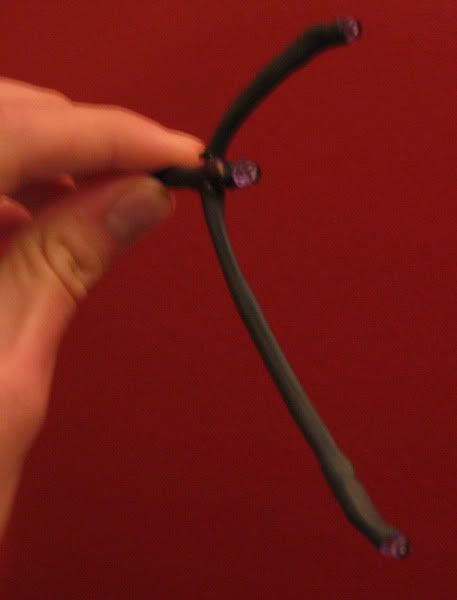
Or if you're handy with the soldering iron you can go the cheaper way a make one yourself:

Freetrack

Here's mine I knocked up for about $25 (most of that was spent buying the special wide beam IR LED's)


The TrackIR version:


I had previously never touched a soldering iron by the way smile.gif

PostPosted: Mon Apr 26, 2010 12:30 am
by Ian Warren
biggrin.gif Good on ya Nick , thumbup1.gif I'm pleased to have Hoki .. to sell his TrackIR to me , old days i would have made it myself , today we can have two Ian,s in Virtual Hoki shortly but currently have a flight back to Hamilton ,

PostPosted: Mon Apr 26, 2010 2:34 pm
by Venge
Well, had an initial spend up. Logitech Extreme 3D Pro stick, REX2, Areosoft's Catalina and TrackIR 5 Pro
Next on the list will be some Godzone Real NZ scenery packages. Not sure what will be after that, likely some better controllers like a CH yoke, rudder and throttle. Will definitely be a bit of an over time thing now though.

Yet another thread with an edit: Threw caution to the wind and bought a bunch of Godzone scenery.

PostPosted: Tue Apr 27, 2010 1:58 am
by Ian Warren
Venge wrote:
QUOTE (Venge @ Apr 26 2010, 03:34 PM) <{POST_SNAPBACK}>
Yet another thread with an edit: Threw caution to the wind and bought a bunch of Godzone scenery.

The Cat is great in around SuperCity Auckland , Mechanics Bay is ideal to park a PBY up a ramp