Page 1 of 1

Posted:
Fri Sep 08, 2006 10:08 amby Snowman
Hi Christian. Im having a bit of trouble with a Topo install. Ive just done a fresh install of FS9 & 9.1 update, and i cant seem to get the topo to display properly. Im kind of dumbfounded because ive never had any problem with it before. For instance, when i install it, Queenstown lake has a huge depression below the airport where the river flows into the lake, and the township itself is sunken down below the lake in a huge canyon around the edge of the lake between the lake and the hills. At the other end of the airport, there is a large section of river suddenly raised up well above the rest of the land. Rotorua has a large canyon between the runway and the lake, and the island in the middle is in a depression below the water level. Does not seem to differ whether using RealNZ RO, or default RO, canyon only dissapears when using Heath's RO with the lake level fix in it.Also got MSs original coastlines and waves still showing in places. (beside NZNP for instance). Tht it might have been a bad install of FS9, and mesh etc, so i uninstalled all, and tried agin. Same results. 20m mesh seems to have a lot of steep cliffs where mountains join the land. Retried several times with both 75 and 20 mesh, same results, (yes, i did change and save the terrain vertex max level to 21 for the 20m). And, yes, i did remove the FS9 config folder in Docs & Settings/User/Applications/Microsoft/FS9 between uninstalling, and reinstalling. RealNZ Wanaka also has a large cliff behind the airport, instead of the hill slope. Any ideas what i might have missed here? As i said, im stumped, ive never had trouble with mesh or topo install before. Also, some of MSs original rivers are still showing as well as the topo rivers.
Lawrie.
Posted:
Fri Sep 08, 2006 12:00 pmby Christian
Hi Lawrie,
I think you have the old installer. What you need to do is uninstall the topo. Then reinstall and make sure that you specify the FS9 path. This is absolutely necessary, because the installer needs to rename some default files and for that it needs to know the path to those files. (2-3 months after release I updated the installer so it doesn't actually allow you to install into the wrong path).
There is more info on my web page
http://www.redbarent.com/nztopo-support.htmAt the end of the page is a list of files that needs to be renamed, but I recommend letting the installer do it's job.
Cheers,
Christian
Posted:
Fri Sep 08, 2006 3:42 pmby Snowman
Tried the uninstall thing, and re-installing the Topo again with the installer,.......same results. Im doing nothing different to when i have installed it before ?? Dunno about the old or new installer, i only downloaded the Topo from Geographx about 6 weeks ago. It worked fine the first time I installed in my original install of FS9.
What about mesh ? Do i need to re-install using the installer, or can i just copy the RedBaronMesh folder from my saves of my old install, directly into the Addon Scenery folder ??
Lawrie.
Posted:
Fri Sep 08, 2006 4:00 pmby Christian
Now that's really odd. Just have a look at the files on the support page, and if they aren't renamed do that manually. I wouldn't have a clue why the installer doesn't do it for you.
The mesh files you can simply copy over.
Christian
Posted:
Fri Sep 08, 2006 4:14 pmby Snowman
I just fifnished re-installing the topo, and i have 1 of each file mentioned on OCEN/SCENERY folder, eg: 1x HL992470.bgl and 1x HL992470.bglx . Should there be both entries in there, 1 in .bgl and the other .bglx at the same time ??
All the files mentioned on your page have duplicate entries, 1x .bgl, and 1x .bglx
Lawrie.
Posted:
Fri Sep 08, 2006 8:36 pmby Christian
Nice one. I have now idea how that happened. No, the *.bgl ones should be deleted! That'll fix your problems

You can easily delete them, as when you uninstall the installer will rename the *.bglx ones back. Not that you would want to uninstall anyway

Christian
Posted:
Sat Sep 09, 2006 12:43 amby Snowman
Hi Christian.
At your suggestion, i manually removed all the duplicated ####.bgl files, only leaving the ####.bglx files, and all is well in the world again ! (well, in my FS9 version of liitle old New Zealand anyway). Just as an experiment, i uninstalled the Topo again, which changed the files back to default, then i re-installed it again, and same result,.........duplicated files. Its got me beat. Maybe the installer has become corrupt somehow ?? Anyway, i made a copy of the first OCEN folder before i uninstalled it again, so i didnt have to go through the slow process of manually deleting the duplicates again. Must make a backup of that on a disc.
Thanks for the help, still got me beat though as to why ....................
Lawrie.
Posted:
Sat Sep 09, 2006 12:55 amby Christian
Hmm, are the default files read-only for some reason on your system? They shouldn't be, but it's the only plausible explanation I have. Otherwise, I recommend you hire an excorcist - your computer could be possessed

Christian
Posted:
Sat Sep 09, 2006 1:15 amby Snowman
Nope, the default files arent read only. As for the excorcist.........................hmmmmmmm,.......what can i say ???
Problems sorted anyways, thats all that matters. Thanks mate.
Lawrie.
Posted:
Fri Feb 01, 2008 4:18 pmby NZ255
Hi, I also have this problem.
Have 75m mesh, and Topo.
Cant find these .blgx files you speak of, the link to support page is now dead, haven't re-installed topo yet, should I?
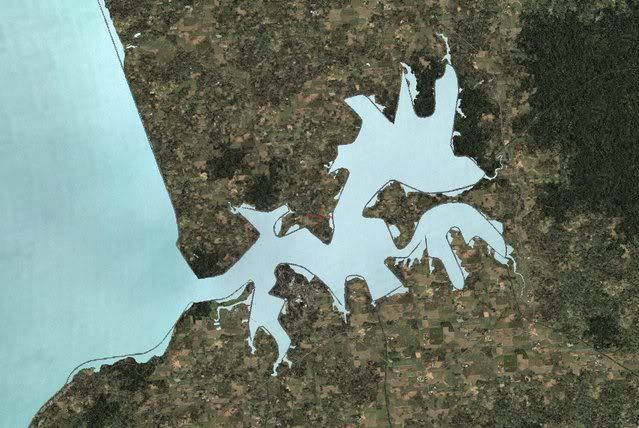
Thanks
Nick
Posted:
Sat Feb 02, 2008 5:48 pmby Christian
NZ255 wrote:Hi, I also have this problem.
Have 75m mesh, and Topo.
Cant find these .blgx files you speak of, the link to support page is now dead, haven't re-installed topo yet, should I?
Thanks
Nick
yes, Nick, please reinstall.
Best wishes,
Christian
Posted:
Tue Feb 05, 2008 7:41 pmby NZ255
Christian wrote:yes, Nick, please reinstall.
Best wishes,
Christian
Sorry, took awhile to get back to you, but to busy enjoying NZ without lines around the outside!
In other words....its fixed!
Thanks
Nick
Posted:
Wed Feb 06, 2008 1:05 pmby Christian
NZ255 wrote:Sorry, took awhile to get back to you, but to busy enjoying NZ without lines around the outside!
In other words....its fixed!
Thanks
Nick
Great!
Posted:
Mon Jul 21, 2008 1:29 pmby Warren
YIPPEEE!! Only saw this thread yesterday and has solved my problem. It happened a month ago and my comp was displaying desktop when the screen went black for about one second. When my wallpaper came back on, my icons on the desktop were mixed around and several shortcuts had lost their links, and I had now acquired two coastlines for NZ. I have been messing around with it ever since trying different things to fix. Boy, am I happy to find this thread. Thank you gents.
