Page 1 of 1

PostPosted: Wed Dec 24, 2008 6:14 pm
by Adamski
One for Rob, I think ...

I could've sworn I once saw the jetways move at NZWN ... gave me quite a shock!! However - all attempts to get them to budge lately have failed. I get the message "you must be at an airport parking place to request .... etc." when I press CTL-J.

I have advanced animations on - and tried all levels of airport traffic right up to max. Tried other scenery settings maxed out too.

I've tried with engines on/off, door open/closed - and moved the aircraft all over the airport to find a "place" that FSX would accept. All to no avail. I've also tried various aircraft - and checked that the aircraft.cfg file has jetway settings.

My feeling is that there's an AFCAD mismatch of some sort ... that the parking places don't match with the graphics ... is that possible?

BTW - I no longer see them move for AI aircraft either (did they ever, I wonder?).

This is with the "Across the Strait" version of NZWN ..... HELP! winkyy.gif

PostPosted: Wed Dec 24, 2008 6:16 pm
by NZ255
FSX jetways don't work on the RealNZ Welly X

PostPosted: Thu Dec 25, 2008 12:30 am
by Adamski
NZ255 wrote:
QUOTE (NZ255 @ Dec 24 2008, 07:16 PM) <{POST_SNAPBACK}>
FSX jetways don't work on the RealNZ Welly X

Hahahahaha! *Now* he tells me! laugh.gif

Where *do* they work then? I'm sure I wasn't hallucinating! Any ideas as to *why* they don't work? In words I could understand, that is!!! rolleyes.gif

PostPosted: Thu Dec 25, 2008 10:21 am
by toprob
Adamski wrote:
QUOTE (Adamski @ Dec 25 2008, 01:30 AM) <{POST_SNAPBACK}>
Hahahahaha! *Now* he tells me! :lol:

Where *do* they work then? I'm sure I wasn't hallucinating! Any ideas as to *why* they don't work? In words I could understand, that is!!! :rolleyes:


They work in FS2004, using a bit of a hack, which no longer works in FSX.

At the time I built Wellington, there was no information at all available on how to build proper jetways which react to Ctrl-J, and although a few of us on FSDeveloper.com did manage to get a partially working jetway, we didn't get the whole thing working until MS was talked into releasingan instructional video in June 2008.

Note that the video author -- Torgo 3000 -- does apologise for sitting on the video for over a year:)

Since this was released, anyone can build a working jetway, but this came too late for Wellington.

PostPosted: Thu Dec 25, 2008 11:33 am
by NZ255
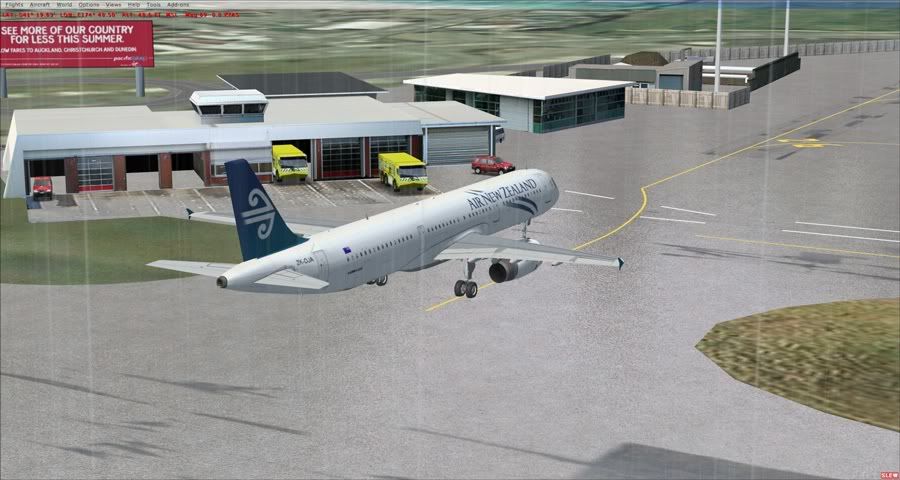
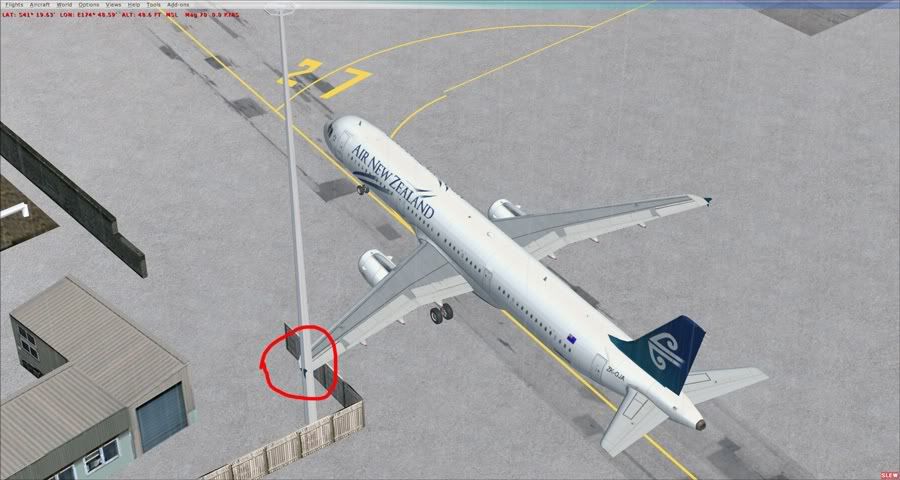
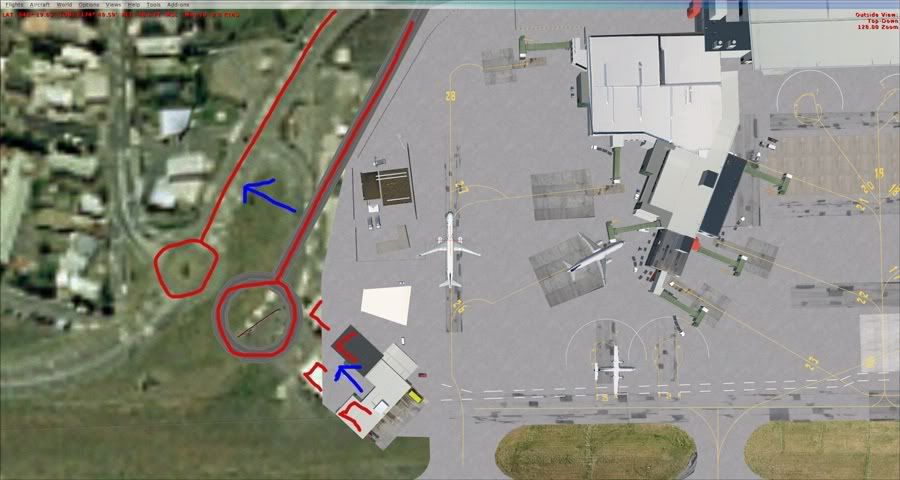
Talking about Wellington, is there any way you could move the road and fire buildings so that it lines up with the photoreal? There's hardly any room when taxing to gate 27 in my A320.
In real life there is a lot of room down there, but it is all squished up in this


Please don't take all this criticism too badly, and don't put it in the way of projects you need to do. I would do it myself but it's all compiled.

Thank you very much,

Merry Christmas

Nick

PostPosted: Thu Dec 25, 2008 12:06 pm
by pilotgallagher01
Also may I ask why the Apron and taxiways have all those funny marks and then the lines to follow appear two, One seems on the scenry and ones on FSX??
Can you fix this yourself or is it ment to be like that?

PostPosted: Thu Dec 25, 2008 3:08 pm
by Alex
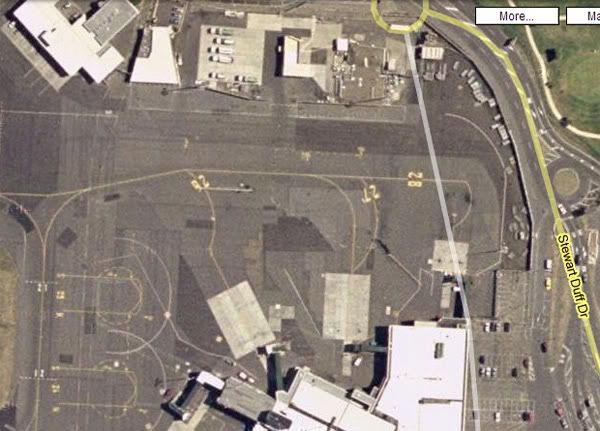
Looks spot on to me Chris - snap from Google Maps...


Alex

PostPosted: Fri Dec 26, 2008 1:20 pm
by toprob
NZ255 wrote:
QUOTE (NZ255 @ Dec 25 2008, 12:33 PM) <{POST_SNAPBACK}>
Talking about Wellington, is there any way you could move the road and fire buildings so that it lines up with the photoreal? There's hardly any room when taxing to gate 27 in my A320.
In real life there is a lot of room down there, but it is all squished up in this

Please don't take all this criticism too badly, and don't put it in the way of projects you need to do. I would do it myself but it's all compiled.

Thank you very much,

Merry Christmas

Nick


I normally aim to release 'fixes' only when the actual sim changes -- so there will normally be an update with each new version, and generally with each SP. Once a scenery is released, it is deemed finished.

You could easily change this one yourself though. Some of the compiled Wellington scenery can be changed, some can't. Building placement can be changed, and this is the simplest to do. You just need Whisplacer, load the appropriate BGL file, move anything you like via dragging, and resave.

You should be able to do this with any FSX placement scenery.
QUOTE
Also may I ask why the Apron and taxiways have all those funny marks and then the lines to follow appear two, One seems on the scenry and ones on FSX??
Can you fix this yourself or is it ment to be like that?[/quote]

You might need to expand on that a bit, I don't know what you mean here. Maybe a screenshot of the problem?