Now available on Avsim -- you can download it here.
Approx. 50MB, for FSX only at present. There will be a FS2004 version early next year.
I may have a different Christmas release for FS2004 users, keep tuned...
'Real New Zealand' Paraparaumu for FSX
23 posts
• Page 1 of 2 • 1, 2
 by NZ255 » Wed Dec 19, 2007 10:55 pm
toprob wrote:QUOTE (toprob @ Dec 24 2007, 10:53 AM) <{POST_SNAPBACK}>I may have a different Christmas release for FS2004 users, keep tuned...
You the man!Nick

-

NZ255 - NZFF Pro
- Joined: Wed Jun 20, 2007 12:57 pm
- Posts: 2475


by Kelburn » Thu Dec 20, 2007 3:41 pm
what happens if you try to install it in FS2004?

Isn't it evident?? Boeing are my favourite aircraft.
P.S. that's is my real birthday but I wish to keep my real age secret to keep you all pondering.
- Kelburn
- NZFF Pro
- Joined: Sat Oct 14, 2006 10:59 am
- Posts: 2193
- Location: On a reverse 'hole'
by Charl » Thu Dec 20, 2007 4:27 pm
So - FSX from scratch 'ey?
Interesting scenery, immediately see the way glass works in FSX.
What other FSX-type features can you tell us about?
Liked the micromesh around the tower
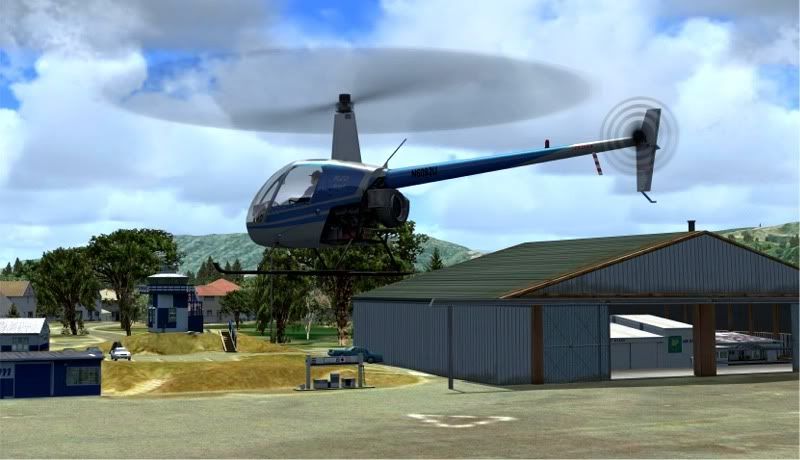
Is there really meant to be a building inside the hangar?
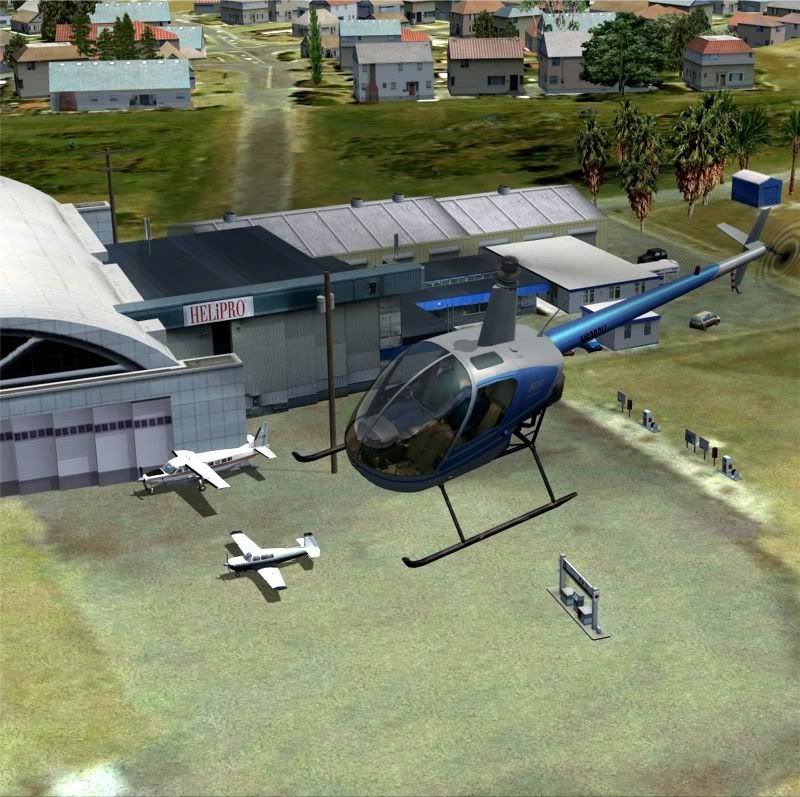
I did notice some parking issues over on the other side:
Not entirely sure about this one though...an interesting effect, FS water around the edges of photoreal.
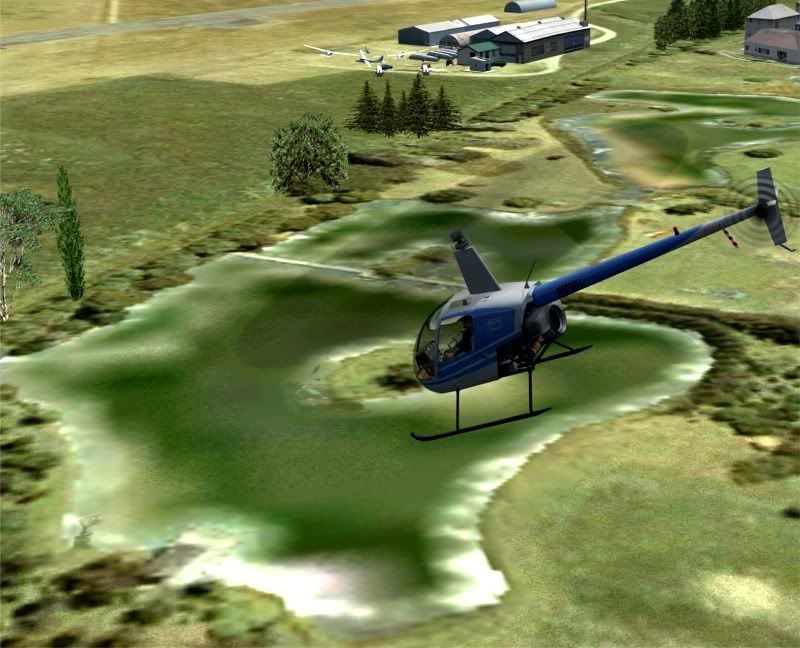
The edges sort of heave while the middle doesn't.
End of "Beta" discussion
+++++++++++++++++++
I reckon it's pretty magnanimous of you to release this as freeware, Robin.
And heroic it will be, when the FS9 version hits town.
Big thank you.
Interesting scenery, immediately see the way glass works in FSX.
What other FSX-type features can you tell us about?
Liked the micromesh around the tower
Is there really meant to be a building inside the hangar?
I did notice some parking issues over on the other side:
Not entirely sure about this one though...an interesting effect, FS water around the edges of photoreal.
The edges sort of heave while the middle doesn't.
End of "Beta" discussion
+++++++++++++++++++
I reckon it's pretty magnanimous of you to release this as freeware, Robin.
And heroic it will be, when the FS9 version hits town.
Big thank you.
-

Charl - NZFF Pro
- Joined: Mon May 01, 2006 8:28 am
- Posts: 9801
- Location: Auckland
by toprob » Thu Dec 20, 2007 5:15 pm
Charl wrote:QUOTE (Charl @ Dec 20 2007, 05:27 PM) <{POST_SNAPBACK}>So - FSX from scratch 'ey?
Interesting scenery, immediately see the way glass works in FSX.
What other FSX-type features can you tell us about?
Big thank you.
Charl, it looks like you have another Paraparaumu scenery installed? I have the default objects excluded, but those don't look like default to me.
EDIT: Ah, yes, that'll be Jon Murchison's FSX Paraparaumu. I forgot he had that out. I normally don't forget his scenery, but in this case I didn't download it because I was already working on it. Looking at the screenshot on the ARNZ site, though, I can see his 'Helipro' hanger and the extra trees.Last edited by toprob on Thu Dec 20, 2007 6:11 pm, edited 1 time in total.
-

toprob - NZFF Pro
- Topic author
- Joined: Sat Apr 29, 2006 4:56 pm
- Posts: 6741
- Location: Upper Hutt
by toprob » Thu Dec 20, 2007 6:33 pm
Charl wrote:QUOTE (Charl @ Dec 20 2007, 05:27 PM) <{POST_SNAPBACK}>S
What other FSX-type features can you tell us about?
After my initial panic when I saw your screenshots, I can relax now:)
For me, the most impressive new FSX feature is the self-shadowing. This gives some results that aren't obvious at first -- for instance, the unlit side of a sunlit building is now very dark, a lot more realistic. The control tower looks good in sunlight, as it casts a lot of shadows on itself. Please try NZPP with scenery shadows turned on at least once, so that you can see this in action.
The glass reflections are pretty basic, but work well if you don't overdo them. They are only really obvious when you move. Reflections use the global environment map -- you see the same reflection all the time -- but I am experimenting with custom environment maps. I may include one in the new release of Wellington, so that you see the reflection of the tarmac in the main terminal.
There is also the provision to apply a variable specular shine map, but I don't -- I have nothing against against variable specular shine, but it does double the texture load with not much improvement. All my objects do have specular shine, but it is the same value for the whole object. The actual value depends on the tonal range of the object -- a darker object (overall) has less shine that a whiter object. This does give some strange effects when you get a lot of shine off the dark bits of a very light building, for instance, but overall I can live with it.
A few buildings have bump maps -- the Helipro hanger, the tower, and the museum roof, from memory. This was a last-minute addition, as bump maps done using the SDK recommended method are not that effective. Luckily I discovered a cool tool called Crazybump, in beta, which lets you fine-tune the bump-mapping. I will therefore use it a lot more in future. The idea is to be able to see the nails in the iron roof, for example, as a 3D shape.
Unfortunately reflections and bump mapping don't play well together, but I can get around that to some extent by reducing the effect of both.
-
toprob - NZFF Pro
- Topic author
- Joined: Sat Apr 29, 2006 4:56 pm
- Posts: 6741
- Location: Upper Hutt
by Redda03 » Thu Dec 20, 2007 7:28 pm
Robin,
Absolutely awesome and a real Xmas treat for a Kapiti Coast flight simmer!!!...FYI I made sure that Jon Murchison's two bgl files from the ARNZ FSX NZPP Addon were removed before install.
Enjoy the Festive Season and have a great holiday!
Cheers,
Bob R
Waikanae Beach
Absolutely awesome and a real Xmas treat for a Kapiti Coast flight simmer!!!...FYI I made sure that Jon Murchison's two bgl files from the ARNZ FSX NZPP Addon were removed before install.
Enjoy the Festive Season and have a great holiday!
Cheers,
Bob R
Waikanae Beach
url="http://www.VectorLandclass.co.nz/"]
 [/url]
[/url]- Redda03
- Forum Addict
- Joined: Tue Aug 08, 2006 12:31 pm
- Posts: 205
- Location: Waikanae Beach
by Charl » Fri Dec 21, 2007 7:31 am
toprob wrote:QUOTE (toprob @ Dec 20 2007, 07:33 PM) <{POST_SNAPBACK}>After my initial panic when I saw your screenshots, I can relax now:)
...For me, the most impressive new FSX feature is the self-shadowing.
I am a developer's nightmare, true.
As an infrequent FSX user I tend to forget what's been dropped in where.
I found Jon's .bgl files in ...\Addon Scenery\scenery which may not have been that obvious initially.
I hope this proves to be a help to others who might've done the same.
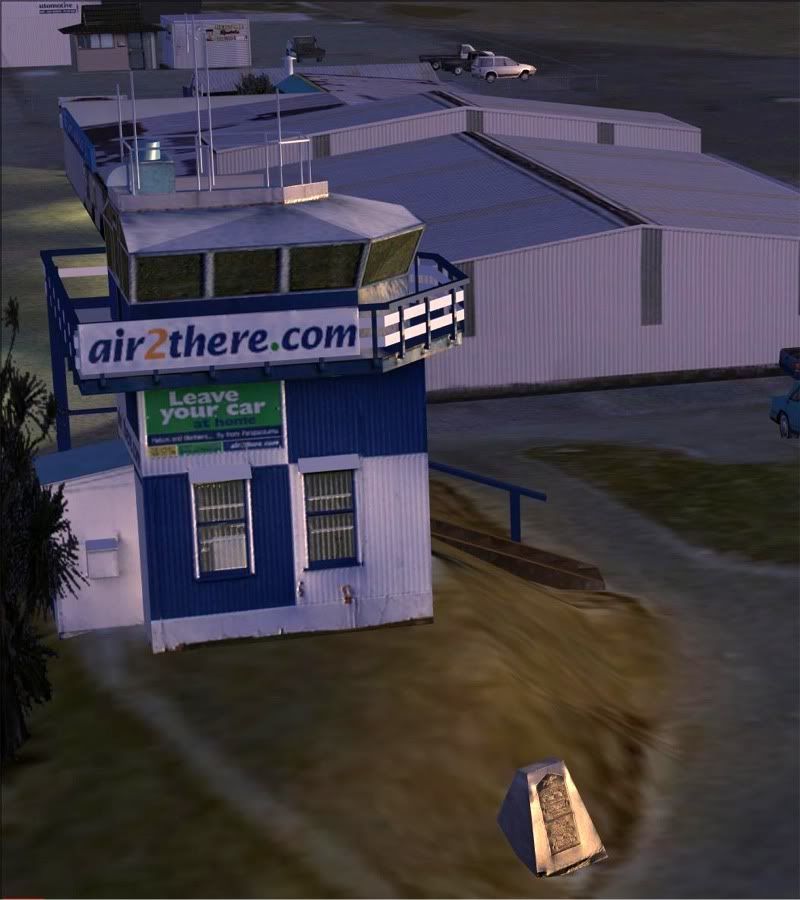
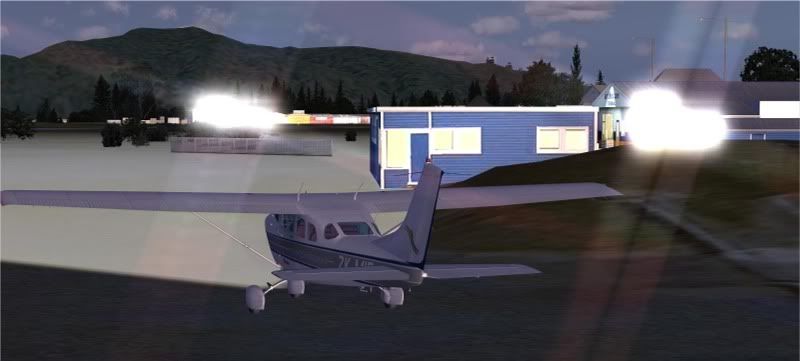
I see what you mean about the lighting/shading range, the plaque for instance does light up nicely:
I turned on light bloom for a bit, but soon changed my mind about the wisdom of that
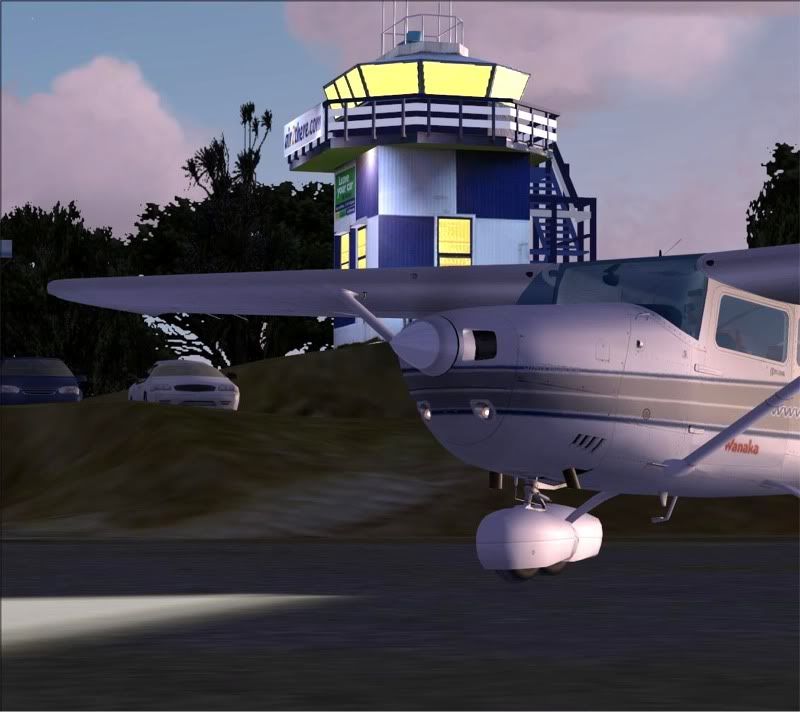
Also, no matter how I fiddled with AA and other graphics settings, I could not get rid of the jaggies on the control tower windows!
Any comments on that?
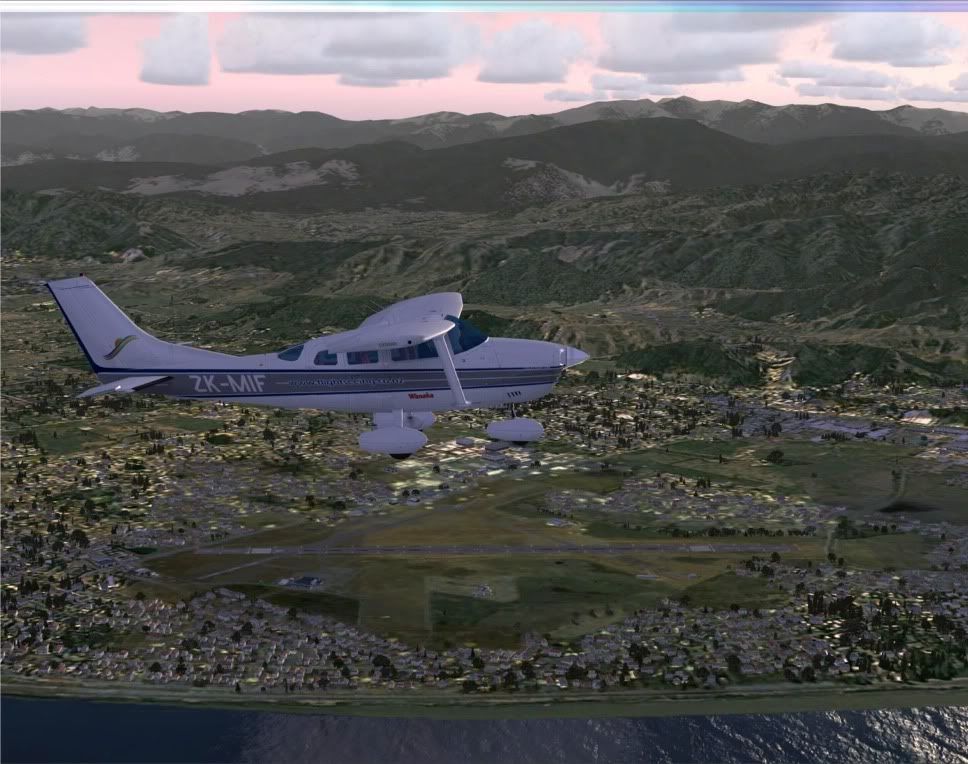
It's true, FSX has moments when you have to have movement to appreciate it properly.
Unfortunately in true love/hate style, it has some of its worst moments then, too.
Does produce a good still life sometimes though
The scenery is very good, can't wait for the FS9 version.
What a spectacular playground you have created, both sides of Cook Strait.
Well done.Last edited by Charl on Fri Dec 21, 2007 7:33 am, edited 1 time in total.
-
Charl - NZFF Pro
- Joined: Mon May 01, 2006 8:28 am
- Posts: 9801
- Location: Auckland
by toprob » Fri Dec 21, 2007 10:36 am
Charl wrote:QUOTE (Charl @ Dec 21 2007, 08:31 AM) <{POST_SNAPBACK}>I am a developer's nightmare, true.
Yes and no:)
All the things you have pointed out fall into the 'known issues' category, and are all the result of either limitations of the sim, or lack of time. This is one result of trying to make a living from this, all projects need a time limit.
In the case of the tower, for instance, I fully intended to model the window frames, but in the end I've left the photo to define them. I dread to think how long it took to do this particular model -- hours and hours -- and in the end it just had to be judged to be 'finished'. Also it already has a higher than normal poly count, so something had to go.
Being privy to the whole development process, I'm well aware of a LOT of these issues, which I try not to worry about, and certainly don't promote them:)
I think I've said before that I always start with a list of features I want to include in a project, and they all get crossed off as I either complete them, or they fall into the 'didn't make it' category...
Keep up the good work, Charl.
-
toprob - NZFF Pro
- Topic author
- Joined: Sat Apr 29, 2006 4:56 pm
- Posts: 6741
- Location: Upper Hutt
by NZ255 » Fri Dec 21, 2007 10:19 pm
Redda03 wrote:QUOTE (Redda03 @ Dec 25 2007, 07:28 AM) <{POST_SNAPBACK}>Robin,
Absolutely awesome and a real Xmas treat for a Kapiti Coast flight simmer!!!...FYI I made sure that Jon Murchison's two bgl files from the ARNZ FSX NZPP Addon were removed before install.
Enjoy the Festive Season and have a great holiday!
Cheers,
Bob R
Waikanae Beach
Good to know I'm not the only one in this town
BTW, Robin, looks great, and can't wait till it's out for FS2004!
Have a great Christmas and holiday everyone
Nick
WaikanaeLast edited by NZ255 on Fri Dec 21, 2007 10:20 pm, edited 1 time in total.Nick
-
NZ255 - NZFF Pro
- Joined: Wed Jun 20, 2007 12:57 pm
- Posts: 2475
by Ian Warren » Sun Dec 23, 2007 11:44 am
LOVE THIS SCENERY .. I spend more hours watching the Traffic , then having to go around ,  but thats OK WITH ME !
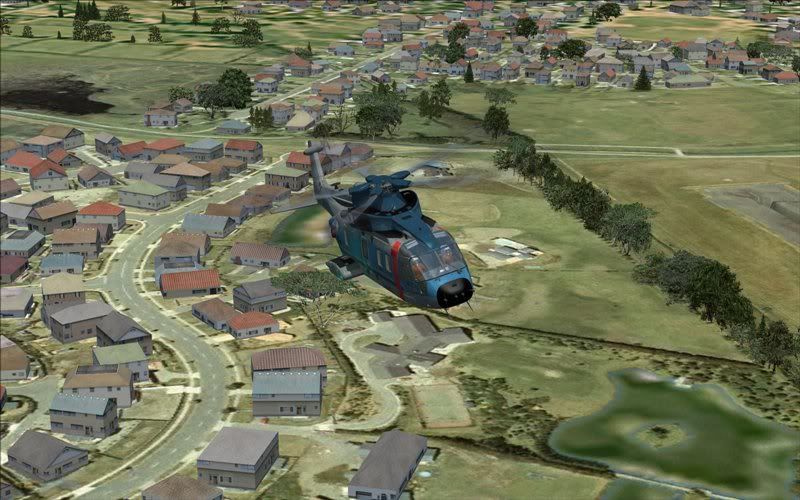
the custom enriched Autogen , damm thats pretty
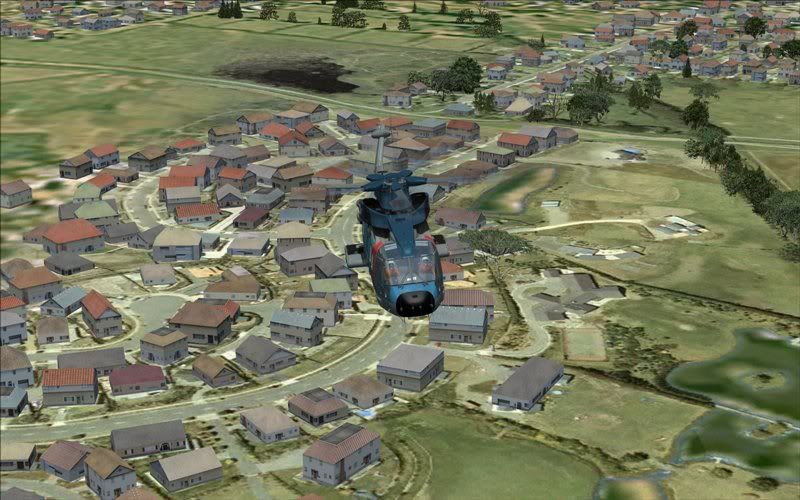
Lucky to have ground crew warming my 51 up
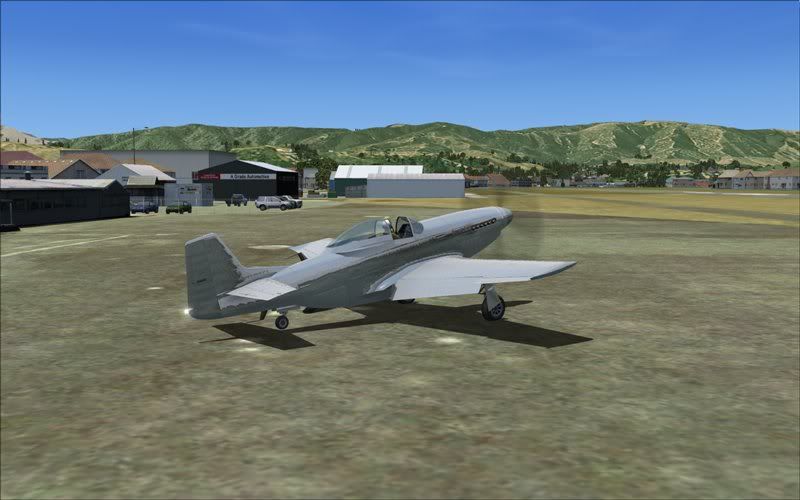
having more fun checkout the airfield boundary
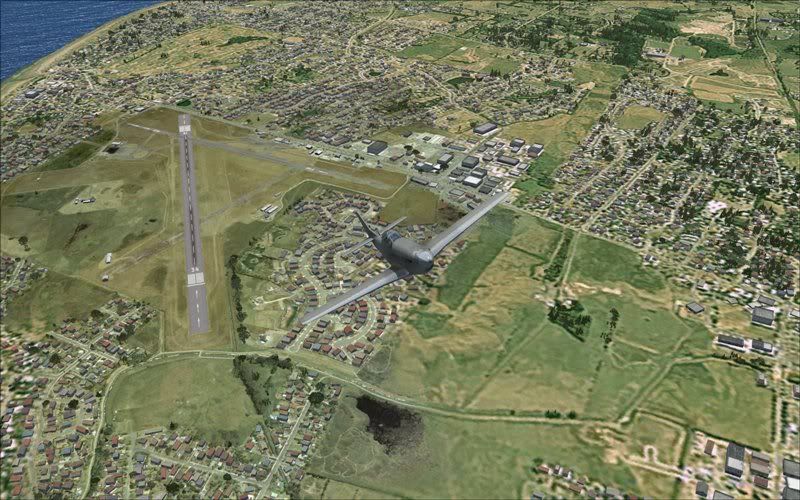
The eye opener
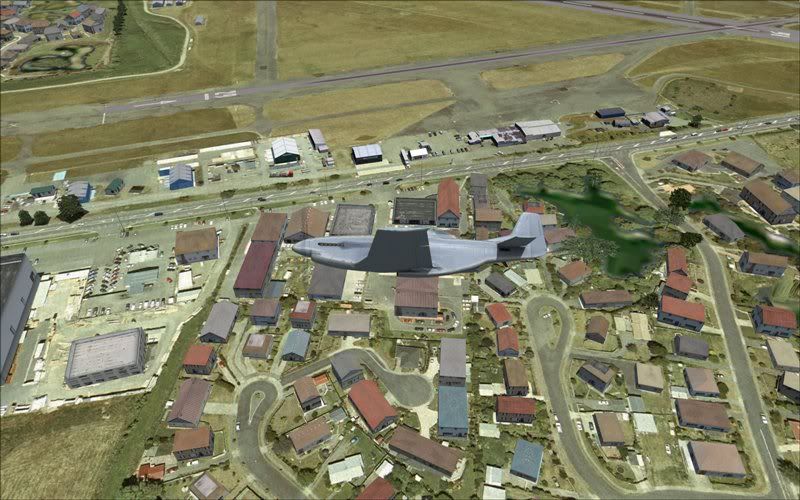
But this ..... WOW!
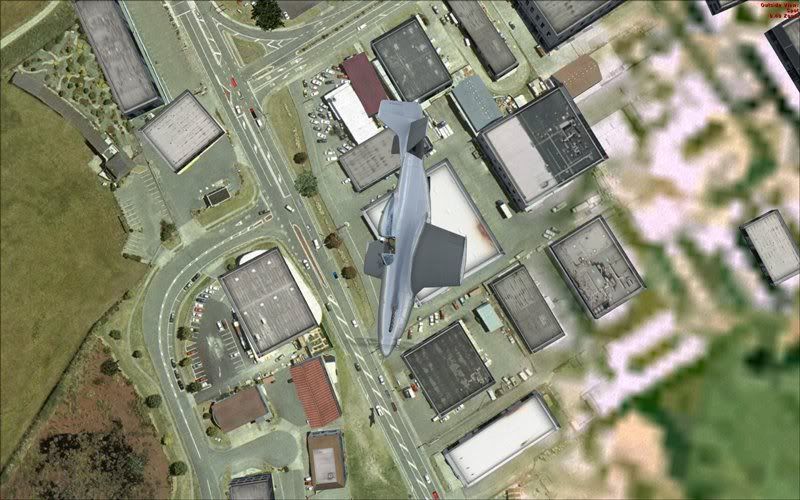
It is BRILLIANT

but thats OK WITH ME ! the custom enriched Autogen , damm thats pretty
Lucky to have ground crew warming my 51 up
having more fun checkout the airfield boundary
The eye opener
But this ..... WOW!
It is BRILLIANT

-

Ian Warren - NZFF Pro
- Joined: Fri May 05, 2006 5:23 pm
- Posts: 41187
- Location: AREA 51
by h290master » Sun Dec 23, 2007 3:20 pm
Looks really awesome







Once you have tasted flight you will walk the earth with your eyes turned skywards for there you have been and there you will long to return....
-Leonardo DaVinci
- h290master
- Sim-holic
- Joined: Mon Jan 22, 2007 6:47 am
- Posts: 511
- Location: NZAA
by Pato » Sun Dec 23, 2007 3:48 pm
As another Paraparaumu simmer I just can't wait for the FS9 edition. Keep up the good work.
Cheers, Pat.
Cheers, Pat.
CPU: Intel Core i5 760 @ 2.8GHz. Motherboard: Asus P7P55 LX. RAM: Kingston Hyper X 8GB 1600mhz DDR3 Non ECC. SSD: Samsung 250GB. HDD: WD !TB.
GRAPHICS: Asus GTX460, Direct CU 1GB GDDR5 256bit video graphics card. PSU: Cooler Master eXtreme Power Plus 650W. CASE: Cooler Master Gladiator.
GRAPHICS: Asus GTX460, Direct CU 1GB GDDR5 256bit video graphics card. PSU: Cooler Master eXtreme Power Plus 650W. CASE: Cooler Master Gladiator.
-

Pato - Forum Addict
- Joined: Sat Nov 18, 2006 1:41 pm
- Posts: 469
- Location: Kapiti Coast
by toprob » Mon Dec 31, 2007 8:23 am
Stumpy wrote:QUOTE (Stumpy @ Dec 28 2007, 03:26 PM) <{POST_SNAPBACK}>Awesome scenery, but why no photoreal runway? or am completely mistaken?
I do mention this in the 'readme':)
NZPP was designed to be 100% FSX-compatible, and FSX has no forwardly-compatible method of placing photoreal runways.
HOWEVER, when I get the FS2004 version finished, it should be possible to drop the (old FS2002-style) runways into FSX which will give photoreal runways. I haven't tested this yet, but I am pretty sure it would work.
-
toprob - NZFF Pro
- Topic author
- Joined: Sat Apr 29, 2006 4:56 pm
- Posts: 6741
- Location: Upper Hutt
by ilovetofly » Thu Mar 13, 2008 11:26 am
Kelburn wrote:QUOTE (Kelburn @ Dec 19 2007, 08:41 PM) <{POST_SNAPBACK}>what happens if you try to install it in FS2004?
Nothing! No airport scenery shows up as I tried it.
Jim D.
- ilovetofly
- Member
- Joined: Tue Oct 30, 2007 5:12 am
- Posts: 63
23 posts
• Page 1 of 2 • 1, 2
Return to Godzone 'Real New Zealand' Scenery Support
Who is online
Users browsing this forum: No registered users and 18 guests