Thanks to those who have offered to test this. I still need a couple more testers, in particular:
someone who has the Red Baron NZ Topo with FSX update installed;
a few folk who don't own Real NZ Rotorua, but who want to test the aerial photo imagery part, which will be freeware.
-Robin
Real NZ Rotorua FSX beta
43 posts
• Page 1 of 3 • 1, 2, 3
 by Motheaten » Sat Aug 04, 2007 7:47 am
toprob wrote:QUOTE(toprob @ Aug 8 2007, 08:25 AM) <{POST_SNAPBACK}>Thanks to those who have offered to test this. I still need a couple more testers, in particular:
someone who has the Red Baron NZ Topo with FSX update installed;
a few folk who don't own Real NZ Rotorua, but who want to test the aerial photo imagery part, which will be freeware.
-Robin
I'd like to help, I also have RBE Topo with FSX Update and RealNZ Rotorua
Cheers
Ted
- Motheaten
- Newbie
- Joined: Tue Jul 04, 2006 7:38 am
- Posts: 5
by toprob » Sat Aug 04, 2007 3:16 pm
I've started to put together an information page for the FSX patch. At the moment it is mainly to give beta testers a look at my screenshots, so that they can see if anything is missing in their version.
BETA TESTERS:
If anyone manages to get some nice screenshots while testing, I'd appreciate them. My system is quite low-end, and doesn't do great FSX screenshots!
There are a few of my hardcore beta testers (Ian, Charl, Murray) who I haven't contacted regarding this test. That's because I'd like you lot to test the full-install version. I just need to find some space to upload this, and I'll be in touch.
Real NZ Rotorua FSX patch webpage.
BETA TESTERS:
If anyone manages to get some nice screenshots while testing, I'd appreciate them. My system is quite low-end, and doesn't do great FSX screenshots!
There are a few of my hardcore beta testers (Ian, Charl, Murray) who I haven't contacted regarding this test. That's because I'd like you lot to test the full-install version. I just need to find some space to upload this, and I'll be in touch.
Real NZ Rotorua FSX patch webpage.
-

toprob - NZFF Pro
- Topic author
- Joined: Sat Apr 29, 2006 4:56 pm
- Posts: 6741
- Location: Upper Hutt
 ..... looks superb


by Motheaten » Sun Aug 05, 2007 4:15 pm
toprob wrote:QUOTE(toprob @ Aug 8 2007, 08:25 AM) <{POST_SNAPBACK}>Thanks to those who have offered to test this. I still need a couple more testers, in particular:
someone who has the Red Baron NZ Topo with FSX update installed;
a few folk who don't own Real NZ Rotorua, but who want to test the aerial photo imagery part, which will be freeware.
-Robin
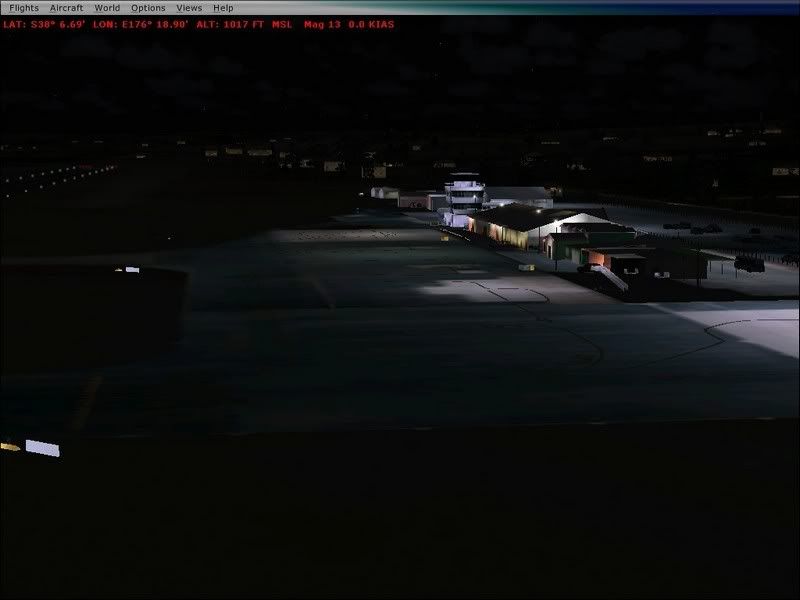
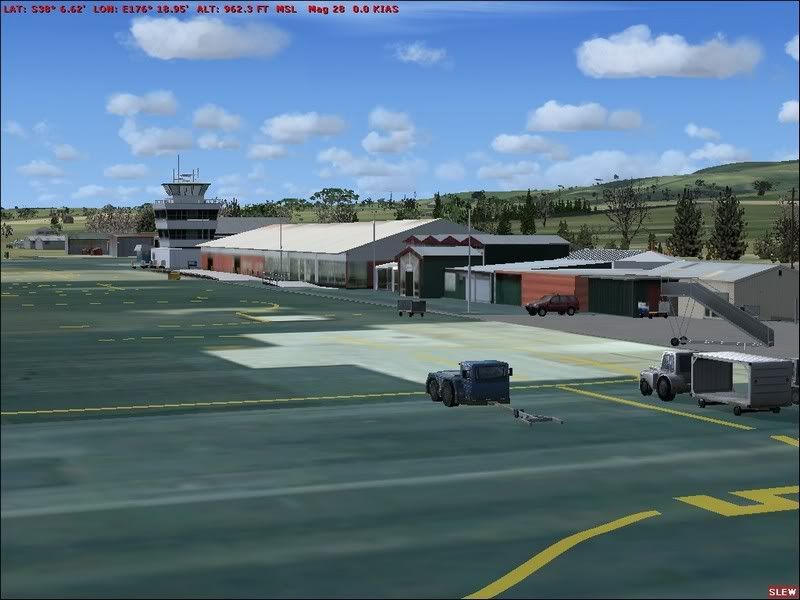
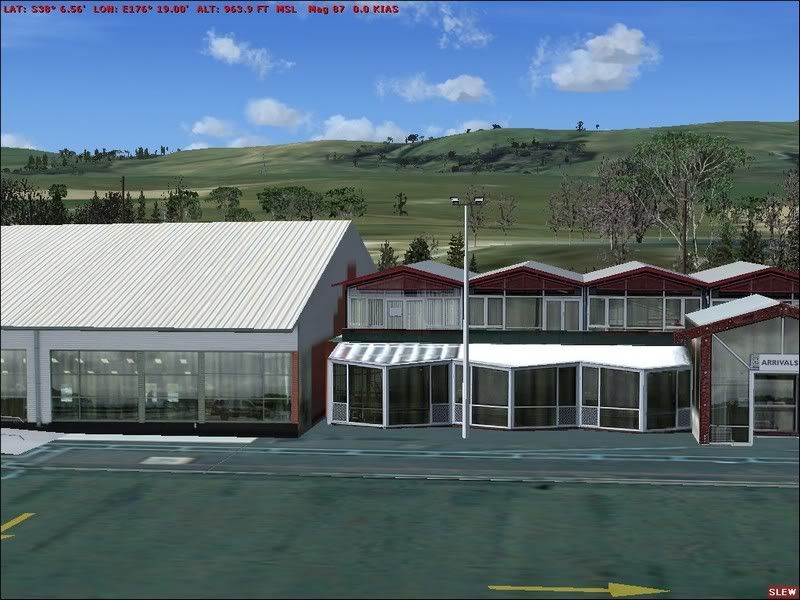
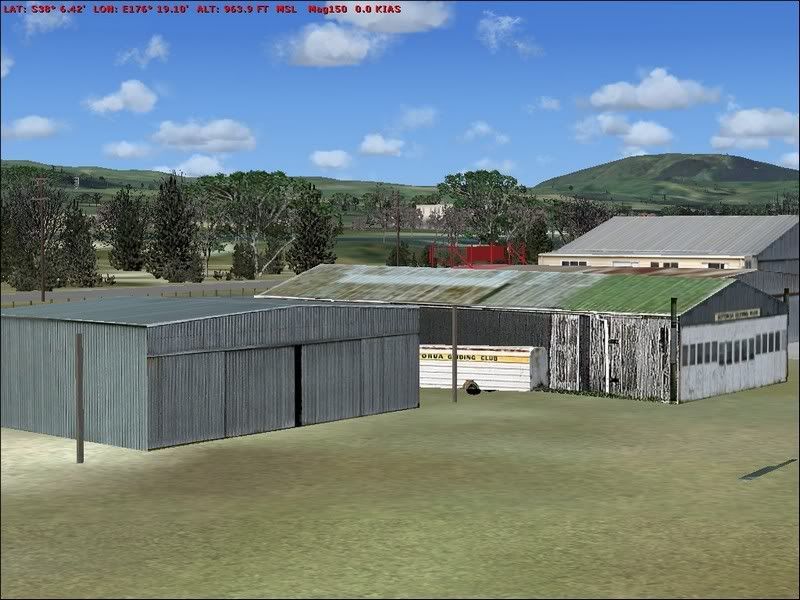
Result so far from Motheaten, I had a copy of FS9's RealNZ Rotorua so simply applied the Patch, no problem.
Instructions straightforward.
Thank Godzone, the concrete monoliths have gone, the fuel storage tanks are no longer black,
and it's more pleasant to fly there.
The enlarged area, reflective windows and night lighting all seem fine.
I'll go away and read the tutorial on how to post pix, hope it's not too complex!
Try these
Ted
PS Pentium D, 3.4Ghz, 2.0 GB RAM
Display 1024X768 NVidia GeForce 7900 GT/GTO 256MB RAMLast edited by Motheaten on Mon Aug 06, 2007 10:14 am, edited 1 time in total.
- Motheaten
- Newbie
- Joined: Tue Jul 04, 2006 7:38 am
- Posts: 5

by toprob » Mon Aug 06, 2007 11:41 am
MurrayH wrote:QUOTE(MurrayH @ Aug 6 2007, 08:28 AM) <{POST_SNAPBACK}>Hi Robin. What is "free demoware" and how will this compare with the CD release?
This'll just be the aerial textures and autogen -- no airport. The idea is that it should extend on the Whakatane scenery which Timmo is working on. Maybe someone can put together an airport to match. The download will include a couple of screenshots showing the airport to encourage people to buy it, though!
Also, to be honest, a patch normally includes only those bits which are new -- since all the photo imagery component is new, by necessity, it is all included in the download, so anyone could extract it if they wished. I might has well make it easy for them.
Alex -- no, no extensions, I would have had to make a special trip to Rotorua for this, and just didn't have the time. I notice that Google Earth shows extensions in progress.
-
toprob - NZFF Pro
- Topic author
- Joined: Sat Apr 29, 2006 4:56 pm
- Posts: 6741
- Location: Upper Hutt
by Timmo » Mon Aug 06, 2007 3:38 pm
Alex -- no, no extensions, I would have had to make a special trip to Rotorua for this, and just didn't have the time. I notice that Google Earth shows extensions in progress.
haha- If you just copied, flipped and pasted the northern part of the new terminal and placed it on the southern side of the original terminal it would pretty much be done!....it is such a boring, characterless extension/terminal...definitely 'done on a budget'.
If you were interested in doing this Rob, i could provide the high res aerials and possibly take some photos (parents live in Rotorua so im there often)....as i said, the textures could almost literally be copied from the ones that are already there
- Timmo
- NZFF Pro
- Joined: Wed Oct 25, 2006 6:28 pm
- Posts: 2056
- Location: Tauranga
 . Was completed 2-3 months ago I think, but anyway, thanks for your answer Robin.
 by Charl » Mon Aug 06, 2007 5:51 pm
toprob wrote:QUOTE(toprob @ Aug 4 2007, 03:16 PM) <{POST_SNAPBACK}>There are a few of my hardcore beta testers (Ian, Charl, Murray) who I haven't contacted regarding this test. That's because I'd like you lot to test the full-install version. I just need to find some space to upload this, and I'll be in touch.
Real NZ Rotorua FSX patch webpage.
Hardcore 'aye...
- Visions of furtive simulating by the light of a flickering display in the wee hours of the night -
Anyway PM if you want tests at some stage, I'll be out of circulation for a couple of weeks from Thursday.
-

Charl - NZFF Pro
- Joined: Mon May 01, 2006 8:28 am
- Posts: 9801
- Location: Auckland
by MurrayH » Tue Aug 07, 2007 7:12 am
Charl wrote:QUOTE(Charl @ Aug 11 2007, 05:51 AM) <{POST_SNAPBACK}>toprob wrote:QUOTE(toprob @ Aug 4 2007, 03:16 PM) <{POST_SNAPBACK}>There are a few of my hardcore beta testers (Ian, Charl, Murray) who I haven't contacted regarding this test. That's because I'd like you lot to test the full-install version. I just need to find some space to upload this, and I'll be in touch.
Real NZ Rotorua FSX patch webpage.
Hardcore 'aye...
- Visions of furtive simulating by the light of a flickering display in the wee hours of the night -
Anyway PM if you want tests at some stage, I'll be out of circulation for a couple of weeks from Thursday.
Robin. I'll need to add that to my list of qualifications. It would look good on my CV also. Thanks for the compliment, it's made my day. Murray
- MurrayH
- Member
- Joined: Tue Jan 23, 2007 8:54 am
- Posts: 50
by sandman » Thu Aug 09, 2007 5:50 am
Sorry, robin, I can´t help, because I use the 20m mesh also and your rotorua-scenery is looking great in FSX like in FS9 (after replacing trees from fsx forest v2 with the originals). BTW: today I got the newest issue of one of the german flight magazins (www.fsmagazin.de): in the october-issue there will be a special about godzone-products. I think it´s a good sign for your work.
- sandman
- Member
- Joined: Mon May 07, 2007 3:27 am
- Posts: 66
- Location: Germany
by toprob » Thu Aug 09, 2007 12:28 pm
scon wrote:QUOTE(scon @ Aug 7 2007, 09:28 PM) <{POST_SNAPBACK}>Will get a few pics tomorow or on thursday, Robin do you want me to send them 2 you or post em up here
May as well post small versions here so I can see how you see it:) I tend to have to turn the settings down a little too much to get really nice screenshots in FSX, so I'm really interested in how it appears on better systems.sandman wrote:QUOTE(sandman @ Aug 9 2007, 05:50 AM) <{POST_SNAPBACK}>Sorry, robin, I can´t help, because I use the 20m mesh also and your rotorua-scenery is looking great in FSX like in FS9 (after replacing trees from fsx forest v2 with the originals). BTW: today I got the newest issue of one of the german flight magazins (www.fsmagazin.de): in the october-issue there will be a special about godzone-products. I think it´s a good sign for your work.
Yes, I did get a heads-up about this, I have always had a big following in Germany, dunno why. Maybe I should shift there...
toprob- NZFF Pro
- Topic author
- Joined: Sat Apr 29, 2006 4:56 pm
- Posts: 6741
- Location: Upper Hutt
by Grumble » Thu Aug 09, 2007 3:30 pm
Robin,
First bad news here. Cannot get this to work at all. It installs ok, but when I actually try to run it, the sim crashes when I get to 80% loading (i.e. the part where traffic begins to load). I also tried flying in from Tauranga, and it crashes when I reach what I guess is the edge of the Rotorua scenery.
I have the 20m mesh and landclass installed, as well as VOZ ai.
hmmm...
First bad news here. Cannot get this to work at all. It installs ok, but when I actually try to run it, the sim crashes when I get to 80% loading (i.e. the part where traffic begins to load). I also tried flying in from Tauranga, and it crashes when I reach what I guess is the edge of the Rotorua scenery.
I have the 20m mesh and landclass installed, as well as VOZ ai.
hmmm...
- Grumble
- Forum Addict
- Joined: Tue Jan 23, 2007 3:15 pm
- Posts: 163
by toprob » Thu Aug 09, 2007 6:45 pm
Grumble wrote:QUOTE(Grumble @ Aug 9 2007, 03:30 PM) <{POST_SNAPBACK}>Robin,
First bad news here. Cannot get this to work at all. It installs ok, but when I actually try to run it, the sim crashes when I get to 80% loading (i.e. the part where traffic begins to load). I also tried flying in from Tauranga, and it crashes when I reach what I guess is the edge of the Rotorua scenery.
I have the 20m mesh and landclass installed, as well as VOZ ai.
hmmm...
Can you try it with no autogen?
-
toprob - NZFF Pro
- Topic author
- Joined: Sat Apr 29, 2006 4:56 pm
- Posts: 6741
- Location: Upper Hutt
by Grumble » Thu Aug 09, 2007 6:54 pm
toprob wrote:QUOTE(toprob @ Aug 13 2007, 12:45 AM) <{POST_SNAPBACK}>Grumble wrote:QUOTE(Grumble @ Aug 9 2007, 03:30 PM) <{POST_SNAPBACK}>Robin,
First bad news here. Cannot get this to work at all. It installs ok, but when I actually try to run it, the sim crashes when I get to 80% loading (i.e. the part where traffic begins to load). I also tried flying in from Tauranga, and it crashes when I reach what I guess is the edge of the Rotorua scenery.
I have the 20m mesh and landclass installed, as well as VOZ ai.
hmmm...
Can you try it with no autogen?
Will do. Now you stop posting and get to work on Tauranga!! "Fingers to the bone" please!!!Last edited by Grumble on Thu Aug 09, 2007 6:55 pm, edited 1 time in total.
- Grumble
- Forum Addict
- Joined: Tue Jan 23, 2007 3:15 pm
- Posts: 163

43 posts
• Page 1 of 3 • 1, 2, 3
Return to Godzone 'Real New Zealand' Scenery Support
Who is online
Users browsing this forum: No registered users and 12 guests