 Posted: Wed Jul 12, 2006 11:04 am
Here's how I make my videos smaller.
I used to make videos then spent way too much time trying to find acceptable compression methods to get it small enough to share online. It was a hit and miss approach until I found Auto Gordian Knot (Link to AGK Homepage).
Let me explain (please note this is an IL2 video, not FS2004, but I didn't have any recent FS examples):
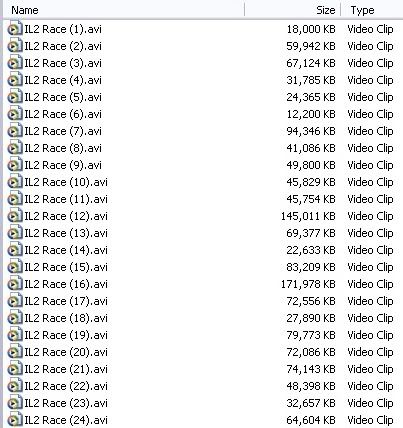
After recording my footage with Fraps I had some really large, short avi's.
They were compiled using U-Lead Video studio and the finished product compiled as a mpeg:
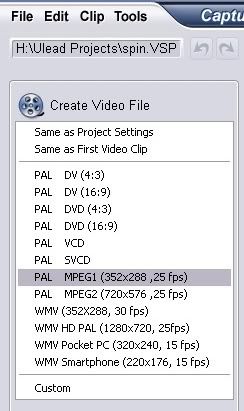
The end result is 35 MB, which is too large to email or upload to YouTube, Photobucket or Google:

Open Auto Gordian Knot and select the mpeg file you want to work with (Input File), it renames it as an avi for the Output File), advanced settings allow you to choose what codec to use, I use xDiv), choose a size that will be suitable (I chose 8 megs here), then click Add Job.

Now click Start and the process will begin:
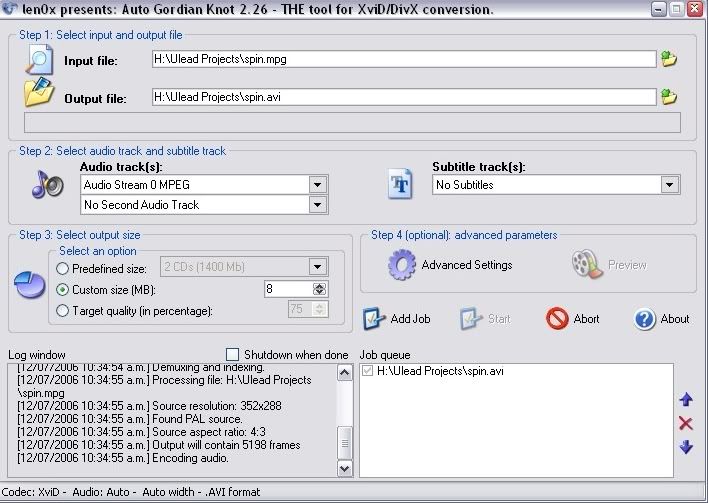
You are able to then use the end result to upload elsewhere.
I used to use Google to store my videos, and most of my FS related ones are there. The quality they reduce it to is low, so they look rather washed out. I now use YouTube. It's faster to get your video uploaded and public, and the quality is better. Links to my videos are below my signature.
The above video may be seen HERE
Hope this info was useful,
Matt
I used to make videos then spent way too much time trying to find acceptable compression methods to get it small enough to share online. It was a hit and miss approach until I found Auto Gordian Knot (Link to AGK Homepage).
Let me explain (please note this is an IL2 video, not FS2004, but I didn't have any recent FS examples):
After recording my footage with Fraps I had some really large, short avi's.
They were compiled using U-Lead Video studio and the finished product compiled as a mpeg:
The end result is 35 MB, which is too large to email or upload to YouTube, Photobucket or Google:
Open Auto Gordian Knot and select the mpeg file you want to work with (Input File), it renames it as an avi for the Output File), advanced settings allow you to choose what codec to use, I use xDiv), choose a size that will be suitable (I chose 8 megs here), then click Add Job.
Now click Start and the process will begin:
You are able to then use the end result to upload elsewhere.
I used to use Google to store my videos, and most of my FS related ones are there. The quality they reduce it to is low, so they look rather washed out. I now use YouTube. It's faster to get your video uploaded and public, and the quality is better. Links to my videos are below my signature.
The above video may be seen HERE
Hope this info was useful,
Matt