 Posted: Sat Apr 26, 2008 7:09 pm
Hi everyone,
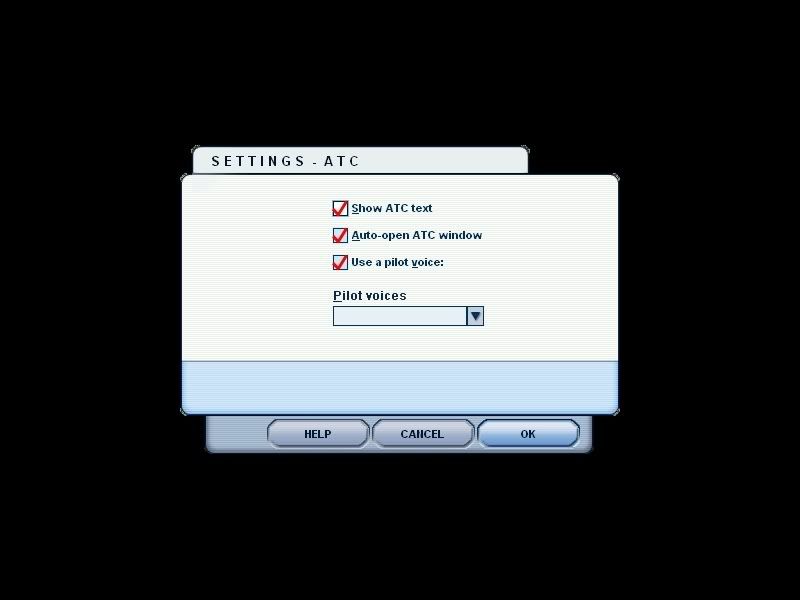
When i am in a flight and i go to speak with ATC (ie: to request take off) there is no sound. It says "1. Request takeoff" so i hit 1, just like i usually would. But now i hit 1 and there is no speech/sound. Instead, it sort of skips a frame and comes up with the next option (ie: "1. Acknowledge takeoff"). So i go into the ATC settings and it has nothing in the "Pilot Voice" drop down box (normally it would have "male 3"). Here is the pic of what i mean:
Whats Wrong!!??
What have i done???? Please help me!!
When i am in a flight and i go to speak with ATC (ie: to request take off) there is no sound. It says "1. Request takeoff" so i hit 1, just like i usually would. But now i hit 1 and there is no speech/sound. Instead, it sort of skips a frame and comes up with the next option (ie: "1. Acknowledge takeoff"). So i go into the ATC settings and it has nothing in the "Pilot Voice" drop down box (normally it would have "male 3"). Here is the pic of what i mean:
Whats Wrong!!??
What have i done???? Please help me!!