Page 1 of 1

PostPosted: Wed Aug 22, 2007 5:53 pm
by Charl
Every now and again someone comes up with a little something that just ups the ante.
Edward Cox (ProjectOpensky Panel designer and Texture Artist) has posted a file called reverser_spray.zip on AVSIM which allows reverse thrust to create a spray effect on the runway (But only when it's raining).
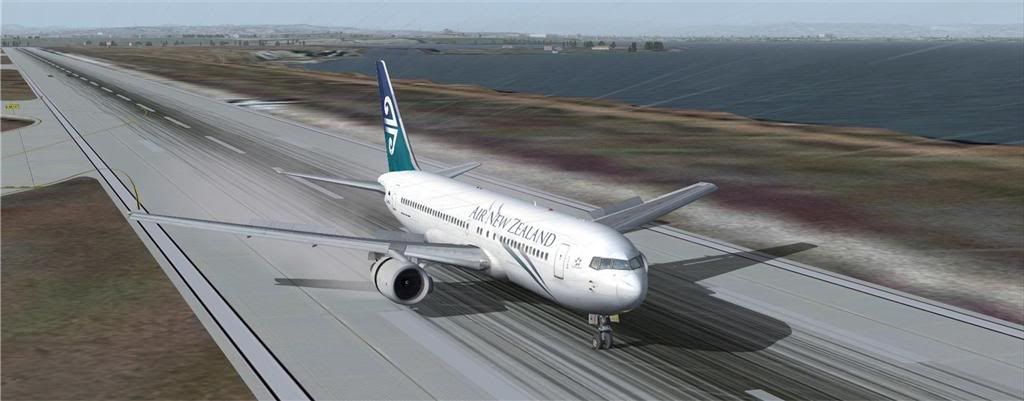


The effect is very nicely restrained, doesn't look like the aircraft has caught fire
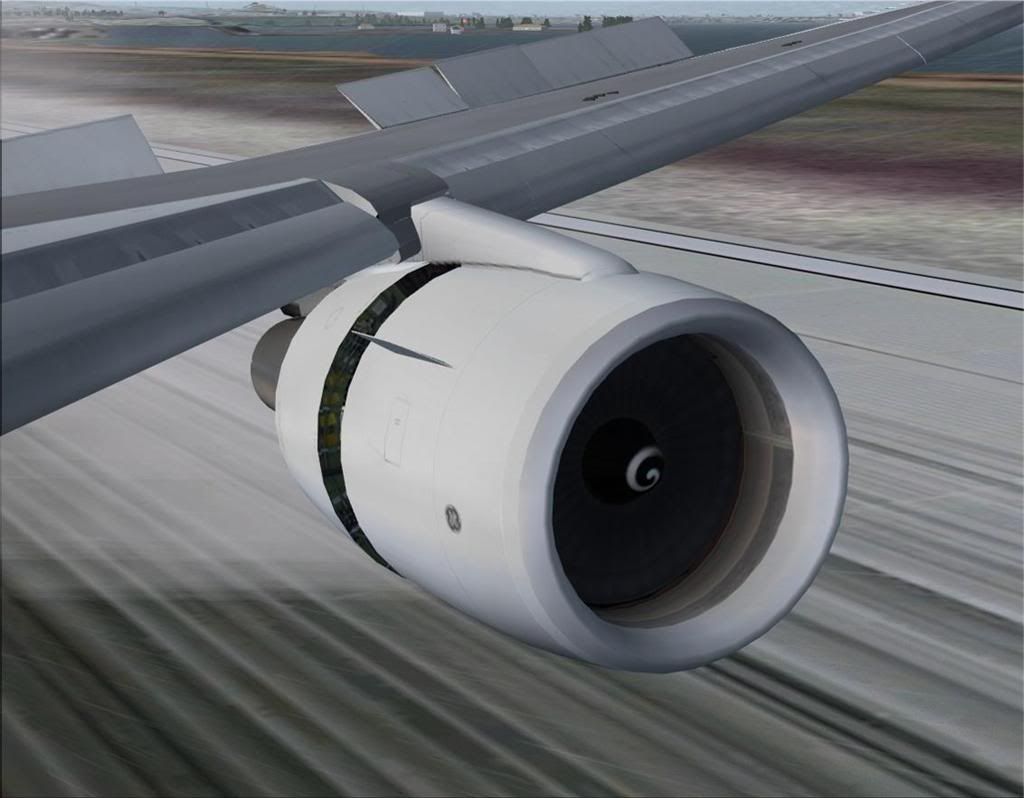


It's going on all my jets.
The aircraft.cfg line for this OS B767 would look something like this:

[SMOKESYSTEM]
smoke.0 = -18.030, 5.500, -26.667, Opensky_revspray
smoke.1 = -18.030, 5.500, 26.667, Opensky_revspray

PostPosted: Wed Aug 22, 2007 6:41 pm
by Alex
Thats a cool little tweak, thanks for letting us know Charl. smile.gif

Alex

PostPosted: Wed Aug 22, 2007 9:36 pm
by creator2003
oh yeah fs9 again this is just another great thing that fs9 still has to offer ,just great stuff winkyy.gif

PostPosted: Thu Aug 23, 2007 10:56 pm
by ardypilot
Neat!

If only the blurry heatwave jet blast could be modelled in fs9! drool.gif

PostPosted: Fri Aug 24, 2007 9:11 am
by Charl
It absolutely can.
I have an F-16 exhaust heat shimmer somewhere which looks brilliant.
The "sprites" do eat up computing resources but if your rig can handle it, is a great effect.
I'm sure a quick search on any of the upload sites on something like "exhaust" will deliver the goods.

PostPosted: Fri Aug 24, 2007 9:38 am
by Bandit
A search on "Heat Shimmer" brings up a few choices as well.

PostPosted: Sat Aug 25, 2007 6:18 pm
by JasFromOz
I've attempted to add these reverser effects to AI models, but they don't work. I made panel config files for several different models from Aardvark and EvolveAI to test it on. Unfortunately, the models don't actually use reverse thrust when they land even though it appears that they do.

As for jet blast 'shimmer', I've applied 'Nick's AI Exhaust' effects to my flyable models, also. It gives them a little more realism, I think. When the effects are 'on', they do appear to be a bit like 'jet blast', especially while on the ground. That's my opinion, anyway. It looks better in the sim than this image, trust me! You can see it around the '15'


PostPosted: Sun Aug 26, 2007 9:59 am
by Charl
JasFromOz wrote:
QUOTE(JasFromOz @ Aug 25 2007, 06:18 PM) <{POST_SNAPBACK}>
I've attempted to add these reverser effects to AI models, but they don't work. I made panel config files for several different models from Aardvark and EvolveAI to test it on. Unfortunately, the models don't actually use reverse thrust when they land even though it appears that they do.
As for jet blast 'shimmer', I've applied 'Nick's AI Exhaust' effects to my flyable models, also. It gives them a little more realism, I think. When the effects are 'on', they do appear to be a bit like 'jet blast', especially while on the ground. That's my opinion, anyway. It looks better in the sim than this image, trust me! You can see it around the '15'

Funny that, I went off and re-installed NAE again.
Being a subtle dynamic effect it does look a lot better in the sim, and I thought, pretty convincing.
Good effects are things you notice out of the corner of your eye, so to speak.
No need for plumes of soot, there's always Photoshop for the screenshots!

PostPosted: Sun Sep 09, 2007 12:48 pm
by ardypilot
Its really neat when your sim surprises you every now and then. Today I was roaring out fo Welly in the new Project Airbus a320, when what do I see behind the engines:

BTW, I'm not sure if I have the very latest version of the PAv2 installed- my one doesn't have a VC. Could anyone point me in the right direction? The one I have is 'project_airbus_a320-232_anz_zk-ojg.zip' and seems much smoother on frames that the old iFDG one.