Page 1 of 1
NZ Scenery issues with new Prepar3d 4.4

Posted:
Sun Dec 23, 2018 4:57 pmby toprob
This is just a quick enquiry aimed at those who have updated Prepar3d to 4.4. I saw a post on the Orbx forum from a guy having trouble with Orbx Milford Sound and Real NZ Nelson since the update. I can actually reproduce this at Nelson, but not all the time.
The problem is that sometimes all the scenery just does not appear, and other objects disappear as you approach them. He explained it as vegetation disappearing as he taxied along the runway at Milford Sound, for example. Has anyone seen something like this at any airport in 4.4?
I hope to approach LM about it when I'm back from the break, but I need to find the extent of the problem.
If those who updated could try a few addon airports and report back I'd appreciate it.
The Orbx customer also mentioned the Autogen Config Merger Tool, which I'm aware is a bit of a nuisance for Orbx customers who want to also use Godzone scenery. Prepar3d 4.4 now has native support for merging autogen, without the need for the tool, so I've promised him I'd do a quick post on how to get rid of ACMT but still have the Godzone autogen. I may offer a patch for Nelson and Dunedin, but that won't be for a while, so in the meantime I'll do a quick post maybe this week, but after Christmas:)
Re: NZ Scenery issues with new Prepar3d 4.4
Posted:
Sun Dec 23, 2018 8:12 pmby SA227
I have only updated the client and content. No obvious issues for me at Milford or Nelson
Re: NZ Scenery issues with new Prepar3d 4.4
Posted:
Sun Dec 23, 2018 11:45 pmby Adamski
Hi Rob - I've been on P3D4.4 since the day it was released - and have been to NZMF many a time. I've not experienced any kind of problems - other than the usual "waterfall" loading pause that's been there for a fair while.
I'm still on the ORBX beta team, so if anyone wants to feed me more details, I'd be more than happy to make sure they go to the right place. The devs involved with ORBX/NZ have always been very helpful and responsive to anything I've thrown at them in the past, so it's always worth a go.
Adam.
Re: NZ Scenery issues with new Prepar3d 4.4
Posted:
Thu Dec 27, 2018 4:10 pmby toprob
Thanks, guys. Adam, now that I'm back from my break I've had a chance to explore this, and at the moment I'm leaning towards it being a bug in P3Dv4.4. I've now posted on the Prepar3d forum, so I'll see if there are any answers. I've had some testing help from Blake here on NZFF (waka) so things are becoming a bit clearer. I thought it might be a backward-compatibility issue (Nelson is compiled with the P3Dv2 SDK) but recompiling doesn't help.
So far only those who did a complete update have reported a problem, just doing a partial update doesn't seem to cause a problem.
As I explained on the Prepar3d forum, it seems to relate to an issue with how Prepar3d handles Scenery Complexity. Maybe they've been fiddling with this, I dunno, but it gives them something to look at, anyway.
Re: NZ Scenery issues with new Prepar3d 4.4
Posted:
Thu Dec 27, 2018 11:15 pmby Adamski
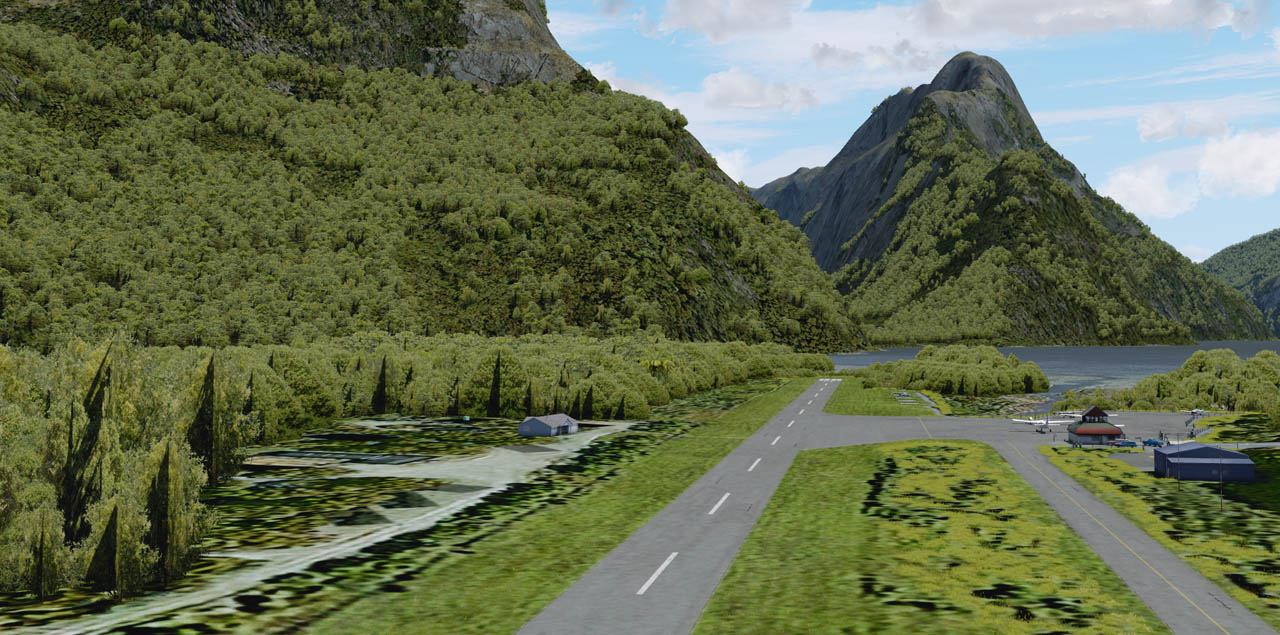
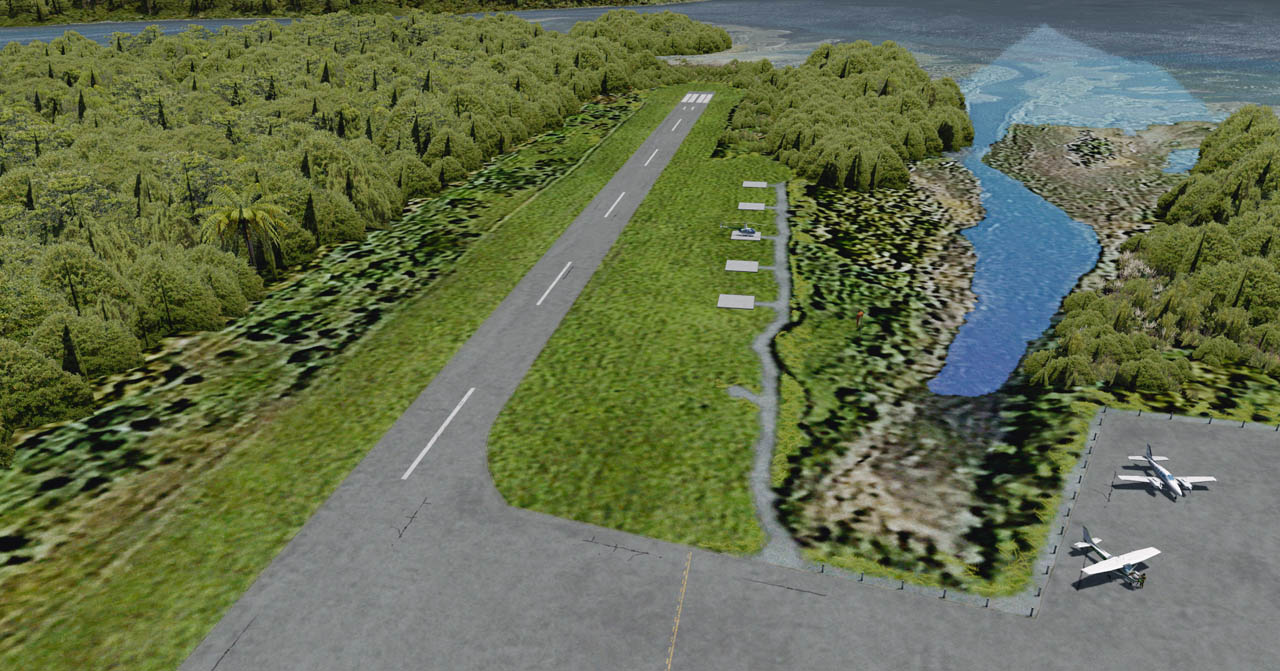
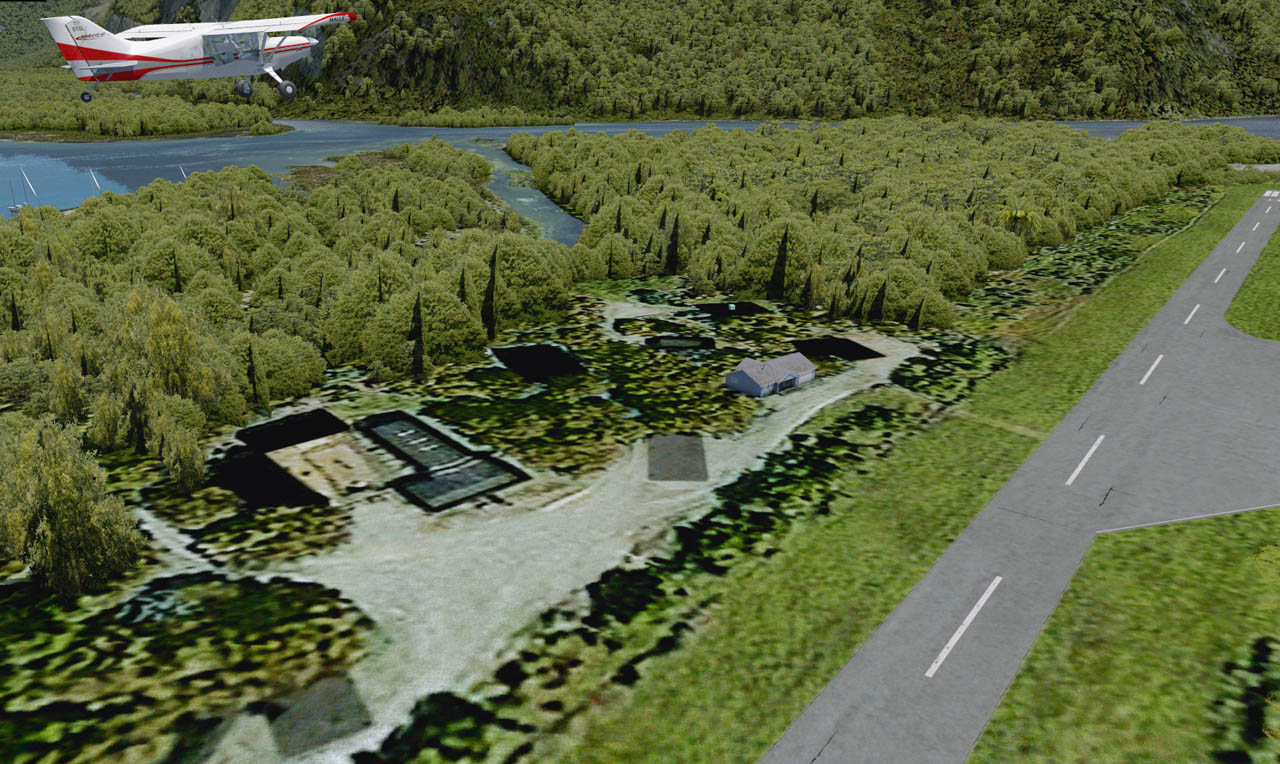
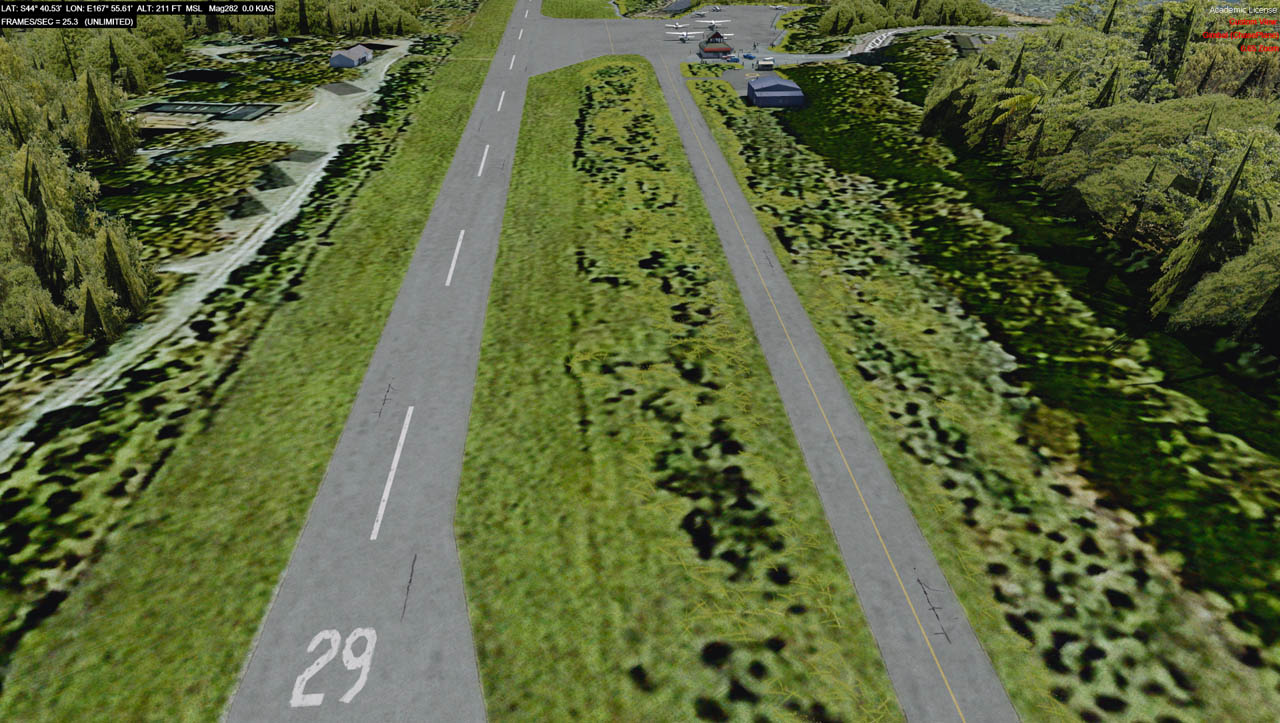
Hi Rob! I take it all back. I *do* indeed have severe problems at NZMF after all. Missing autogen (vegetation and buildings). I'll post up some pics soon.
Tim Harris says its 99.99% likely that it's a P3D issue (and that they're aware of it). Apparently a completely new P3D install doesn't get it ... only the upgraded versions (like mine) - regardless of whether you do a full client/content/etc. reinstall.
So ... it looks like we just have to wait for LM to fix things.
Adam.
Re: NZ Scenery issues with new Prepar3d 4.4
Posted:
Fri Dec 28, 2018 8:49 amby toprob
Thanks for that, Adam. Stupid question, I know, but I do have to ask -- have you checked your Scenery Complexity setting to make sure that what you are seeing is not just the normal effect of this setting?
I assume you saw my post on the Prepar3d.com forum, so far the only thing which has some effect on this is actually changing the scenery complexity setting -- in fact ANY change in the high-end range fixed the issue at Nelson until the next reload.
I really appreciate your post, I have been stressing about this lately, so it would be good if someone -- like Lockheed Martin, or even Orbx in relation to Milford Sound -- would acknowledge that it might be a bug. Then I could just get back to NZCH (which has the same issue, just not as often) and look forward to a fix before I release it:)
Re: NZ Scenery issues with new Prepar3d 4.4
Posted:
Fri Dec 28, 2018 12:25 pmby Adamski
toprob wrote:Thanks for that, Adam. Stupid question, I know, but I do have to ask -- have you checked your Scenery Complexity setting to make sure that what you are seeing is not just the normal effect of this setting?
I assume you saw my post on the Prepar3d.com forum, so far the only thing which has some effect on this is actually changing the scenery complexity setting -- in fact ANY change in the high-end range fixed the issue at Nelson until the next reload.
I really appreciate your post, I have been stressing about this lately, so it would be good if someone -- like Lockheed Martin, or even Orbx in relation to Milford Sound -- would acknowledge that it might be a bug. Then I could just get back to NZCH (which has the same issue, just not as often) and look forward to a fix before I release it:)
Rob - I haven't had time to trawl the P3D forums yet - but a quick note from Tim certainly pointed the finger at some oddity within P3Dv4.4 - which appears to also affect cloud shaders, apparently. The ORBX team has access to P3D betas, so I think they're co-operating with LM with a 4.5 build. I think I'm allowed to say that much, but I'm bound by the usual NDAs, so can't really go into detail.
My personal view is that all of this shouldn't really impact on the way you've been building your scenery - and that it will get sorted by LM (hopefully) soon. I'm wondering what other areas are affected - or why NZMF got hit so badly. I suspect it makes it hard for people like yourself to develop/test new scenery if what you're seeing is incomplete or buggy.
Fiddling with the complexity slider (in any direction) does indeed make the scenery reappear. I thought I'd already tried that with no success. Maybe I tried all the scenery sliders *except* the complexity one.
Adam.
Re: NZ Scenery issues with new Prepar3d 4.4
Posted:
Wed Jan 09, 2019 6:24 pmby toprob
Adam, thanks for your input over at the Prepar3d forum. As I said there, I have done a complete reinstall again, with no change. However I have been experimenting still, and it certainly looks to me that reducing my settings to something closer to the 'default' helps a lot. I wonder if this issue isn't that common -- although obviously more than a few -- because most people keep their settings middling? I guess that the one thing that you are I have in common is that we both go for visuals over performance, but maybe we are by far the minority.
I can remember that FSX was meant to gauge our system specs on install and set it up to match, but I don't know if Prepar3d does that, I think it just has a 'default' setting which gives 90FPS on the default flight:) I like to keep my setting high, even if my FPS dips a bit at times. Do you do that as well?
There are some settings which I can't compromise, such as 2048x textures, high res textures, and shadows on/from just about everything, but by holding other settings back at the default, I can lock it at 50 FPS and it won't dip at all at NZCH. Using my old high settings, I would lock it at 25 and if the weather got cloudy it would dip to 18 sometimes. So far I haven't had any issues with the new settings.
It would be a nuisance if I couldn't even reliable turn my settings full-on for screenshots. The issue here is 'reliable', in that sometimes it works, sometimes not. If it was related to my system struggling with too-high settings, then you would at least think it would be consistent. So I am still hoping that this is something that LM can fix.
Re: NZ Scenery issues with new Prepar3d 4.4
Posted:
Wed Jan 09, 2019 8:15 pmby Adamski
toprob wrote:However I have been experimenting still, and it certainly looks to me that reducing my settings to something closer to the 'default' helps a lot. I wonder if this issue isn't that common -- although obviously more than a few -- because most people keep their settings middling? I guess that the one thing that you are I have in common is that we both go for visuals over performance, but maybe we are by far the minority.
Hi Rob - you're quite right in that we both tend towards maxing out our systems! However - even my most frame-rate-unfriendly settings have never been a problem in the past. This is all to do with LM changing the way scenery and/or objects are called then subsequently cached.
When BobL came over, we did a fair few tests (he also has the same problem). The behaviour is slightly different - depending on where your detail/complexity sliders are to start with.:
1) With sliders a notch or two back from full, the scenery looks OK from the runway start - but disappears as you taxi down/take off.
2) With sliders at full, the effect/disappearance occurs at the runway start - with no change as move along. This difference makes sense, sort of.
There's various people messing with this at the ORBX end of things - and the feeling is that constructive conversations are happening with the LM Devs, but that they aren't really being reflected in the *public* forum.
I suspect they'll get to the bottom of it soon - as it affects the way *all*scenery is displayed in P3D - regardless of vendor.
Adam.